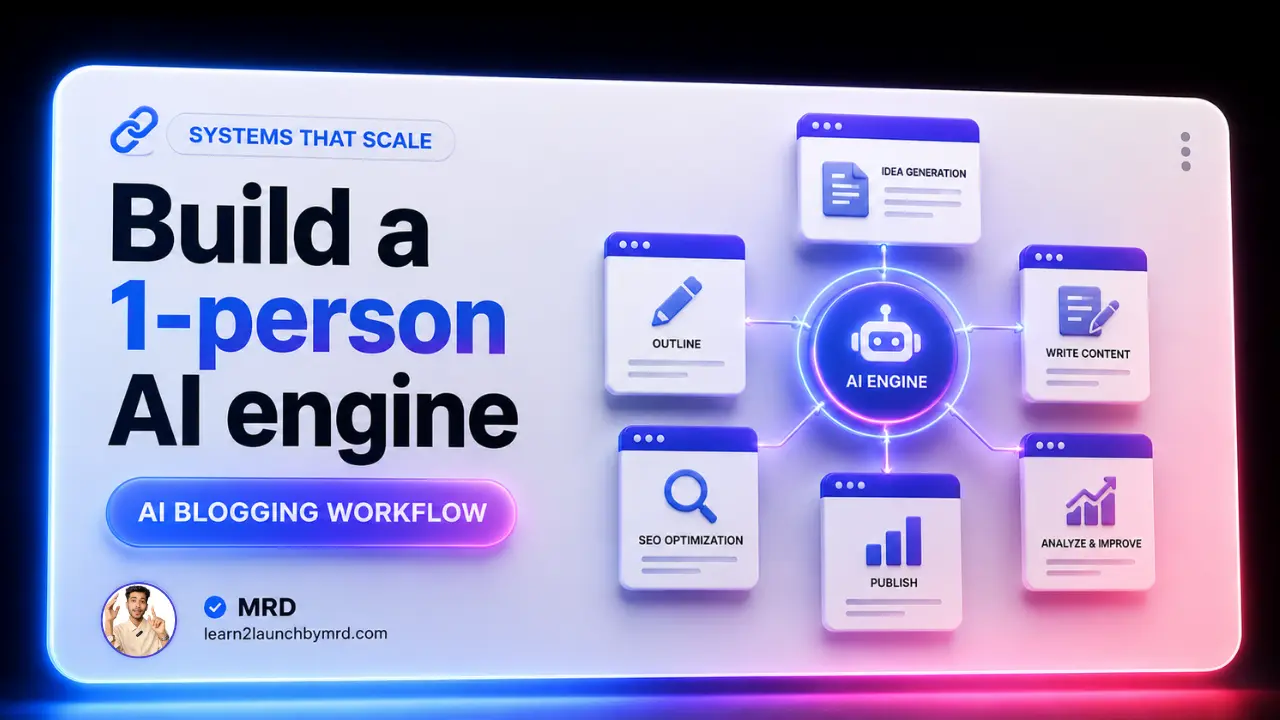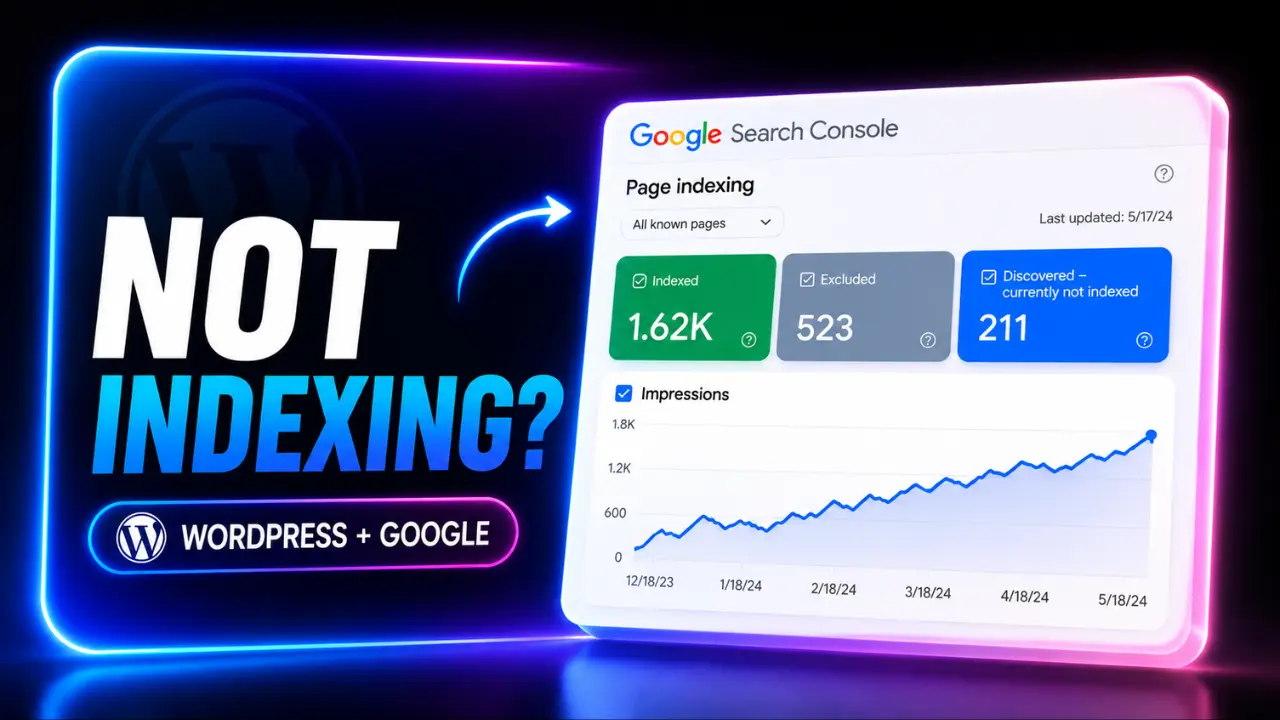
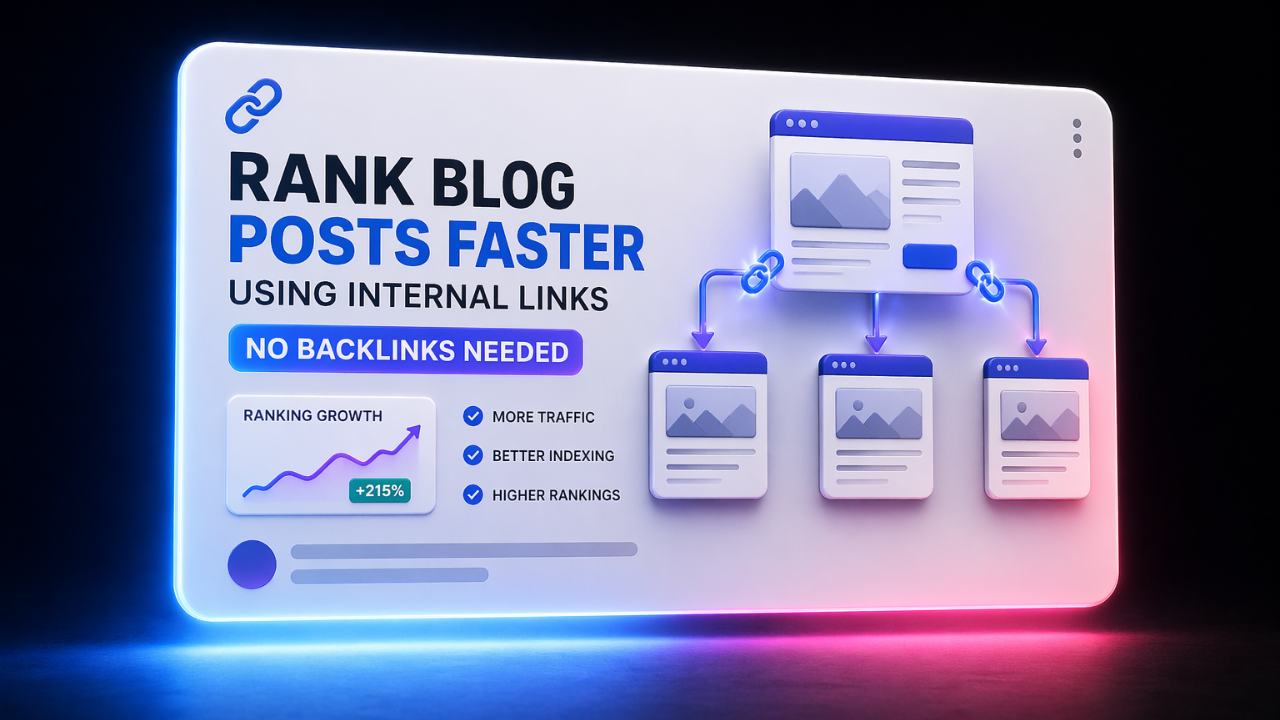
Let’s be honest ; the “guru” advice to make backlinks is exhausting. I thought that the only way to stay surviving when I first started my brand was to write guest posts for sites with a lot of authority. I spent a lot of time trying to get in touch with big sites, but they either ignored me or asked for hundreds of dollars. It was frustrating, and to be honest, it felt like a losing game for a new site. That’s when I pivoted to a “self sufficient SEO strategy“. I discovered that by mastering how to rank blog posts faster using internal links (no backlinks needed), I could force Google to index and rank my content in weeks rather than months.
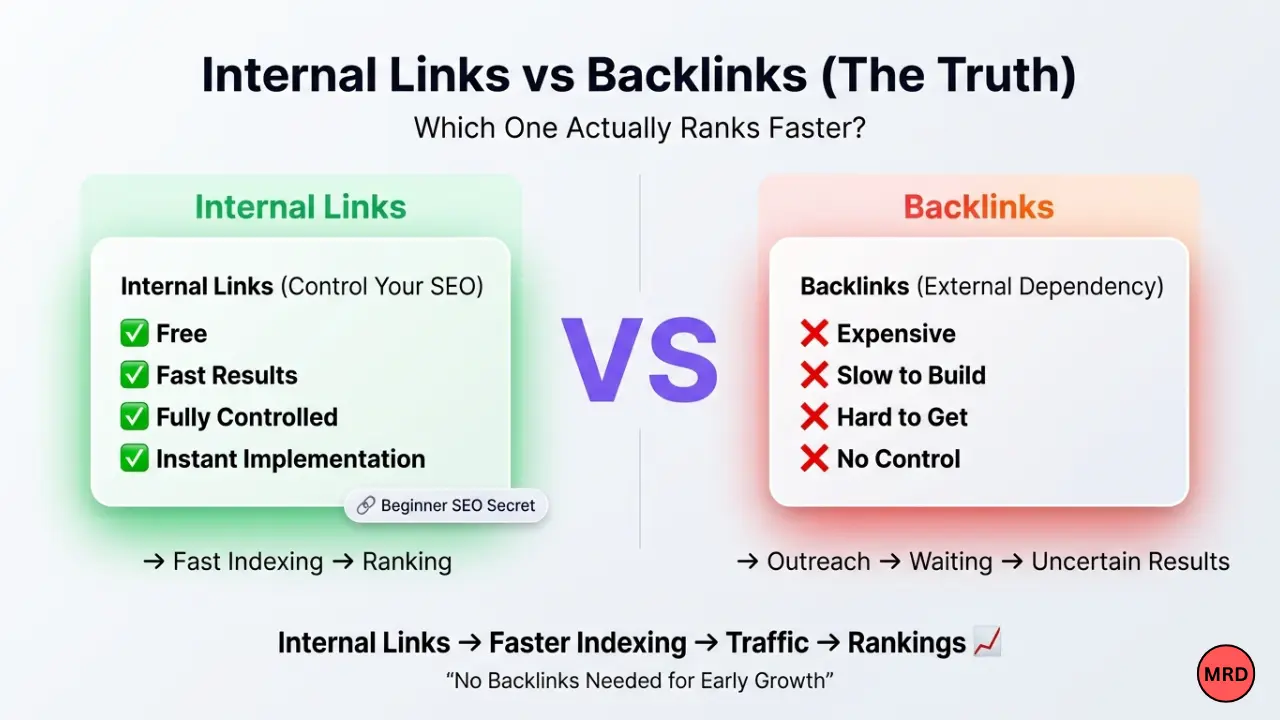
Starting out is undeniably the hardest phase. If you are still figuring out how to start a WordPress blog for beginners step by step, you’ll soon realize that “publishing and praying” doesn’t work in 2026. You need a way to pass authority between your pages without begging for external validation.
By utilizing internal linking trends for late 2026, such as semantic siloing and intent-based mapping, you can create a closed-loop system of authority. In my experience, this “Internal Power-Flow” is the exact way that new blogs are beating big, established sites that don’t care about how their sites are built. You don’t need a lot of money for public relations. You just need to know how to connect the pieces that you already have together.
The “topic cluster” evolution : Why disconnected blogs die in 2026 ?
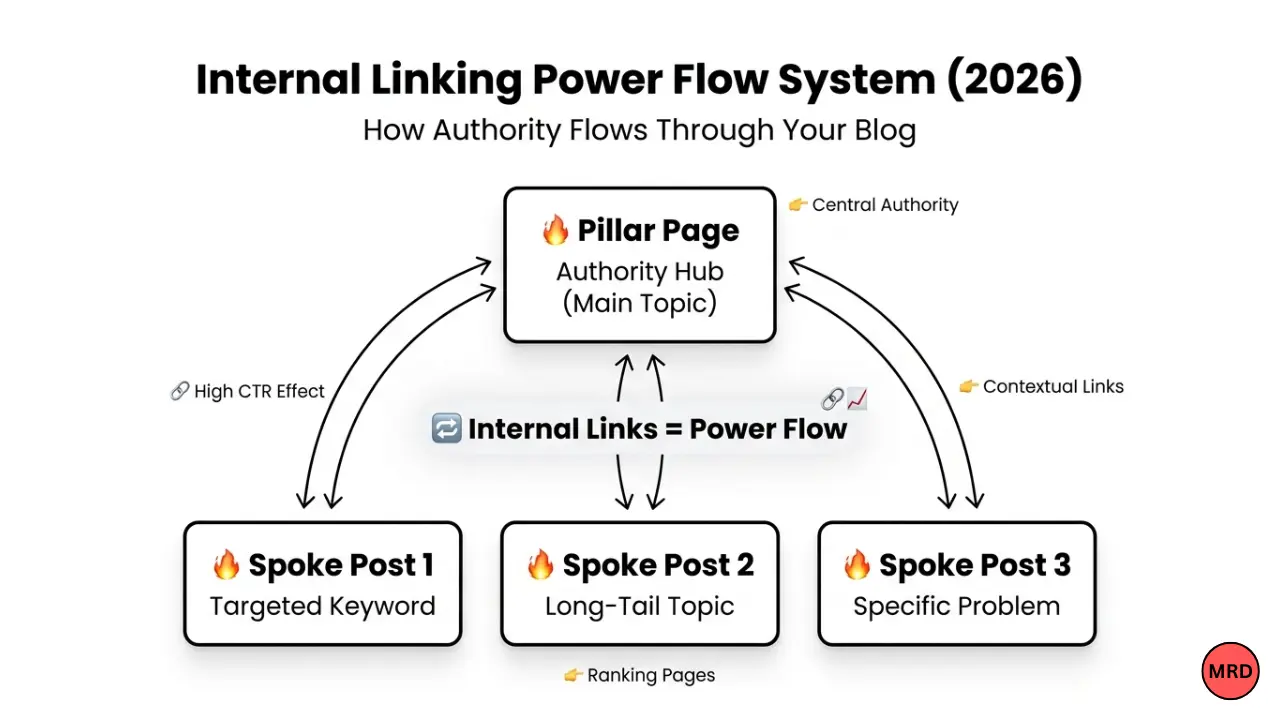
In 2026, the SEO landscape has shifted from individual keyword matching to entity based authority. Gemini and Search Generative Experience (SGE) are two examples of modern AI search engines that don’t just crawl your pages. They also try to figure out how your ideas are connected. If your blog posts are like islands with no bridges between them, they will just die on page 10. Based on what I’ve seen, the biggest mistake beginners make is making great content but not showing how it fits into a bigger body of knowledge.
Understanding internal linking trends for late 2026 means realizing that “topic clusters” are now a mechanical necessity for ranking. When you link related posts together, you create a semantic map that tells Google:
“I am not just writing a random post, I am an authority on this entire subject.“
This is the bridge between being a “hobbyist blogger” and a “niche authority.”
This lack of structural connection is exactly why most people get discouraged early on. I often see new creators asking, how long does it take for a new blog to rank on Google, while their site structure is a mess of orphaned pages. Without internal links, Google has to work twice as hard to find your content, and in 2026, if you make Google work hard, you lose.
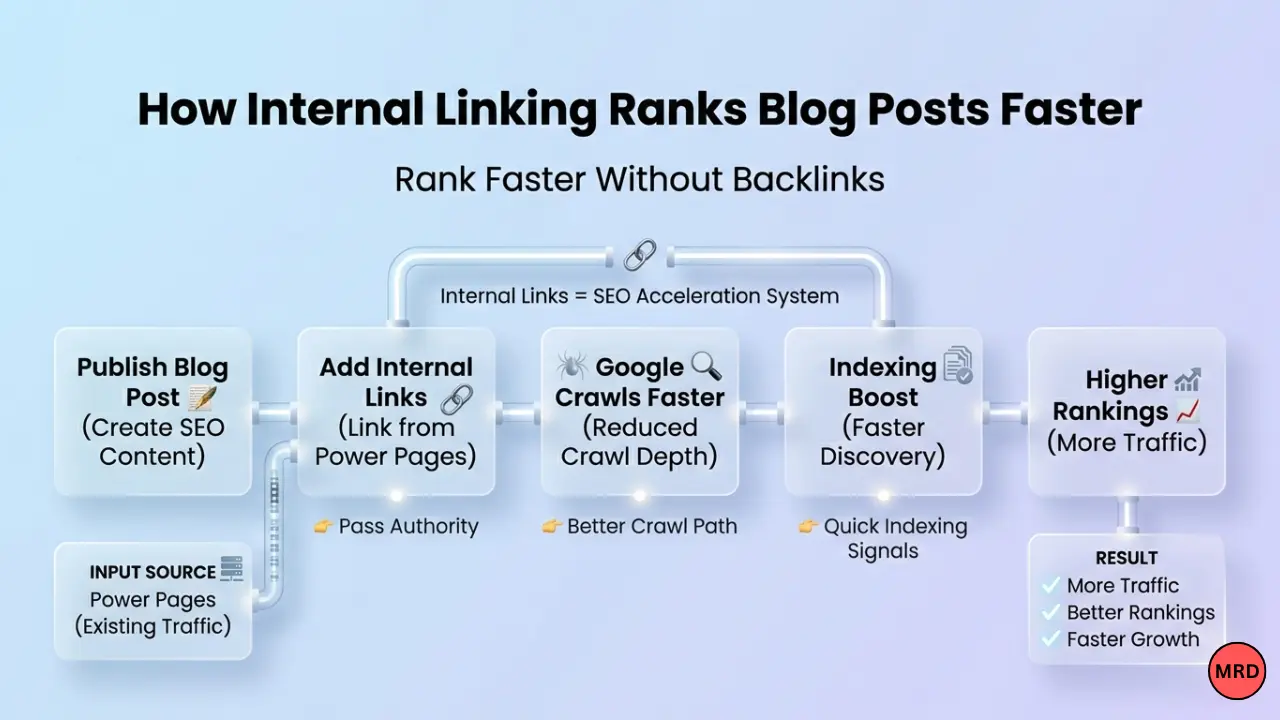
To survive the new AI – crawling standards, you must focus on these #03 pillars;
- Semantic relevance – Your links shouldn’t just be random; they should connect “Parent” topics to “Child” topics. To show that you know a lot about the topic, a post about WordPress plugins should always link back to your main guide on WordPress SEO.
- The “crawl path” efficiency – You want to ensure that any page on your site is reachable within three clicks from the homepage. In my work as a developer, I’ve seen that reducing “crawl depth” through internal links can boost indexing speed by up to 40%.
- User intent continuity – Links should follow the reader’s natural journey. If someone is reading about internal linking, they are likely curious about overall on-page strategy, providing that link keeps them on your site longer, sending massive “dwell time” signals to search engines.
The “Silo” architecture – building your authority foundation
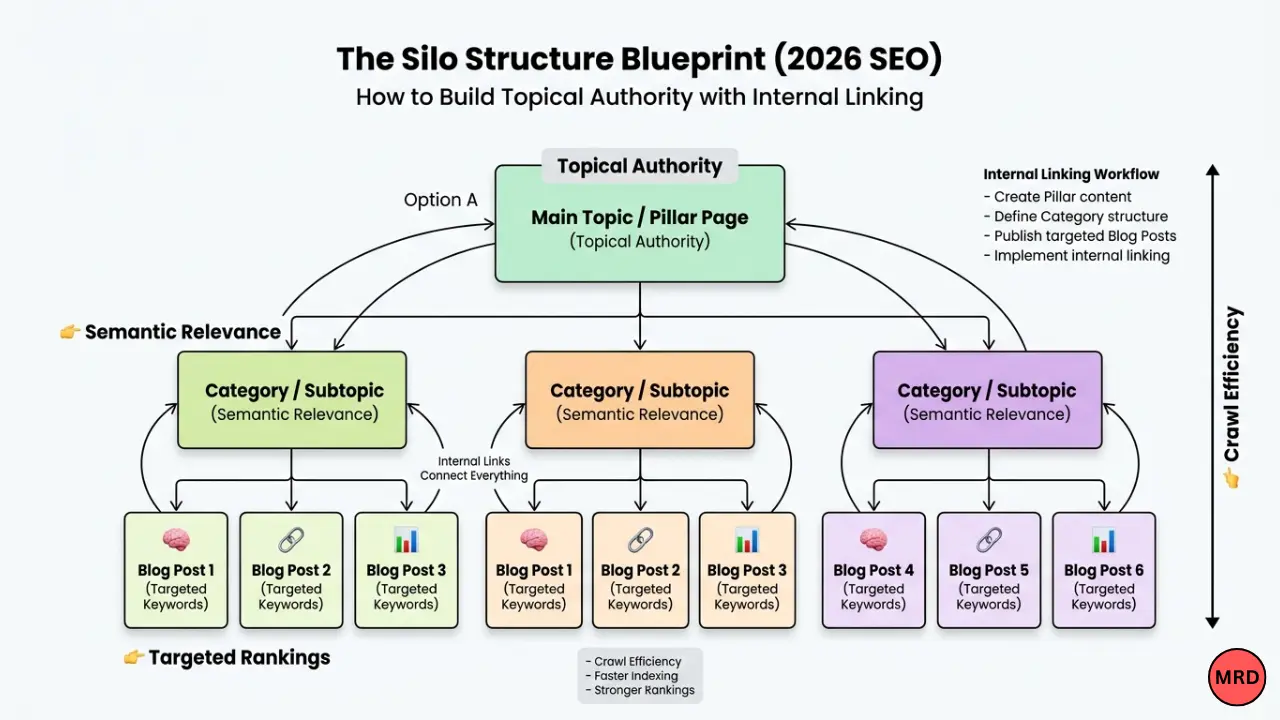
I see so many beginners just hitting “publish” and moving on, hoping that the search engines will magically find their content. According to my experience, if you don’t link that new post to a “pillar” page, it becomes an orphan page and orphan pages almost never rank in modern search results. In 2026, the architectural foundation of your site is just as important as the words you write. You need to stop thinking about blog posts as individual entries and start thinking about them as a “Silo”.
A Silo structure is essentially a way of grouping related content together to establish deep topical authority. For a new site, understanding how to structure a blog for beginners is the difference between a site that scales and one that stays stagnant. You start with a “Pillar Page” (a high-level overview of a broad topic) and then branch out into “Spoke” posts (detailed articles on sub topics). Every spoke post must link back up to the pillar and the pillar must link down to the spokes.
This structure also solves the “quality” dilemma. Most people ask What is quality content for a new blog, thinking it’s just about word count or grammar. In 2026, the quality of your content is based on how well it answers a user’s journey. Using a silo architecture shows Google that you aren’t just giving them a quick look, you’re giving them a full resource.
- Eliminate orphan page – Use a WordPress crawler or plugin to find pages with zero incoming internal links. These are dead weight.
- The pillar – to – spoke rule – For every new post you write, find at least one “Parent” category page to link to.
- Logical hierarchy – Keep your navigation intuitive so that both users and bots can flow from broad topics to specific solutions effortlessly.
The strategy – how to rank faster (No backlinks)
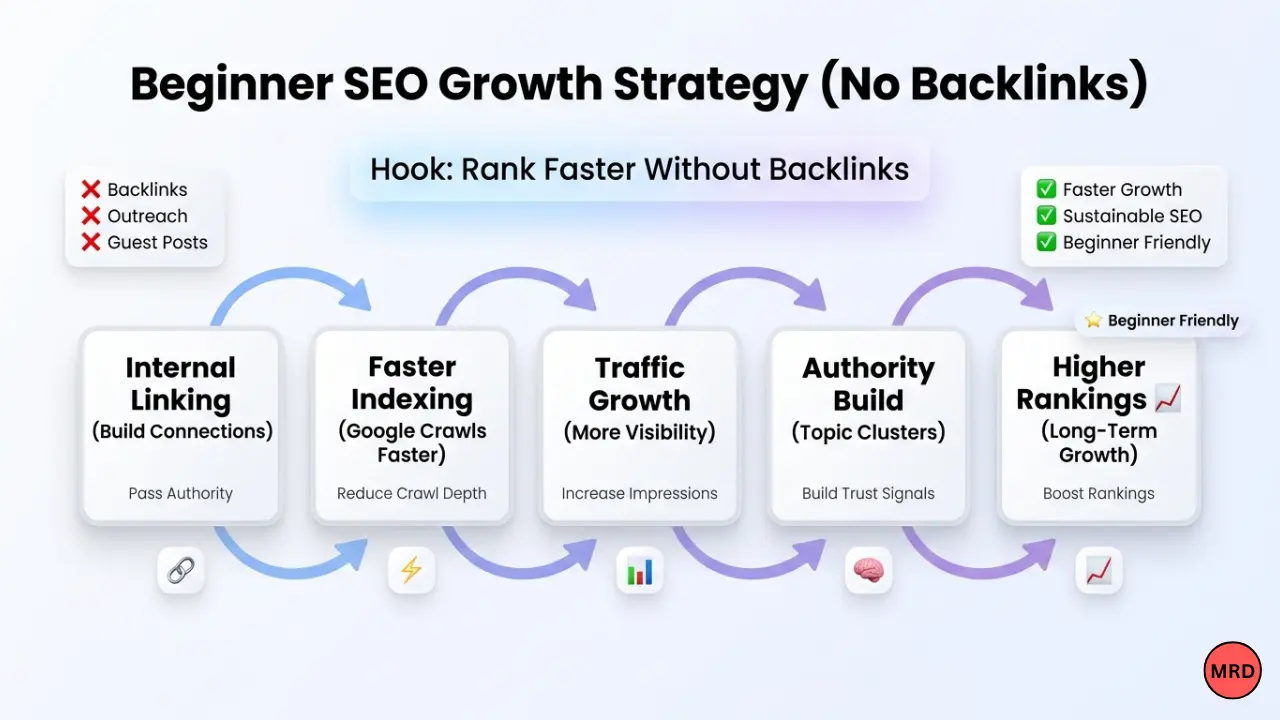
You need to use what I call the ” Power-Link ” strategy if you want to make a difference without begging for guest posts. This is a way to send the “juice” your site already has to the pages that need it the most without going outside. When people ask how to get traffic to a new blog, they are usually looking for external hacks, but the fastest wins come from auditing your own dashboard.
Step 01 – The “Power page” boost Identify your “Power Pages” the articles that already rank on page 1 or 2 and get consistent clicks. These pages are your site’s “bank accounts” of authority. To rank a new post, go into these high-traffic pages and add a contextual link to your new article. By doing this, you are literally “lending” authority from your successful content to your new content.
Step 02 – The “semantic link” (Result oriented anchors) Stop using anchor text like “read more” or “click here.” In 2026, search engines analyze the relationship between the link and the destination. Use anchors that describe the result the reader will get. Instead of “Check my SEO guide,” use “learn how to optimize your site for 24-hour indexing.” This provides a clear semantic signal to crawlers about what the target page is about.
Step 03 – Rescue your “Ghost” posts If you’ve been writing for a while and wondering why your blog is not getting traffic after 6 months, it’s likely because your internal link equity is stuck in a bottleneck. You might have great content that Google has forgotten because it’s buried ten clicks deep.
Step 04 – The refresh cycle Don’t just link to new posts, link from them back to your older, underperforming content. If you have no traffic? how to update old blog posts to get more clicks is a question you should be answering by injecting fresh internal links into those older articles. This “wakes up” the Google bot and forces a re-crawl of the old URL.
- Audit monthly – Use Google Search Console to find which pages are losing impressions and “re-fuel” them with links from your newest, trending posts.
- Natural integration – Never force a link. If it doesn’t fit the flow of the sentence, your ” dwell time ” will suffer, which hurts rankings more than the link helps.
The magic numbers – how many links are too many?
One of the most frequent questions I get during WordPress consultations is: how many internal links should a new blog post have? Beginners often fall into two extremes, they either turn their article into a blue-linked mess that looks like a Wikipedia page, or they forget to link entirely.
In my WordPress development work, I usually aim for 03 – 05 internal links per 1000 words. From my experience, this is the “sweet spot” for 2026. If you add too many, the page will look like spam to both Google and your readers. If you add too few, you won’t show the search engine that you know a lot about your niche. You have to remember that internal linking is just one piece of the puzzle. If you really want to master the full picture, you need to understand how to do on page SEO for blog posts comprehensively. Every link should feel like a natural “next step” for the reader, not a forced SEO tactic. I always tell my clients: “Link for the human, and the bot will follow”.
Best plugins for WordPress SEO 2026
As a developer who spends 15+ hours a day inside the WordPress dashboard, I’ve tested almost every tool on the market. If you are looking for the best internal linking plugins for WordPress SEO 2026, there are two clear winners, but they serve different purposes.
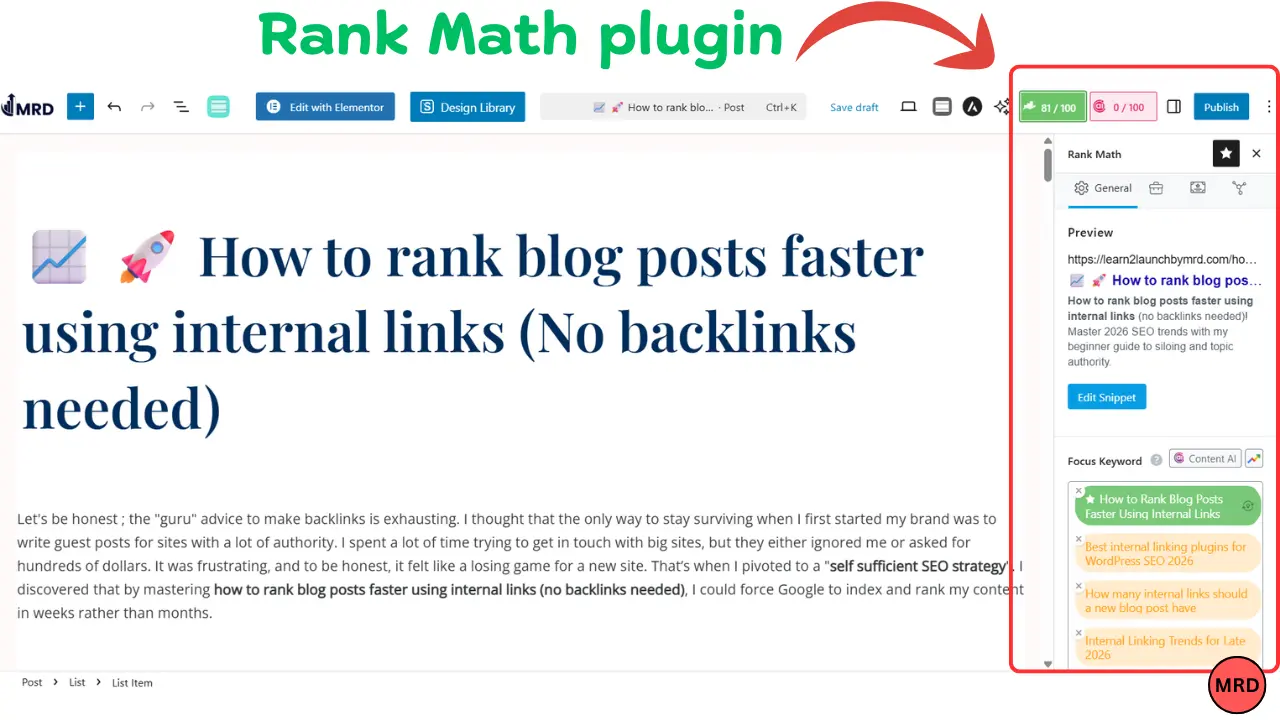
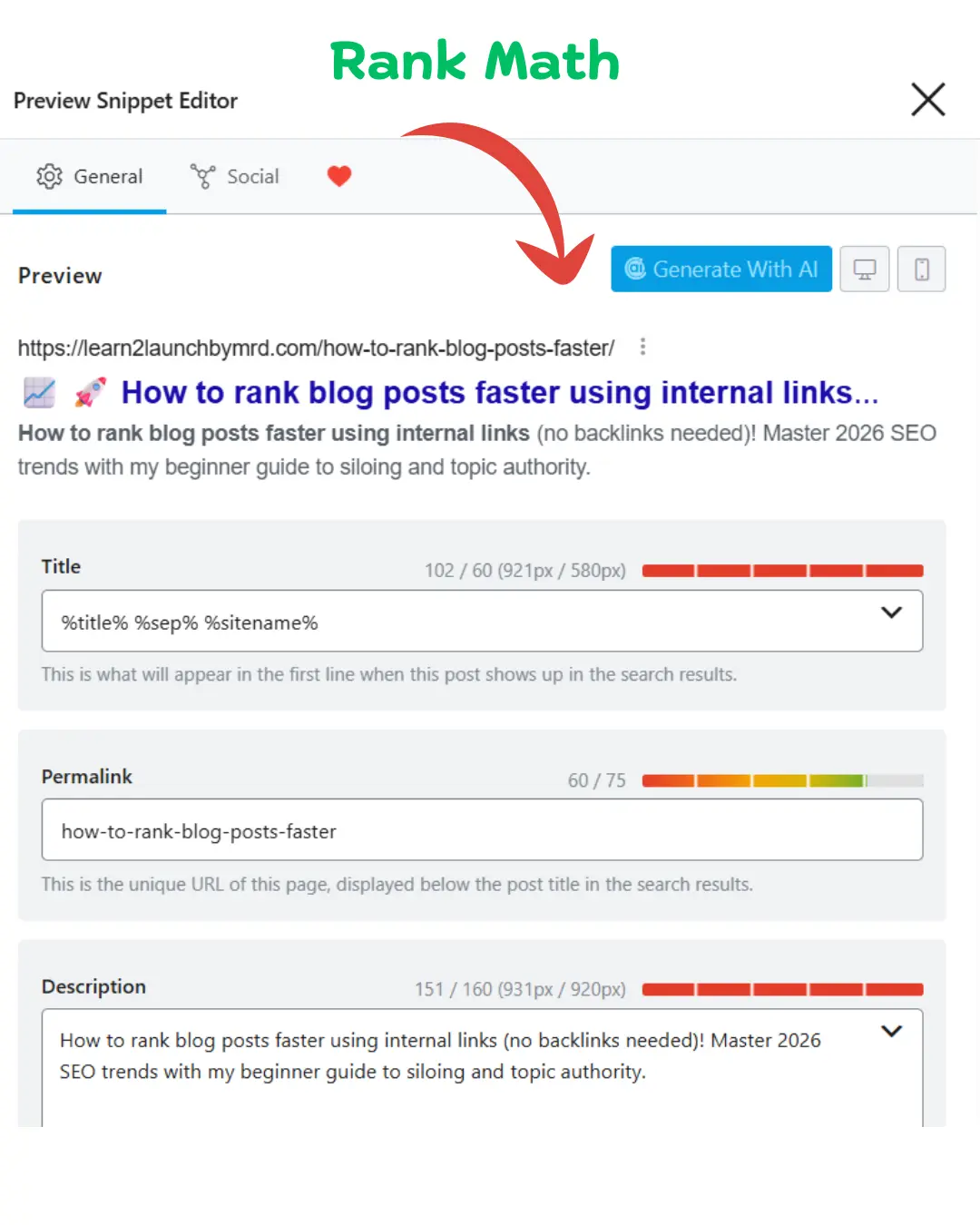
- Rank Math SEO – This is my personal daily driver. Its ” Link Suggestions ” feature is incredibly lightweight and stays out of your way while providing real-time ideas as you write.
- Link Whisper – If you have a massive site with hundreds of posts, this is a lifesaver. It uses AI to suggest bulk links, which saves hours of manual work.
However, I have a bit of a controversial take , Don’t let the software do all the work. While I love automation, I prefer manual control for my anchor text to ensure it sounds human. These tools are fantastic for finding opportunities you missed, but they can’t replicate the “Information Gain” that comes from a human brain. Especially in an era of automated writing, knowing how to edit AI generated content for SEO is your biggest competitive advantage. Use the plugins to find the “where”, but you should decide the “how” to keep that personal touch that Google’s EEAT guidelines crave.
The beginner’s checklist for internal linking
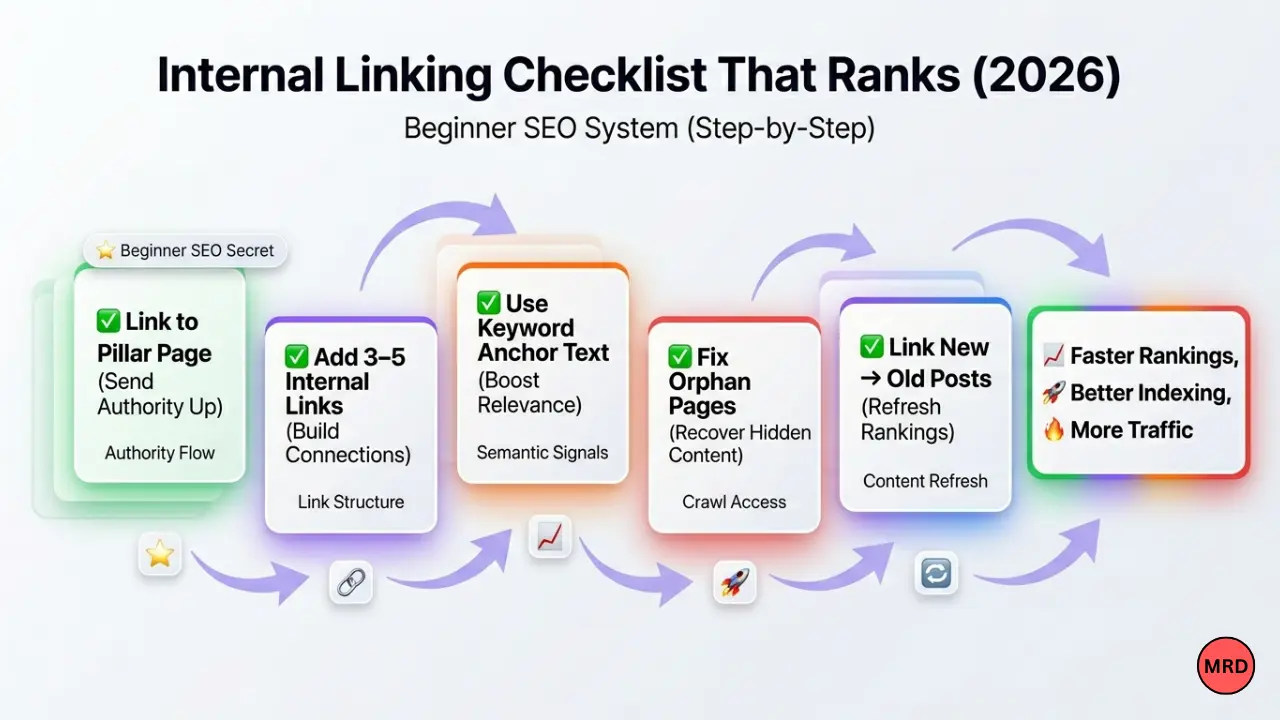
I know this feels like a lot to manage, but SEO is a marathon, not a sprint. To make sure you don’t get overwhelmed, I’ve put together a simple checklist I use for every site I launch. My biggest tip? Check your “Link health” once a month. Links can break and pages that were once “Power Pages” might lose their edge.
Your monthly internal linking routine;
- Find one orphan page : Find one post with zero links and give it two “parents”.
- The “fresh to old” rule : Add one link from your newest post to an older post that needs a boost.
- Anchor text audit : Ensure you aren’t using “Click Here” anywhere on your site.
If you stay consistent with these small habits, you’ll find that learning how to optimize blog posts for SEO beginners becomes second nature. It’s these small, human-driven adjustments, not complex coding that ultimately tell Google you are a trustworthy authority in your field.
Frequently asked questions on how to rank blog posts faster using internal links
Can internal linking replace backlinks?
Yes, for beginners. While backlinks provide external authority, internal links distribute the “link equity” you already own. By linking from high-traffic pages to new posts, you can force Google to rank your content faster without needing any external outreach.
How many internal links should I use per post?
Aim for 3 to 5 contextual links per 1000 words. In 2026, search engines prioritize relevance over quantity. Too many links can distract readers and dilute your page’s “ranking juice”, while a few strategic links build a strong topic cluster.
What is the best anchor text for internal links?
Use descriptive , keyword rich phrases rather than generic terms like “click here.” For example, “WordPress SEO guide” tells crawlers exactly what the destination page is about, which helps both pages rank higher for those specific terms.
Are sidebar or footer links good for SEO?
They are useful for navigation, but contextual links within the body text are much more powerful for SEO. Google gives higher weight to links surrounded by relevant content because they represent a natural editorial recommendation for the reader.
Why are orphan pages bad for a blog?
Orphan pages have zero internal links pointing to them. Because search bots find content by following links, these pages often stay unindexed and invisible. Fixing them is the fastest way to “unhide” your content and start getting traffic.
Your roadmap to authority
Mastering how to rank blog posts faster using internal links (no backlinks needed) is the single most empowering shift you can make for your brand. While the SEO world obsessively chases external validation, you now have the blueprint to build a self-sustaining ecosystem of authority from within. By leaning into internal linking trends for late 2026 , like semantic siloing and intent-driven anchor text, you aren’t just “linking pages” , you are building a professional knowledge base that Google’s EEAT algorithms will reward.
What your next move? Don’t let this be another article you read and forget. My challenge for you is to audit 3 old posts today. Find those “orphan pages”, connect them to your pillars, and watch your search impressions climb. SEO often feels like a mountain that never ends, but internal linking is the first step you can take right now without anyone’s permission. You’ve got the tools, the strategy and the expertise. Now, go build your empire. You’ve got this.