
Most beginner bloggers struggle with one frustrating problem: publishing blog posts that never rank. If you’ve been wondering how to do on page SEO for blog posts the right way, you’re not alone. Many new bloggers write consistently but still see zero traffic from Google, not because their content is bad, but because it isn’t optimized correctly.
You might be asking ,
- What is On page SEO in blogging?
- How do I optimize blog content for search engines without sounding robotic?
- How do I use H1, H2 , H3 tags for SEO properly?
- What is the right internal linking strategy for blog SEO?
These are the exact questions that determine whether your blog grows or stays invisible. The truth is simple. Most blog posts don’t rank because they ignore structure, keyword placement and internal connections between articles.
This simple guide will teach you a clear, step-by-step structure for optimizing each blog post you publish, free of complex SEO terms and technical complications.
If you’ve recently followed a guide on how to start a WordPress blog for beginners, on-page SEO is your next step. Setting up the blog is only the beginning , optimizing each post is what brings visibility.
By the end, you’ll know exactly how to make your content rank well in search results.
Table of Contents – how to do on page SEO for blog posts
What is On page SEO in blogging ?
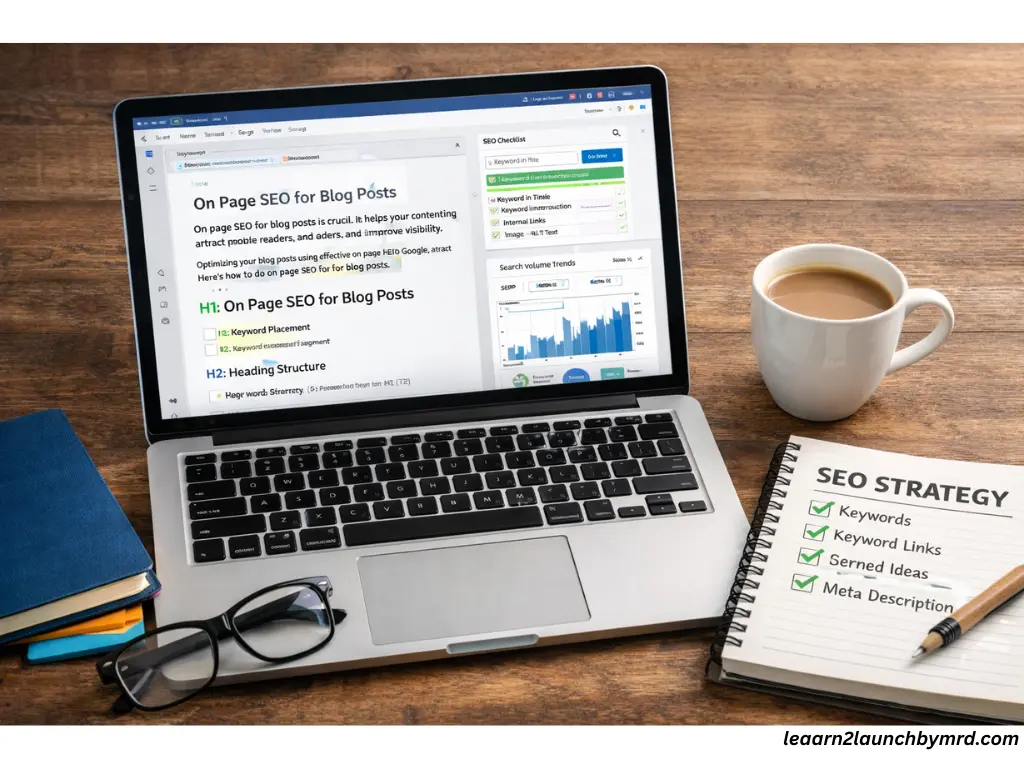
So, what is on page SEO in blogging?
The process of optimizing the content and structure of your blog post so that search engines can understand it, rank it, and display it to the right audience is known as on-page SEO.
It includes things like,
- Using right keywords in the right places
- Structuring headings properly
- Writing clear, relevant content
- Adding internal links
- Optimizing images
On page SEO is everything you control directly within your blog post.
Now let’s make something clear. There are two main types of SEO.
01 . On page SEO
This focuses on your content, headings, keyword placement, internal linking and readability.
02 . Off page SEO
This focuses on backlinks ( other websites linking to you ), social shares and authority signals from outside your site.
As a beginner you should focus on on page SEO first. But WHY?
Because,
- You can control it 100%.
- It doesn’t require backlinks.
- It builds a strong foundation for long term rankings.
Many beginners try to chase backlinks too early. But without properly optimized content, backlinks won’t help much.
Consider on-page SEO as the foundation of a solid house. If your structure is clear, organized, and keyword-focused, Google can understand your blog post faster and that’s the first step toward ranking.
You don’t need expensive tools to do SEO properly. In fact, when learning how to start a high quality blog on a budget, mastering on-page fundamentals gives you an unfair advantage, even without premium software.
Why on page SEO matters for blog growth
On-page SEO isn’t just a technical step, it’s the backbone of growing a successful blog. When done right, it directly affects your organic traffic, helping your posts appear on Google when readers search for topics you cover. Without it, even the best content can remain invisible.
Optimizing your blog posts also builds authority. A well structured post with proper headings, keyword placement and internal links signals to both readers and search engines that your blog is trustworthy and informative.
The real power comes with long term traffic. Unlike social media, which fades quickly, on page SEO allows your posts to continue attracting readers months and even years after publishing.
Over time , this creates a compounding effect, each optimized post strengthens your site’s authority, boosts rankings and drives more traffic, making future posts easier to rank.
Before you think about revenue strategies like How to monetize a blog with low traffic, you need traffic that converts. On-page SEO builds that foundation. Structured, optimized posts attract consistent readers and consistent readers create monetization opportunities.
In short, mastering on page SEO is the fastest way for beginner bloggers to grow a blog that lasts.
Many bloggers worry about what happens to blogging in the age of AI. But here’s the truth: SEO fundamentals haven’t changed. Structured, helpful, optimized content still wins. AI may assist writing, but search engines reward clarity, intent and proper on-page structure , not just generated text.
If you’re trying to figure out how to get traffic to a new blog, on-page SEO is your starting point. Before backlinks or social media, your content must be structured correctly so search engines can understand and rank it.
Step 01 – Keyword research for blog posts
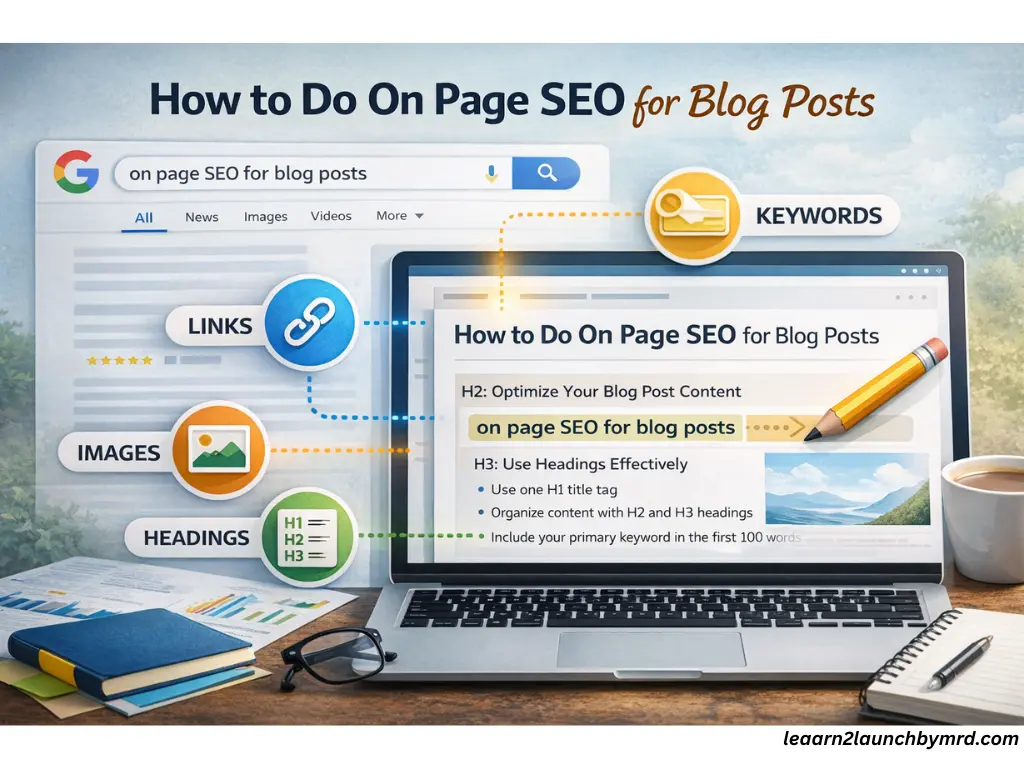
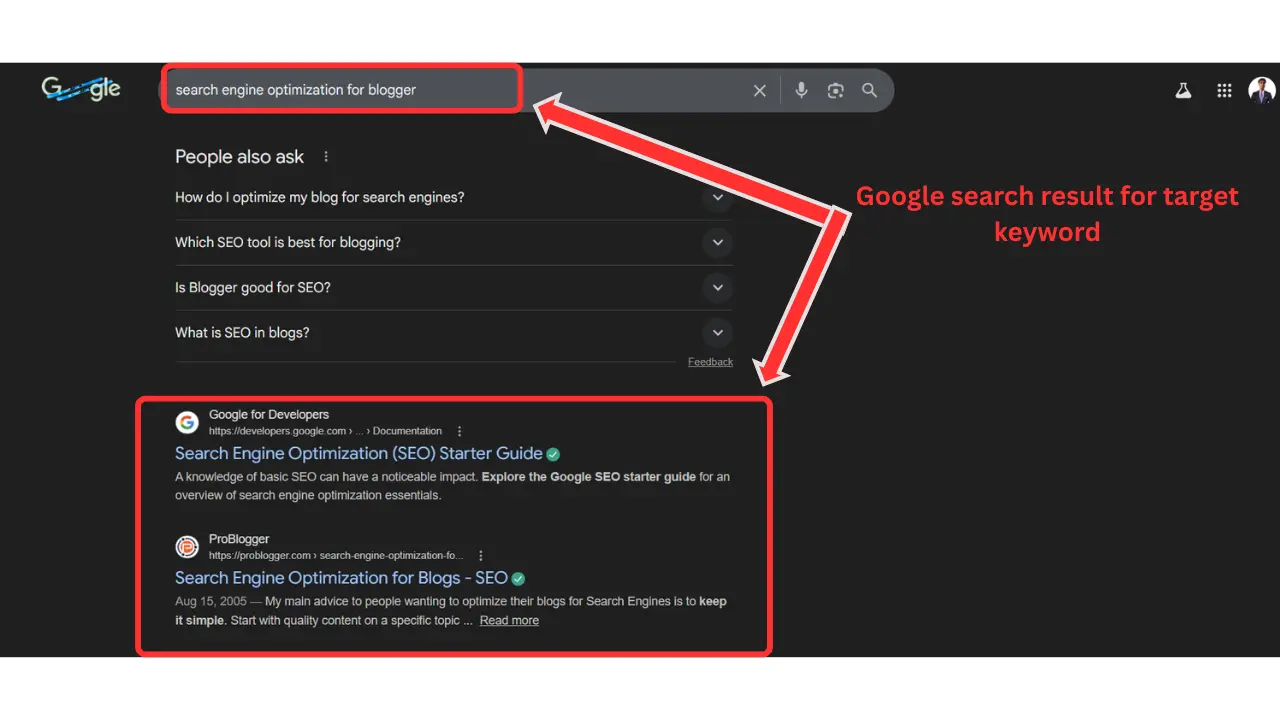
Before you write a single sentence, the first step in how to do on page SEO for blog posts is keyword research. Choosing the right keywords determines whether your blog will rank or get lost in the vast sea of content.
Choosing one primary keyword
Always start with a single primary keyword for each post. This keeps your content focused and ensures Google understands the main topic. For example, if your post is about optimizing blog headings, your primary keyword could be how to use H1 , H2 , H3 tags for SEO.
Long tail keyword strategy
Alongside your primary keyword, identify long tail keywords , these are more specific phrases like “ best H2 structure for beginner blogs ”, Long-tail keywords are easier to rank for and attract readers who are closer to taking action.
Understanding the search intent
Ask yourself, what is the reader looking for? Are they searching for information, a tutorial, or a tool? Align your keywords with the search intent to ensure your post answers the question completely.
Finding low competition keywords
Use tools like Google Keyword Planner, Ubersuggest, or Ahrefs to find keywords with low competition but decent search volume . These are gold for beginner blogs.
Avoid keyword stuffing
Lastly, avoid using keywords in a unnatural way. Content that reads naturally is given priority by Google. Sprinkle your primary and long tail keywords strategically in titles, headings and body text, without overdoing it.
With the right keywords, your blog posts have the foundation to rank and attract consistent traffic.
Choosing keywords is one thing , knowing how to use keywords the right way is another. Overstuffing ruins readability and rankings. Smart placement in titles, headings and naturally inside the content is what actually moves the needle.
Step 02 – How to optimize blog content for search engines
Once you’ve done keyword research, the next step in how to do on page SEO for blog posts is learning how to optimize blog content for search engines . This ensures your post is not only readable but also rankable.
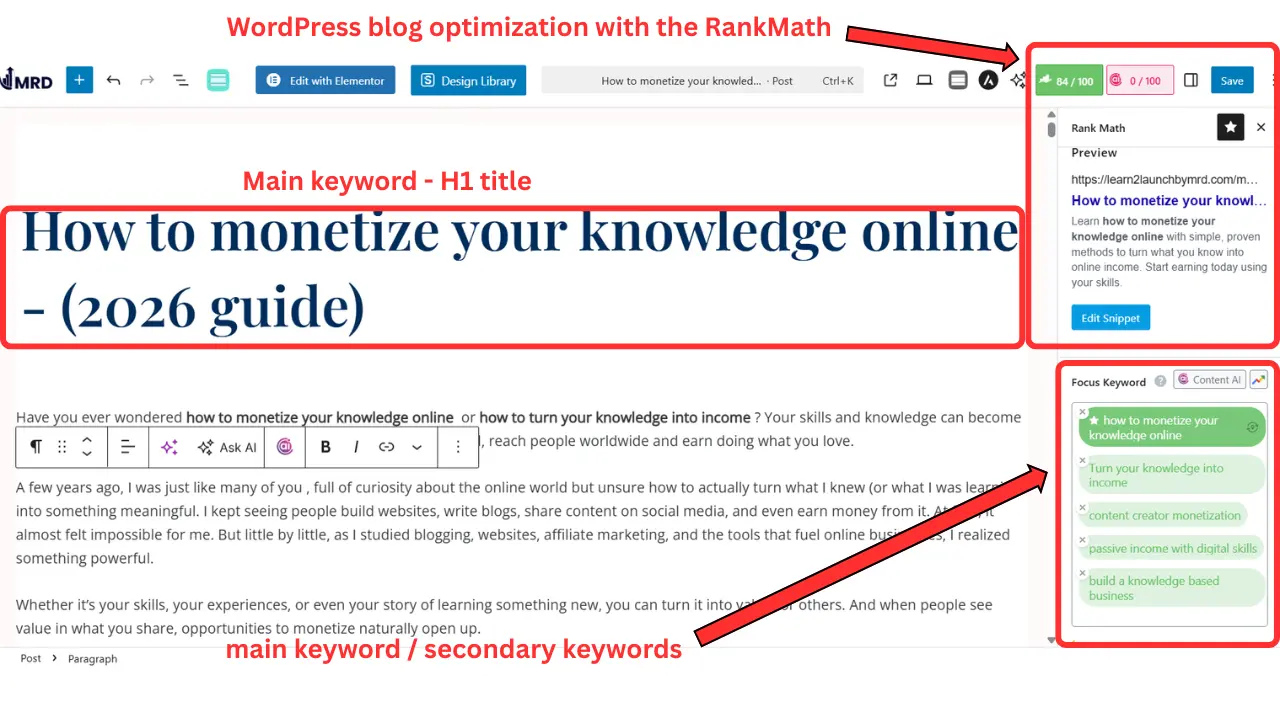
Keyword placement
Use your primary keyword strategically,
- In the title for maximum relevance
- Within the first 100 words of your introduction
- In headings (H2 / H3) where it fits naturally
- In the URL of the post
Write naturally
Avoid forcing keywords. Your content should read smoothly for humans first, search engines understand context now better than ever. Focus on creating helpful, engaging content that answers the reader’s questions.
Use semantic keywords
Include related terms and phrases naturally.
As an example , if your primary keyword is “on page SEO for blog posts“, then semantic keywords could be,
- Blog SEO techniques
- SEO optimization tips
- Keyword placement for blogs
This helps Google understand your topic fully.
There are many best content creation tools and strategies available today, but tools alone don’t create rankings. Strategy does. When your keyword targeting and structure are clear, even simple tools become powerful.
Don’t obsess over keyword density
Many beginners think they must repeat keywords multiple times. That’s a myth. Instead, aim for clarity, natural repetition and strategic placement rather than overstuffing.
Tools can help speed up writing. If you’re exploring how to use Chat GPT to write blog posts, remember this: AI should assist your structure, not replace strategy. You still need keyword research, proper headings and internal linking to rank consistently.
By applying these practical steps, your blog post will be optimized for search engines while remaining enjoyable to read, the perfect balance that helps your content rank and keeps readers coming back.
If you’re just starting out and need a simplified walkthrough, explore on how to optimize blog posts for SEO beginners. It breaks things down step by step so you can confidently apply keyword placement, headings and readability improvements without feeling overwhelmed.
Step 03 -How to use H1 , H2 , H3 tags for SEO?
A well-structured blog post makes it easier for both readers and search engines to understand your content. One of the most important steps in how to do on page SEO for blog posts is learning how to use H1, H2 , H3 tags for SEO effectively
H1 tags
Each blog post should have Only one H1 , which is usually your post title. This tells Google the main topic of your content.
H2 tags
Use H2 tags for your main sections, like “ Keyword Research ” or “ Content Optimization ” H2s break your content into readable chunks, making it easier for readers to scan and for Google to understand your structure.
H3 tags
Use H3 tags for subtopics within each H2 section. For example, under “ Content Optimization ” you might have H3s like “ Keyword Placement ” or “ Semantic Keywords ”.
Structure example
- H1 – How to Do On Page SEO for Blog Posts
- H2 – Step 01 : Keyword Research
- H3 – Choosing a Primary Keyword
- H3 – Long-Tail Keyword Strategy
Why it helps
A clear heading hierarchy improves readability, helps Google identify your main points and increases the chances of ranking for featured snippets.
By organizing your blog with H1, H2, and H3 tags, your content becomes both user friendly and SEO friendly , a simple step that has a big impact on your rankings.
When learning how to write your first blog post for beginners, structure matters more than perfection. Using one clear H1 and organized H2 and H3 tags makes your content easier to read and easier for Google to understand.
Step 04 – Internal linking strategy for blog SEO
Another crucial step is how to do on page SEO for blog posts is understanding internal linking strategy for blog SEO .Internal links connect one page of your blog to another, helping both readers and search engines navigate your site.
What internal linking means
Internal links guide readers to related content and signal to Google which pages are important. They help distribute “ link juice ” boosting the authority of your key posts.
How many links per post
For beginner bloggers, aim for 3 – 5 internal links per blog post , depending on length. Too few and Google can’t see your site structure, too many, and it looks spammy.
Anchor text best practices
Use descriptive anchor text that tells readers what they’ll get if they click, instead of vague phrases like “click here”. For example,
“learn more about keyword research for blogs“
Linking to pillar content
Always link to pillar pages or cornerstone content. This strengthens the main topics of your blog and improves overall SEO authority.
Avoid overthinking
Adding too many links can confuse readers and reduce SEO value. Only include links that are relevant and helpful.
By applying a solid internal linking strategy, your blog becomes easier to navigate, more authoritative and more likely to rank higher in search results.
Step 05 – Optimizing images and media
Images and media make your blog posts engaging, but if not optimized, they can slow your site and hurt rankings. Optimizing images is a simple yet powerful step in how to do on page SEO for blog posts.
ALT text
Always add ALT text to images. This describes the image to search engines and improves accessibility. Include your primary or secondary keywords naturally where relevant.
File size compression
Large image files slow down page speed. Use tools like TinyPNG or ShortPixel to compress file sizes without losing quality . Faster loading pages rank better in Google.
Descriptive file names
Before uploading, rename your image files to something descriptive, like,
“On page SEO checklist .png” instead of “IMG 123 . JPG.“
This helps search engines understand your content.
Why it matters
Optimized images improve page speed, user experience, and keyword relevance. Together, these factors make your blog more SEO friendly and increase the chances of ranking higher in search results.
Even small image optimizations can have a big impact on your blog’s visibility and usability.
Step 06 – Improving readability and user experience
Even perfectly optimized content can fail if it’s hard to read. One key aspect of how to do on page SEO for blog posts is focusing on readability and user experience (UX).
Short paragraphs
Break your content into short paragraphs of 2 – 4 sentences. Large blocks of text overwhelm readers and make it harder for Google to interpret your content.
Bullet points
Use bullet points to highlight important lists, tips, or steps. This improves scanning and keeps readers engaged.
Bold important phrases
Emphasize key phrases or tips with bold text. This guides readers’ attention and signals important information to search engines.
Mobile friendly formatting
Ensure your blog is mobile friendly . Most users browse on phones, and Google prioritizes mobile-optimized sites in search rankings.
Why it matters
Google evaluates user experience signals , like time on page, bounce rate and scroll depth. Clear, readable content keeps readers engaged, improving both UX and your SEO performance.
Focusing on readability ensures your blog posts are enjoyable for humans and understandable for search engines.
If you’ve ever wondered why people do not engage with your content, poor formatting is often the hidden reason. Long paragraphs, no headings, and unclear structure push readers away. Good on-page SEO improves both rankings and engagement at the same time.
Common on page SEO mistakes beginners make
Even with the best intentions, beginner bloggers often make mistakes that prevent their posts from ranking. Understanding these pitfalls is a crucial part of how to do on page SEO for blog posts.
01 . Keyword stuffing
Overloading your post with keywords makes it unnatural and can harm rankings. Focus on natural placement instead.
02 . No internal links
Failing to link to related content misses the chance to guide readers and boost your blog’s authority.
03 . Multiple H1s
Using more than one H1 confuses Google about your main topic. Stick to one H1 per post.
04 . Ignoring meta description
Skipping meta descriptions reduces your click-through rate from search results. Always write a concise, keyword rich summary.
05 . Writing for bots
Content written solely for search engines often feels robotic. Google rewards posts that serve readers first, so make your writing clear and helpful.
Avoiding these mistakes ensures your on-page SEO efforts are effective and your blog posts have a better chance to rank.
One major reason why most blogs fail before making money is poor optimization. Bloggers publish content without structure, keyword focus, or internal links. SEO isn’t complicated, but skipping the basics quietly kills growth before traffic ever has a chance to build.
On page SEO checklist for blog posts
To make your on-page SEO efforts practical and easy to follow, here’s a scannable checklist for every blog post. Using this ensures your content is optimized for both readers and search engines.
- Primary keyword in title – Make sure your main keyword appears naturally in your post title.
- Keyword in first 100 words – Introduce your main keyword early in the introduction.
- H2 structure – Use H2 tags for main sections and H3 for subtopics to organize content.
- Internal links – Link to related posts and pillar content to boost authority and guide readers.
- Optimized images – Add descriptive file names, alt text and compress images for fast loading.
- Meta description – Write a concise, keyword-rich summary that encourages clicks.
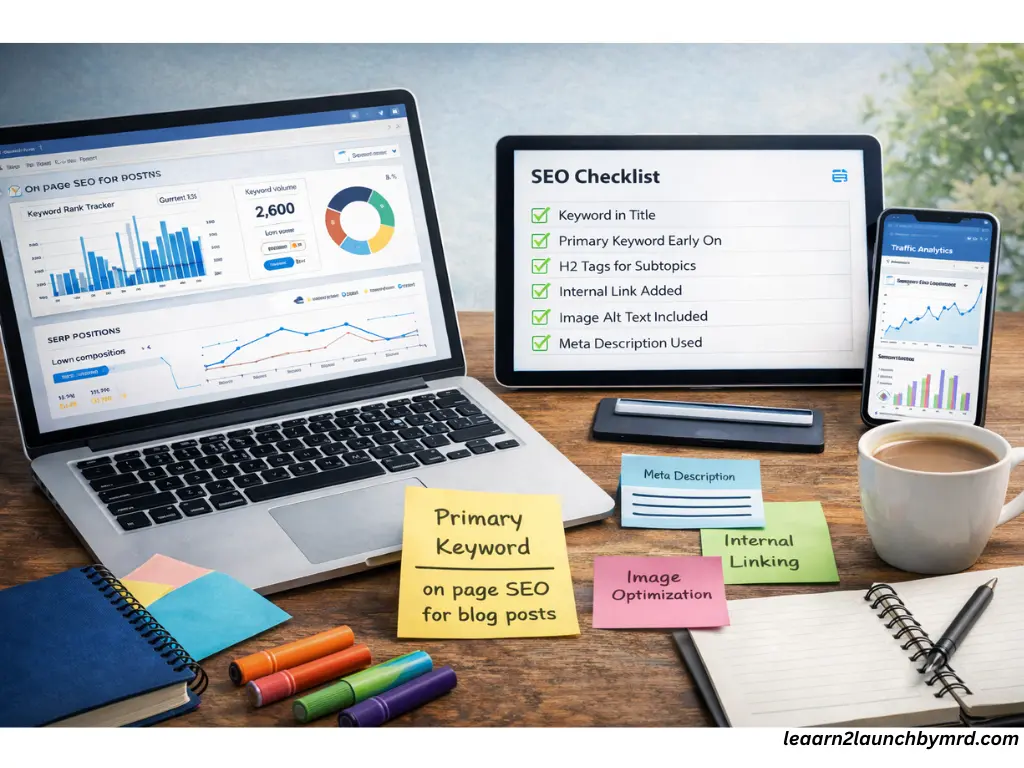
This checklist acts as a step by step framework for every blog post. Following it consistently helps beginner bloggers avoid common mistakes and ensures their posts are ready to rank in Google.
How long does on page SEO take to work?
Many beginner bloggers wonder how quickly their efforts in how to do on page SEO for blog posts will show results. The reality is that SEO is not instant. For new blogs, it usually takes 3 – 6 months for Google to index and start ranking posts, depending on competition, content quality, and consistency.
Remember, on page SEO sets the foundation but rankings improve over time as you,
- Publish high quality content regularly
- Apply internal linking strategies
- Build authority through consistent optimization
Patience and persistence are key , SEO compounds over time, meaning today’s optimized post can generate traffic for months or even years to come.
If you’re wondering how long does it take for a new blog to rank on Google, remember that on-page SEO is only part of the equation. Consistency, content depth and internal linking all play roles. Ranking isn’t instant but when your structure is right, growth becomes predictable.
What is On page SEO on blogging
On-page SEO in blogging is the practice of optimizing your blog posts’ content, headings, images, and internal links so that search engines can understand, index and rank them. Focusing on on-page SEO first helps new bloggers build a strong foundation before chasing backlinks.
How do I do on page SEO for blog posts?
To do on page SEO for blog posts, start with keyword research, optimize your content with primary and long-tail keywords, structure headings (H1, H2, H3), use internal links and optimize images and meta descriptions. This step-by-step approach improves your rankings and organic traffic.
How do I use H1 , H2 and H3 tags for SEO?
Use one H1 for the post title, H2 tags for main sections and H3 tags for subtopics. This heading hierarchy improves readability for users and signals to Google the structure of your content, making it easier to rank.
What is the best internal linking strategy for blog SEO?
A strong internal linking strategy involves linking relevant posts to each other, using descriptive anchor text, and connecting to pillar content. For beginners, include 3 – 5 internal links per post to guide readers and boost your blog’s SEO authority.
How long does it take for on page SEO to show results?
On page SEO results usually take 3-6 months for new blogs . Rankings improve gradually as Google indexes optimized content, evaluates internal linking and measures engagement. Consistent optimization compounds traffic and authority over time.
Simple framework to follow
Mastering how to do on page SEO for blog posts doesn’t have to be complicated. By focusing on a clear structure with one H1, organized H2s and H3s and a logical flow , you make it easy for Google and readers to understand your content. Combine this with proper optimization , including keyword placement, semantic keywords and image enhancements, and a solid internal linking strategy for blog SEO , and your posts are set for long term success.
Start implementing these steps today, even on one post. Each small improvement compounds over time, helping your blog grow traffic, authority and visibility. Your optimized blog is now ready to rank.