
Starting a blog doesn’t need to be expensive – in fact , you can begin today with zero money and still build something professional. After building multiple blogs over the years , I’ve learned that the real secret to How to start a high quality blog on a budget isn’t about cutting corners . it’s about knowing where to use free resources and how to build strategically .
If you are wondering how to start blogging for beginners , this guide simplifies everything. I’ll show you the exact free content creation tools , hosting options and low – cost blogging tips I personally use when launching new sites . Even if you want to start a blog with no money , you can still create a clean , fast , SEO – friendly blog that ranks on Google and grows organically .
By the end, you will know how to build a high – quality blog from scratch – without spending a cent and without sacrificing results .
Table of Contents on how to start a high quality blog on a budget
For whom is this guide meant to be useful?
Anyone who wants to start smart will find this guide to be ideal. If you’re a student, a beginner, or simply someone exploring ideas before investing, how to start a high quality blog on a budget gives you the exact roadmap to launch confidently without spending money.
I t is also ideal for creators who want to start a blog with no money , learn the fundamentals the right way and avoid common beginner mistakes
You can naturally explore various subjects using free tools if you’re still experimenting with your niche. It also becomes much easier when you understand how to choose the perfect blog niche, which is one of the smartest decisions you can make before committing long – term .
Whether you are searching for Low cost blogging tips , Free content creation tools or want to know how to start a WordPress blog for beginners , This guide provides you with a solid, professional base.
Free vs. paid blogging – What you need to know first
Starting with free tools is completely possible when you are blogging on a budget – especially if your goal is to start a high – quality blog for free before investing later . Free platforms give beginners a simple , low – risk way to learn the basics of publishing , design and SEO . And when paired with smart planning and low – cost blogging tips , they’re more powerful than most people expect .
Advantages of free blogging platforms
- Great for anyone learning how to start blogging for beginners
- Zero financial risk – ideal when you want to start a blog with no money
- Access to essential features like templates , basic SEO options and free content creation tools
- Perfect for testing a niche or practicing consistency before upgrading
Limitations of free plans
- Platform branding in your domain ( example : yourblog.wordpressp.com )
- Limited storage and fewer customization options
- Harder to scale long-term if you want full control or advanced SEO
- Monetization restrictions on some platforms
What “High quality” really means
A high – quality blog isn’t about expensive plugins – it’s about clear content , clean layout , mobile – friendly design and a smooth reading experience . Even free blogs can look premium with the right structure and tools .
When to stay free – and when to upgrade
If you are still learning , experimenting with niches or boosting your confidence , starting for free is perfectly fine . But when you are ready to take things seriously – with your own domain , full control and long – term growth
This step-by – step guide on starting a WordPress blog for beginners will walk you through the entire setup without confusion .
Best free platforms to start a blog
How far you can grow your blog in the future depends on the free blogging platform you choose. Here’s the honest analysis after testing nearly every platform over the years for both personal websites and client projects. This will help you choose the best Free blogging platforms without wasting time on tools that limit your growth.
01 – WordPress.com (Free plan)
WordPress.com is strongest long term option because it gives you the foundation of the WordPress ecosystem without any upfront cost. Even on the free plan , the platform is stable , secure and scalable.
Advantages
- Powerful CMS with flexible structure
- Easy to upgrade later without rebuilding your blog
- Reliable performance and security
Disadvantages
- WordPress.com ads on the free plan
- Limited design freedom
- Plugins are not available until paid upgrades
Best for : Beginners who want a long – term blogging career .
If you eventually want full control , customization and monetization , switching to self – hosted WordPress is the way to go . You can learn how to create a website with WordPress step by step to make the transition seamless .
02 . Blogger.com
Blogger is simple , clean , and efficient . Because it’s Google – owned , it’s stable and beginner-friendly . But heavily outdated for modern SEO needs .
Advantages
- Extremely easy for beginners
- Integrates with Google services
- No technical knowledge needed
Disadvantages
- Very limited templates
- Hard to scale or professionalize
- Not suitable for serious branding
03 – Medium
Medium is perfect if writing is your main focus and you are not worried about customization or monetization . But for SEO , affiliate marketing or niche building – it falls short .
Advantages
- Built – in audience
- Easy publishing experience
- Clean, distraction-free interface
Disadvantages
- You don’t own the traffic
- No custom design or plugins
- Difficult to monetize with affiliate links or SEO
04 – Wix free blog
Wix is great for people who love visual drag – and-drop design . But the free plan comes with restrictions that limit long – term performance .
Advantages
- True drag – and-drop editor
- Modern templates
- Easy for non – technical users
Disadvantages
- Wix ads on every page
- Storage limitations
- Not ideal for SEO-heavy blogging
If your goal is long – term growth , SEO and later monetization , WordPress.com (free) is the strongest free platform to start with . It gives you a scalable foundation and a smooth path to upgrade when you’re ready to take full control .
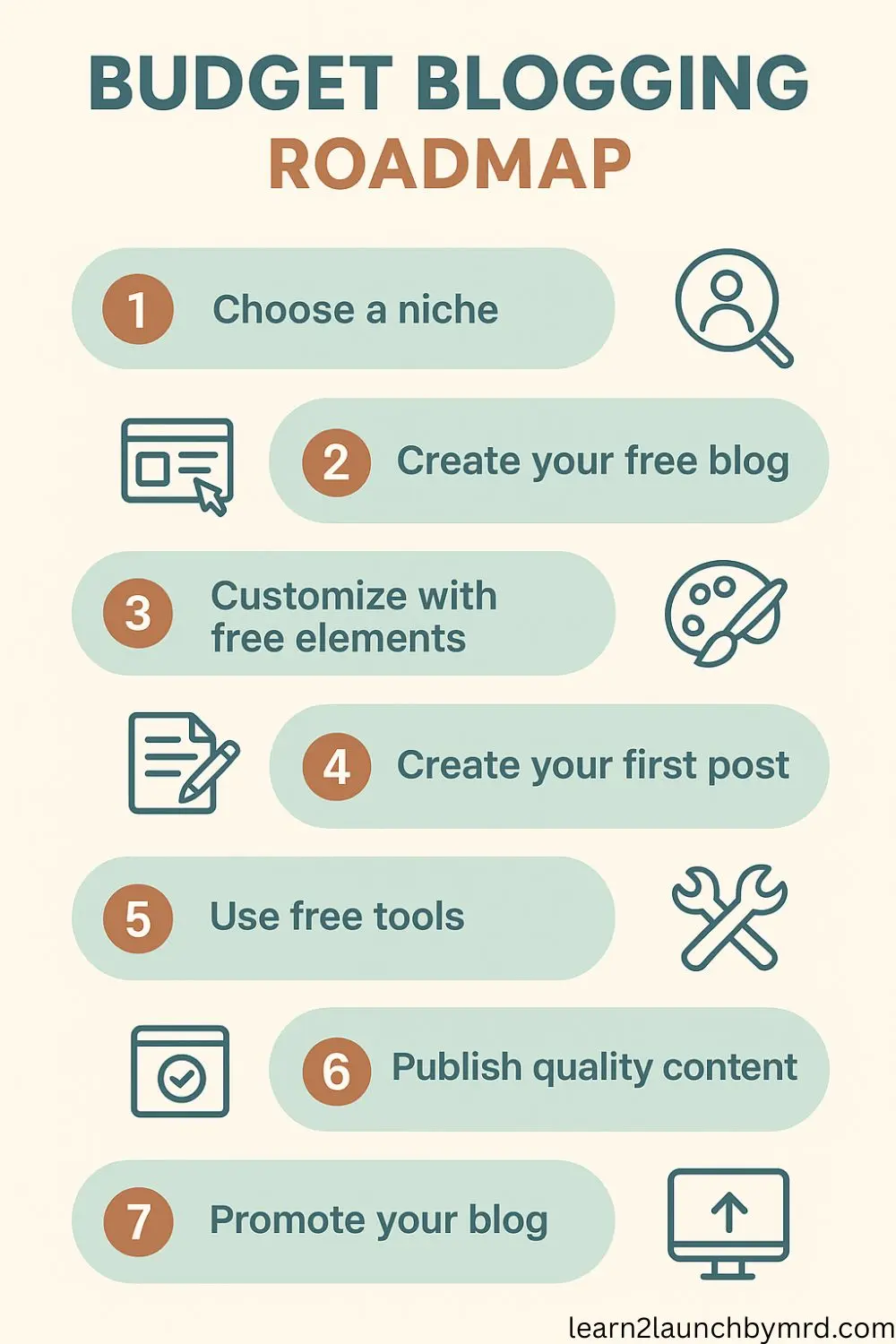
How to start a high quality blog for free ( step by step)
Starting a blog doesn’t have to be expensive or complicated . With a few free tools and the right approach , you can launch a high – quality blog that attracts readers and grows over time . Here’s a lightweight tutorial to get started .
01 . Choose a niche that won’t require expensive tools
Pick a niche that matches your interests and has growth potential.
Example : productivity, journaling, or fitness basics.
Learn more about selecting the right niche by exploring how to choose the perfect blog niche.
02 . Create your free blog account
- Sign up on WordPress.com to start your blog quickly and easily .
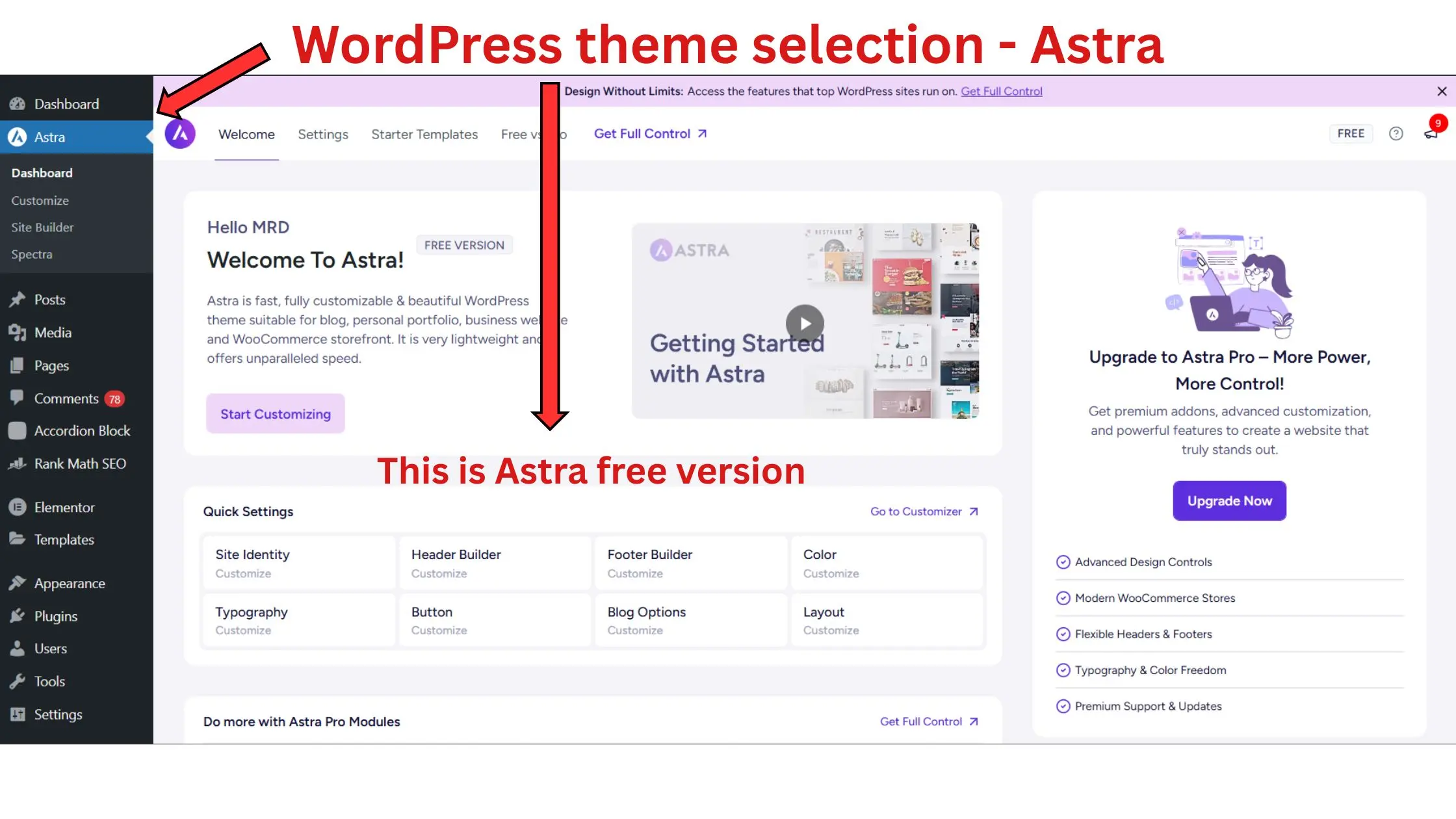
- Choose one of the best WordPress themes for beginners to give your site a professional and attractive look .
- Follow a clear guide on how to install WordPress for beginners so your blog is fully set up and ready to publish content .
03 . Customize with free elements
- Use free themes to adjust your blog’s look
- Add free images from royalty – free libraries ( Unsplash / Pixels )
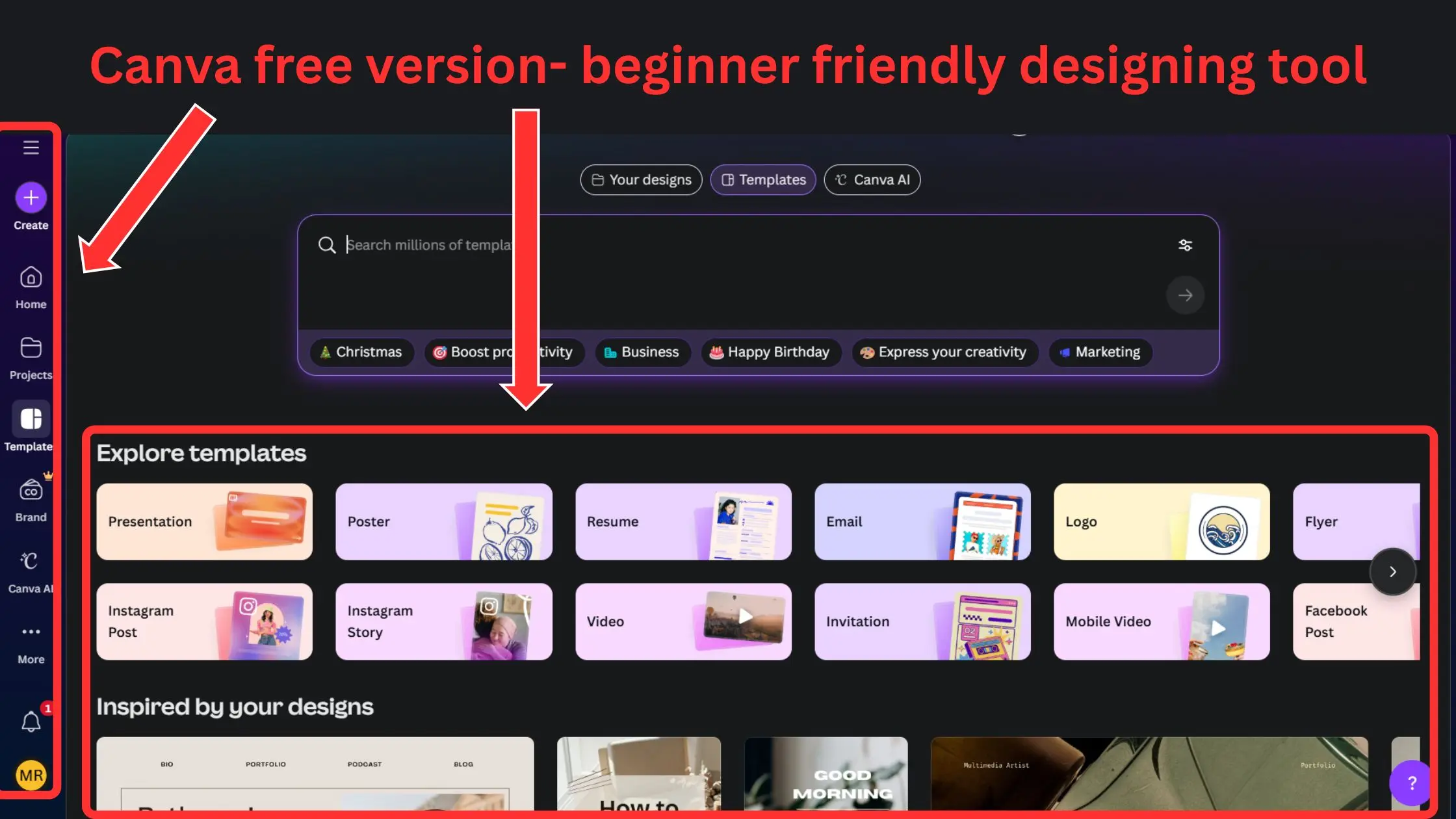
- Create branding elements with free tools like Canva
- Organize your content strategy using content creation tools and strategies for 2026
04 . Create your first blog post
- Utilize free writing and keyword research tools
- Plan and structure your content carefully
- Check the ultimate checklist to launch your first post effectively: how to write your first blog post for beginners / the ultimate WordPress launch checklist
By following these steps , you can start a professional – looking blog without spending a dime while laying a strong foundation for long-term growth .
Free tools to run a High quality blog
Running a blog doesn’t have to cost a fortune . With the right free tools , you can create , optimize and maintain a high quality blog while replacing many paid tools effectively .
01 . Free SEO tools
- Use Google Keyword Planner to discover search terms that drive traffic to your posts.
- Ubersuggest ( free version ) helps analyze keywords and competitors easily.
- Keyword Surfer shows search volume directly in Google results.
- Track your blog’s performance and fix issues with Google Search Console.
- These tools can help you understand how to get traffic to a new blog post and how to use keywords the right way , without spending on premium SEO software .
02 . Free writing and editing tools
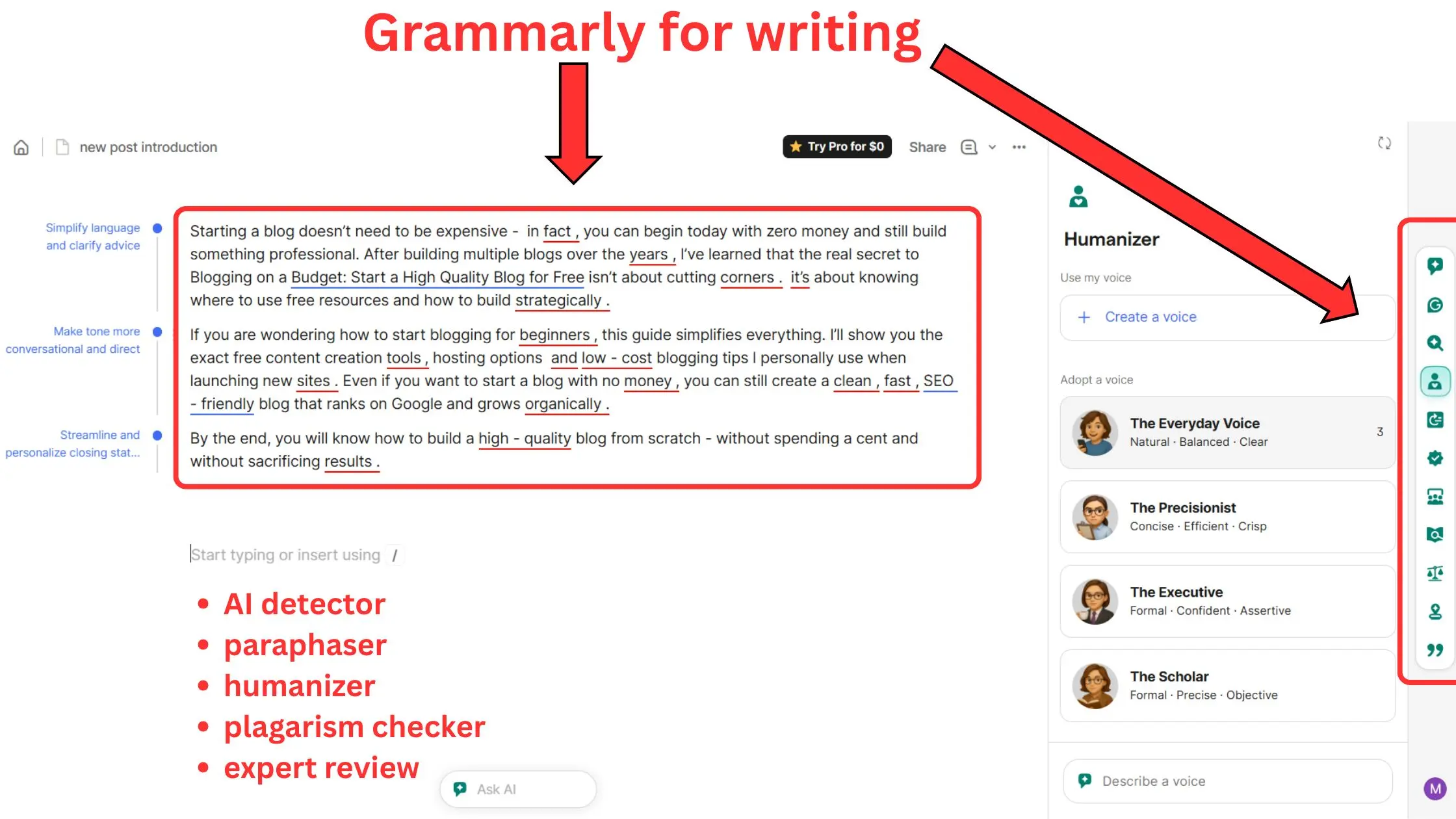
- Grammarly Free , Quillbot checks grammar, spelling, and readability instantly.
- Hemingway Editor helps simplify complex sentences and improve clarity .
- Google Docs is great for writing, collaborating, and storing your drafts .
- These free writing and editing tools can streamline your workflow and ensure quality content , similar to the practices used in how to write your first blog post for beginners .
03 . Free design tools
- Canva Free is perfect for creating blog graphics , social media posts and visual content.
- Use Freepik for free vector assets and illustrations .
- Pixabay and Pexels provide royalty-free images for any blog topic .
- These tools make designing your blog easier and more professional, following tips similar to how to design a website layout with WordPress .
04 . Free speed and optimization tools
- PageSpeed Insights helps measure website performance and suggests improvements
- GTMetrix analyzes site speed and provides optimization recommendations .
- These free speed and optimization tools can replace paid plugins while improving load times and user experience , just like strategies in how to speed up your WordPress website .
Publish high quality content on $0 budget
You don’t need expensive tools to create content that ranks and attracts readers . Even on a $0 budget , you can publish high – quality blog posts that bring traffic and engage your audience .
Start by focusing on long tail keywords . These specific phrases are easier to rank for and attract readers who are actively searching for answers . Understanding how to get traffic to a new blog can help you target the right keywords and topics effectively .
Keep your formatting simple . Short paragraphs , headings and bullet points make your content easy to read . Optimize your images by compressing them before uploading to ensure fast load times .
Always aim to answer real user questions . Providing clear , practical solutions makes your blog valuable and shareable . Finally , don’t forget basic on page SEO use descriptive headings , internal links and meta descriptions to improve search visibility .
Quick tips for publishing on a budget
- Use long – tail keywords naturally in your content
- Stick to simple formatting with headings and bullet points
- Compress and optimize image sizes for faster loading
- Focus on answering real user questions and providing value
- Apply basic on-page SEO techniques to boost search rankings
By following these steps , you can publish high – quality posts without spending money while building traffic and authority from day one .
How to promote your blog for free
It doesn’t have to be expensive to promote your blog. Using only free techniques, you can expand your audience and increase traffic with the correct tactics.
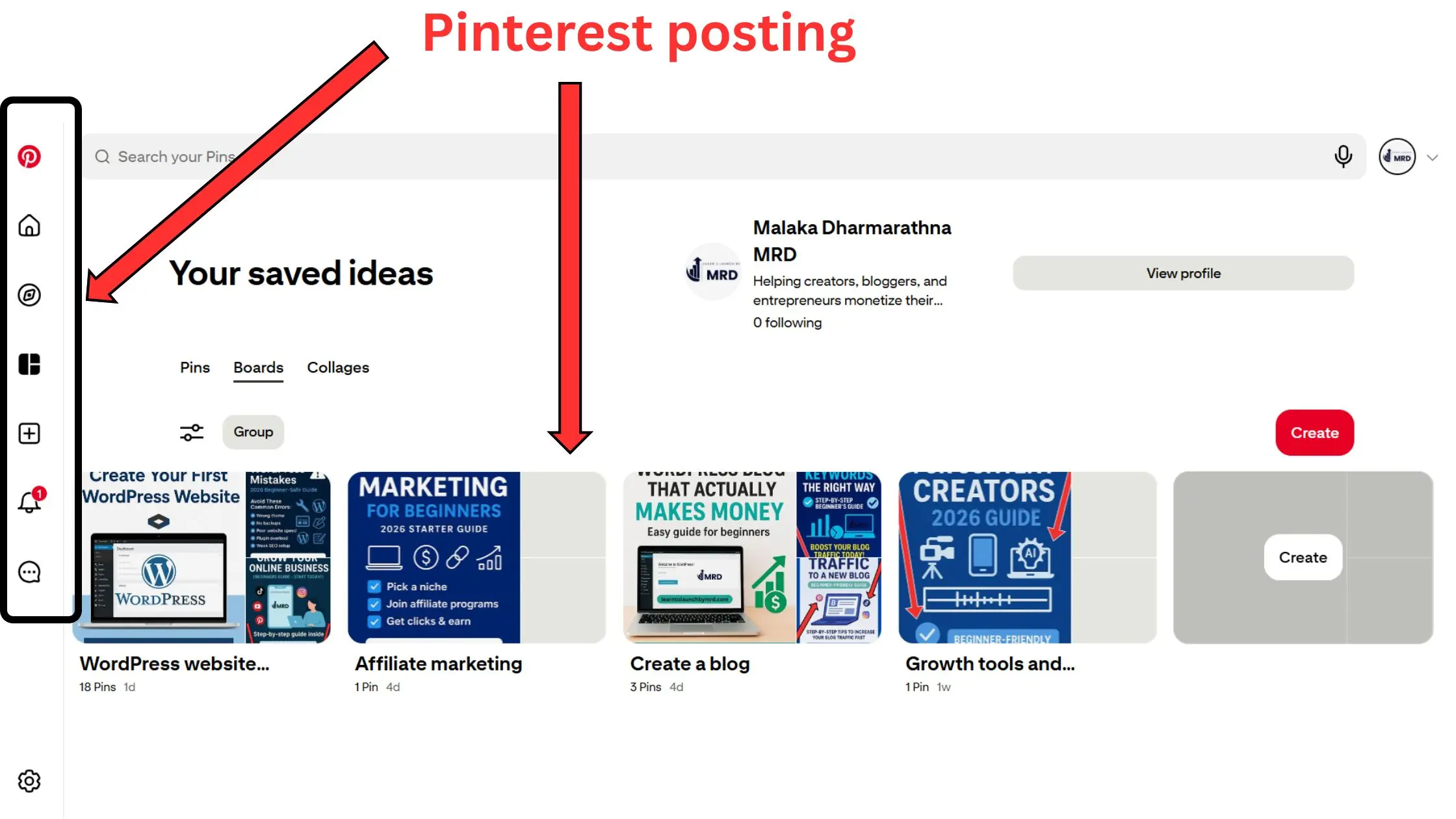
Start by sharing your posts on Pinterest , where visually appealing content can attract readers over time . Answer questions on Quora to position yourself as an authority and link back to relevant blog posts . If allowed , participate in Reddit communities to share insights and drive targeted traffic . Join Facebook groups related to your niche and engage genuinely without spamming .
Building an email list is another powerful free method . Using a free MailerLite plan , you can start sending updates and newsletters to your subscribers . Manual outreach to other bloggers or websites can also help you gain visibility and collaboration opportunities .
Traffic growth becomes much easier once your blog is optimized and promoted effectively. You can explore more strategies to boost blog visibility in how to get traffic to a new blog for beginners and learn practical tips for promoting content on social media.
Quick free promotion tips
- Share posts on Pinterest and niche-specific communities
- Answer questions on Quora with helpful, linkable content
- Participate in Reddit and Facebook groups responsibly
- Start an email list using free tools like MailerLite
- Reach out manually for collaboration and backlinks
By using these free promotion methods consistently , your blog can reach more readers , attract engagement and grow traffic without spending any money .
When and why you should eventually upgrade
While starting free is perfect for beginners , upgrading your blog becomes important as you grow . A custom domain makes your site look professional and trustworthy. You also gain more control over design, features, and content management.
Upgrading opens up monetization options, letting you earn from ads, affiliate marketing, or sponsored content. It also helps your blog grow faster in search engines , giving you better SEO growth and visibility .
When you are ready to take these steps , understanding how to create a WordPress blog that makes money can guide you in setting up a profitable , fully optimized site .
Final budget blogging checklist
- Choose a niche wisely ( how to choose the perfect blog niche )
- Set up a free blog account and beginner-friendly theme ( best WordPress themes for beginners )
- Customize with free design elements ( how to design a website layout with WordPress )
- Use free SEO, writing, and speed tools ( how to get traffic to a new blog , how to write your first blog post, how to speed up your WordPress website )
- Publish high – quality content with long – tail keywords
- Promote your blog on free platforms and social media ( how to use social media to grow your online business )
- Upgrade when ready for a custom domain , monetization and SEO growth ( how to create a WordPress blog that makes money )
Frequently asked question on how to start a high quality blog on a budget.
Can I start a high-quality blog without spending money?
Yes ! You can start a blog for free using platforms like WordPress.com and free tools for writing , SEO , design and optimization . Following the steps in this guide allows you to create a professional looking blog on a $ 0 budget .
How do I choose the right niche for my blog?
Pick a niche that matches your interests and has growth potential . Use free tools to explore topics and see what people are searching for . Check out how to choose the perfect blog niche for detailed tips .
Which free tools should I use to run my blog?
Free tools for SEO , writing , design and speed optimization can replace many paid tools. For example, you can use how to get traffic to a new blog for SEO tips, how to write your first blog post for writing , how to design a website layout with WordPress for design and how to speed up your WordPress website for optimization .
How can I promote my blog for free?
Promote your blog using Pinterest, Quora, Reddit, Facebook groups, free email tools like MailerLite, and manual outreach. Learn more about free promotion strategies in how to promote your blog on social media.
When should I upgrade my free blog?
Upgrade when you want a custom domain, more control, monetization options, and better SEO growth. See how to create a WordPress blog that makes money to understand the benefits of upgrading.
How can I publish high-quality content on a budget?
Use long-tail keywords, simple formatting, optimized images, and answer real user questions. Combine these practices with basic on-page SEO to create content that ranks and attracts readers.
You don’t need expensive tools to begin creating high – quality content and blogging on a limited spending plan is totally achievable. You can create a professional – looking blog that attracts readers and expands over time by utilizing free SEO , writing, design and optimization resources .
When you’re ready, you can take your blog to the next level by adding a custom domain, additional control and monetization options. To build a strong blogging foundation , check out related posts on how to choose the perfect blog niche, how to get traffic to a new blog, and how to write your first blog post.
Don’t wait to start your blogging journey – start your free blog today and take the first step toward growing your online presence.