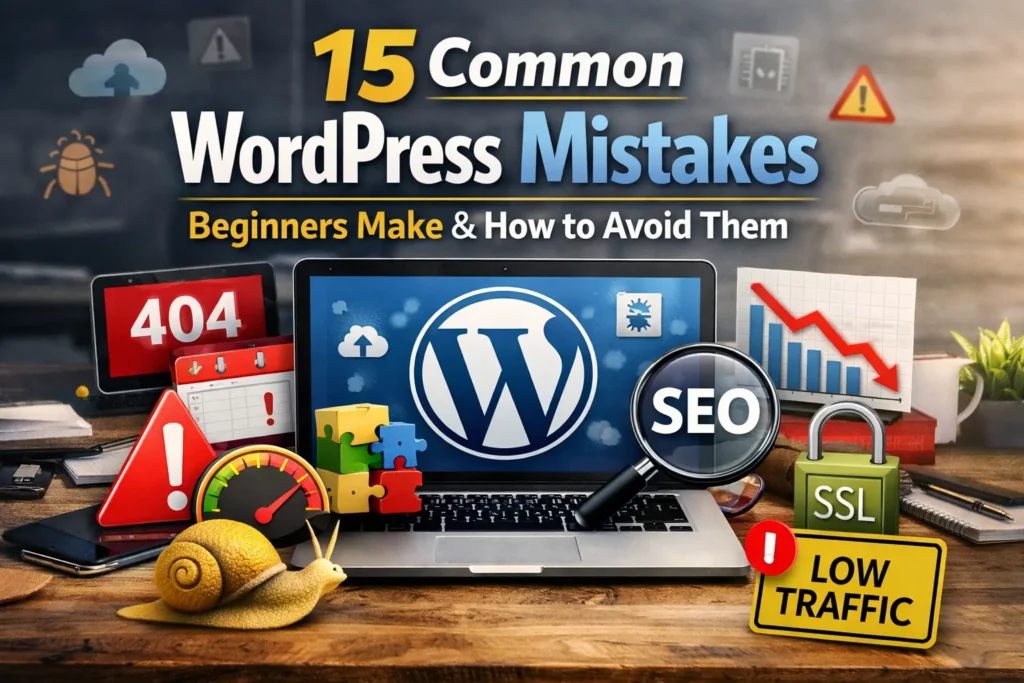

You set up your website, installed a theme, published a few posts….. and then nothing happened. No traffic. Slow loading pages. No rankings on Google. If you’re struggling, you’re probably facing some of the common WordPress mistakes beginners make and how to avoid them and the good news is , They are flexible.
Many new bloggers quietly ask,
- “Why is my WordPress blog not getting traffic?”
- “Why is my WordPress website so slow?”
- Am I making serious WordPress SEO mistakes beginners make without realizing it?
- Are these WordPress speed optimization mistakes beginners make hurting my growth?
According to personal experience , In reality, most beginners do not fail because WordPress is difficult. They fail because they miss important but small setup steps.
A few wrong settings can ,
- Block your site from ranking
- Slow down your loading speed
- Make your website look unprofessional
- Hurt your security
- Reduce trust and conversions
What’s the most terrible? You may be doing something wrongly without knowing it.
I’ll walk you through 15 real-world WordPress mistakes that beginners frequently make in this guide, and I’ll explain how to fix each one in a way that is simple to understand.
This is the place to start if you’re serious about increasing traffic, authority, and long-term growth.
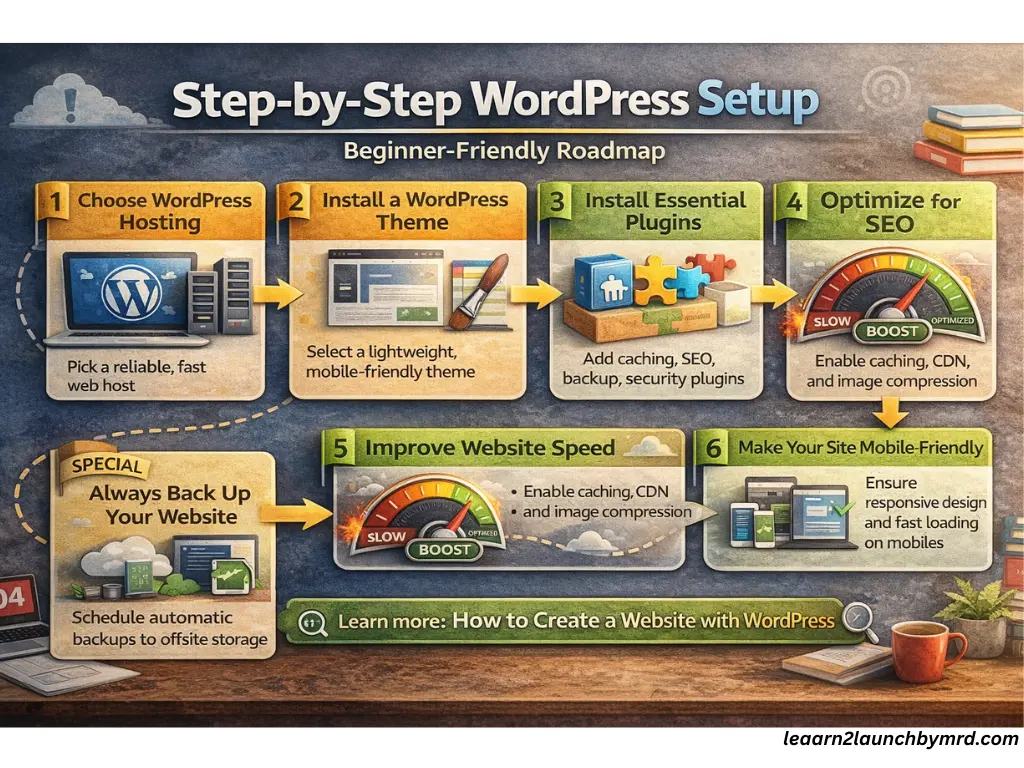
Table of Contents common WordPress mistakes beginners make
01 . Choosing the wrong hosting provider
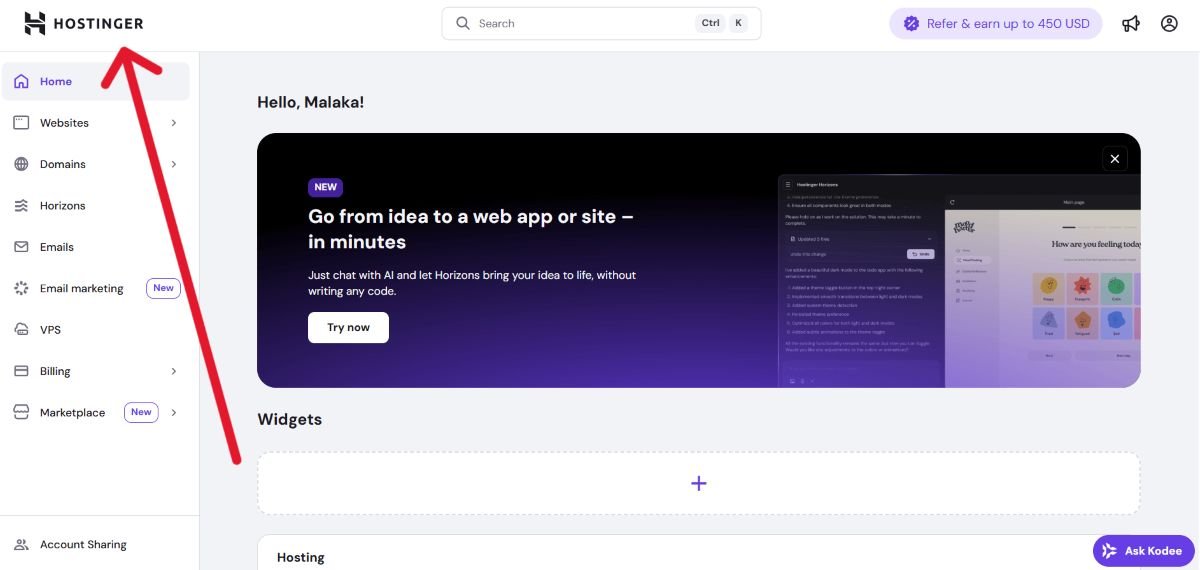
One of the biggest reason beginners ask, “Why is my WordPress website so slow?” is poor hosting. Many people choose the cheapest option without understanding the long term impact.
Cheap hosting problems often include,
- Slow server response times
- Frequent downtime
- Limited resources
- Poor customer support
The user experience, SEO rankings, and website performance are all that is directly affected by slow WordPress hosting. Your traffic might suffer if your hosting is slow because Google uses page speed as a ranking factor.
A good hosting provider should offer ,
- Fast SSD storage
- Strong uptime guarantees
- Reliable support
- Optimized WordPress servers
Investing in quality hosting from the beginning prevents major website performance issues later. It’s not an expense , it’s the foundation of your online growth.
Invest in a reliable hosting provider, one that’s optimized for WordPress. Think about providers like Hostinger , SiteGround or BlueHost.
Choosing reliable hosting affects speed, uptime, and overall site performance. For guidance on selecting the right plan for WordPress beginners, best website hosting for small business explains how to balance cost, speed and reliability to support a fast, secure website.
02 . Ignoring Website security best practices
Many beginners don’t think about security until something goes wrong. But ignoring security is one of the most common WordPress security mistakes beginners make .
If your site isn’t protected , You risk,
- Malware attacks
- Data theft
- Website downtime
- Loss of trust
Start with the basics,
- Install an SSL certificate (HTTPS)
- Use strong passwords
- Enable 2FA (Two-Factor Authentication)
- Install trusted security plugins ( Wordfence )
An SSL certificate improves SEO credibility while protecting user data. Security plugins keep an eye on inappropriate behavior and stop threats before they can do any damage.
even though WordPress is secure in and of itself, weaknesses are caused by poor security procedures. Building trust with search engines and visitors starts with protecting your website. A professional website is one that is secure.
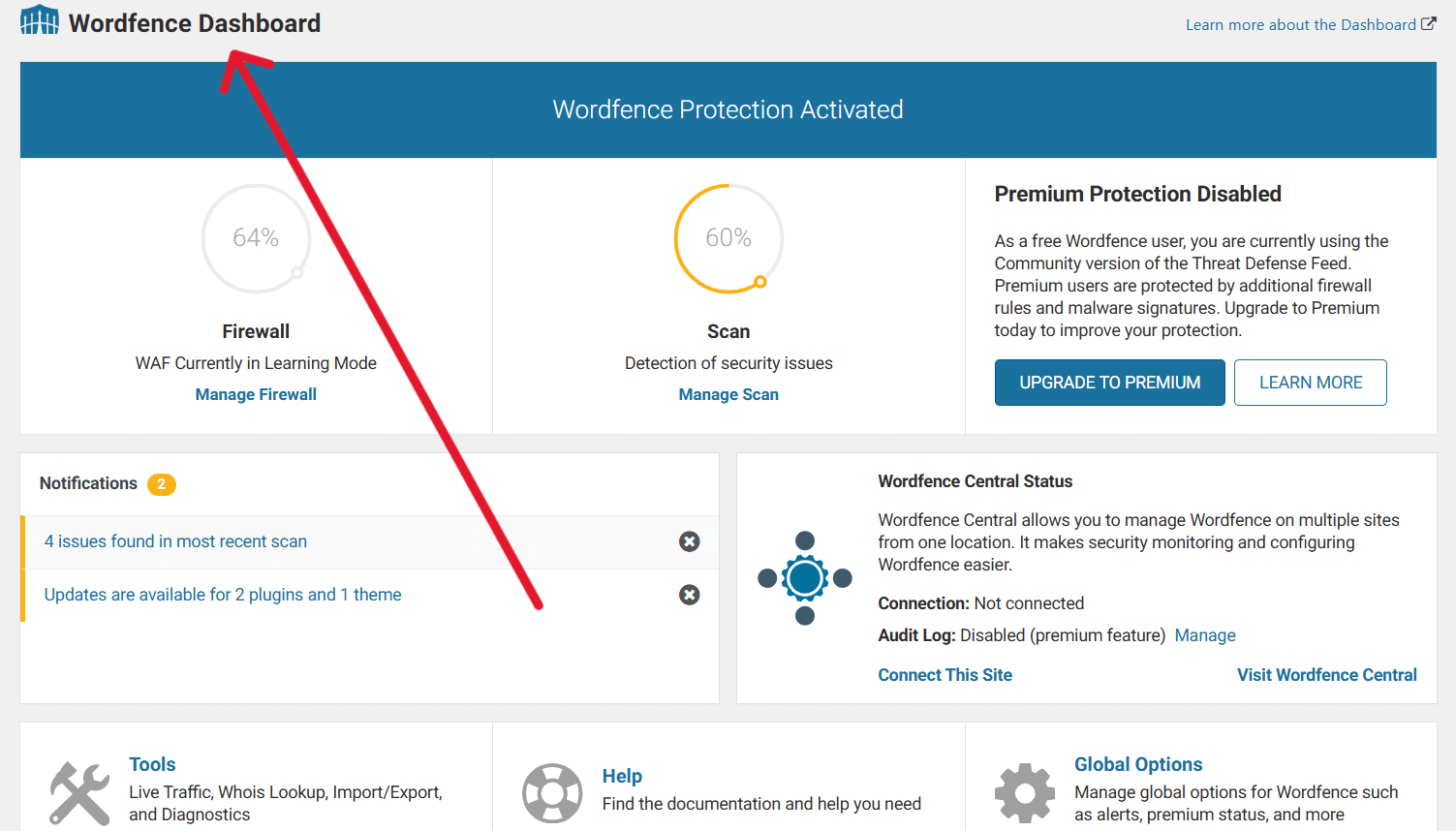
Website security is often underestimated. Using SSL, strong passwords, and security plugins keeps sites safe. Steps from How to secure your WordPress website show beginners how to implement essential security measures while maintaining smooth functionality.
03 . Installing too many plugins
Plugins are powerful but installing too many is one of the biggest WordPress speed optimization mistakes beginners make.
A common question is , How many plugins are too many?
- Slow down your website
- Cause plugin conflicts
- Create security risks
- Increase server load
Each plugin adds extra code to your site. If poorly coded or outdated, it can affect performance and stability.
Instead,
- Use only essential plugins
- Remove unused plugins
- Choose well reviewed, lightweight tools
- Regularly update them
Performance is not improved by adding more plugins. SEO rankings, speed, and user experience are all enhanced by a clean, optimized setup.
Keep your WordPress environment simple and efficient.
Too many plugins can slow your website or cause conflicts. Beginners can learn which are essential in 10 must have WordPress plugins for beginners, balancing functionality, speed and security without overwhelming the site or harming performance.
| Category | Recommended Plugin(s) | Purpose / Function | Free / Premium |
|---|---|---|---|
| Anti-Spam / Firewall | Wordfence | Protects your site from spam, | Free + Premium |
| Page Builder | Elementor / Gutenberg (built-in) | Helps you build and design . | Free + Premium |
| Contact Forms | WPForms Lite | Easily create contact forms | Free + Premium |
| Analytics | Site Kit by Google | Integrates Google Analytics, Search Console, and AdSense | Free |
| Backup | UpdraftPlus | backs up your site and allows easy restoration . | Free + Premium |
| Image Optimization | Smush | Compresses and optimizes images without losing quality | Free + Premium |
| Caching & Performance | Litespeed cache | Improves site speed | Free |
| SEO Optimization | Rank Math SEO | Optimizes your content and site structure | Free + Premium |
| Security | Wordfence Security | Protects your site from vulnerabilities, hacks, | Free + Premium |
04 . Not updating WordPress , themes and plugins regularly
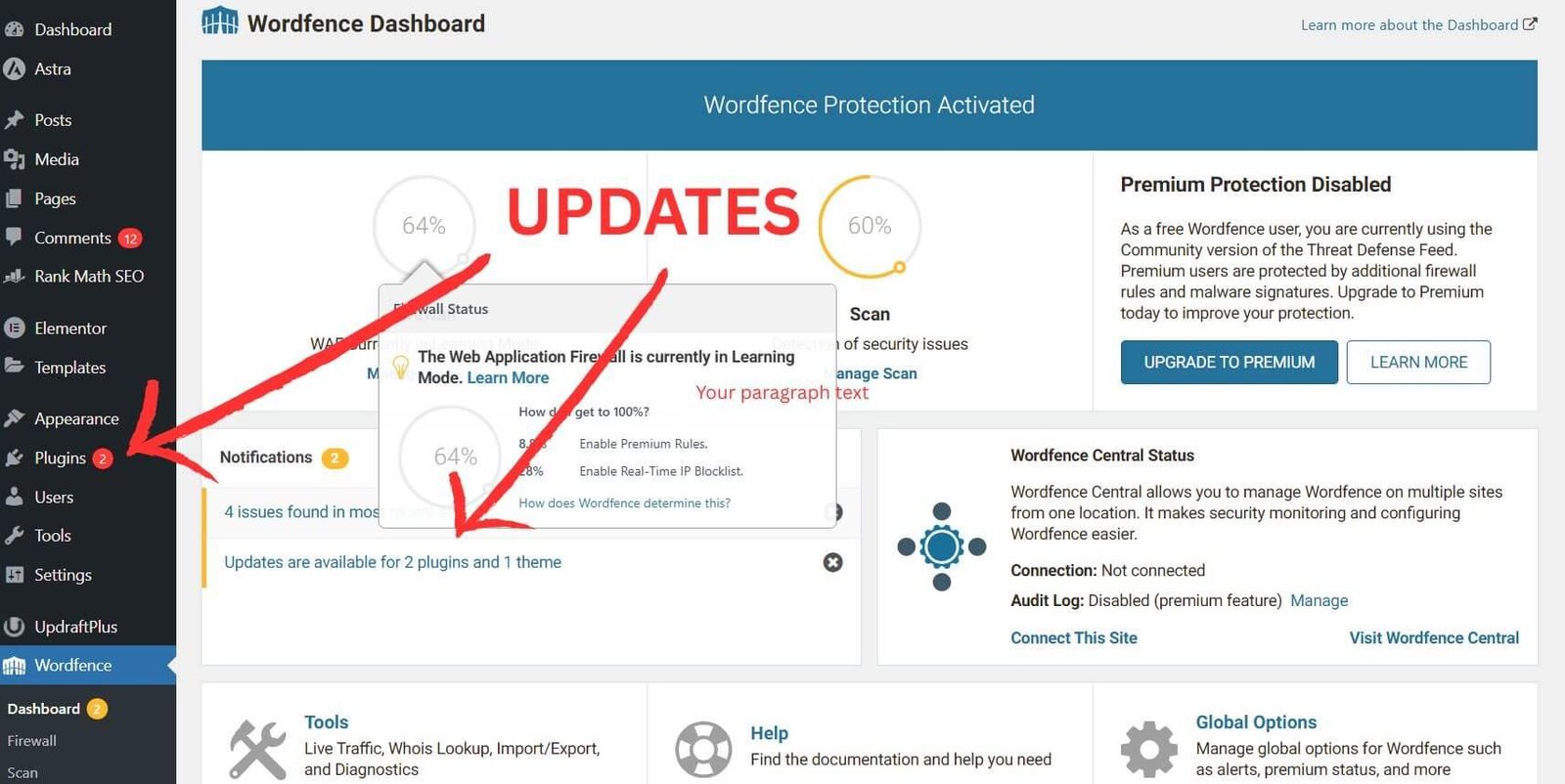
even though ignoring updates might seem harmless, it can lead to major problems. Long-term success requires an understanding of the importance of WordPress updates.
Updates fix,
- Security vulnerabilities
- Performance bugs
- Compatibility issues
- Feature improvements
Delaying updates reveals your website to technical issues and security threats. Hackers frequently enter through outdated plugins and themes.
To avoid issues,
- Enable automatic minor updates
- Regularly update themes and plugins
- Remove abandoned plugins
- Backup before major updates
Keeping everything updated ensures better performance and stronger security. It also prevents unexpected crashes caused by outdated software conflicts.
Think of updates as routine maintenance. For example like a car needs servicing, your WordPress site needs regular updates to stay secure and optimized.
Updates prevent security breaches, errors, and slow performance. Following practices from Quick settings after installing WordPress ensures beginners maintain updated plugins, themes and WordPress core, keeping the site secure and efficient from the start.
05 . Choosing poorly coded or unoptimized WordPress themes
The look and functionality of your website are controlled by your theme. Selecting a theme with poor coding can negatively impact user experience, SEO, and speed.
A good theme should have ,
- Lightweight WordPress theme structure
- Mobile friendly design
- Clean code structure
- Regular updates
- Positive user reviews
Having too many built-in features in a heavy theme can cause your site to load slowly. They may impact rankings and increase loading times.
Mobile friendly design is especially important because Google uses mobile first indexing. If your site doesn’t perform well on mobile devices, your traffic can drop.
Before installing a theme,
- Check speed tests
- Review update history
- Test responsiveness
- Avoid overly complex layouts
A clean and optimized theme builds trust, improves loading speed, and strengthens your SEO foundation from day one.
A lightweight, mobile-friendly, and clean-coded theme impacts speed and SEO. Guides like how to choose the best WordPress themes for your website help beginners pick themes that improve site usability, responsiveness and long term scalability.
06 . Ignoring SEO basics when setting up WordPress
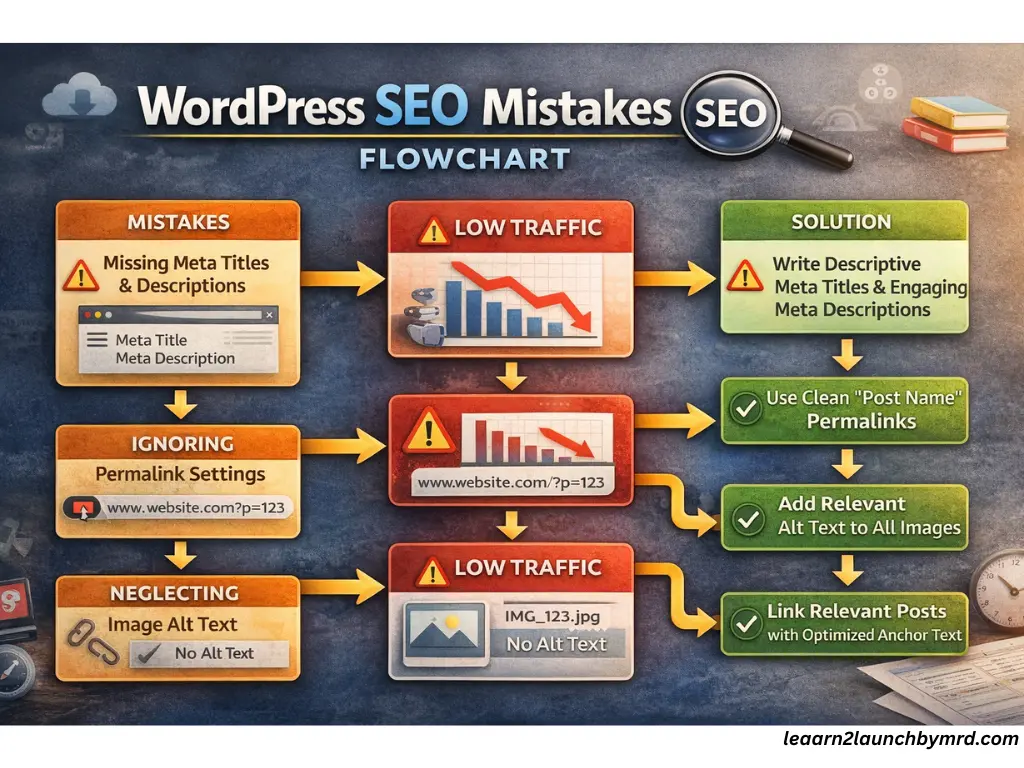
One of the most common WordPress SEO mistakes beginners make is skipping the basic setup. SEO isn’t complicated but missing small details can stop your site from ranking.
When setting up WordPress , make sure you configure ,
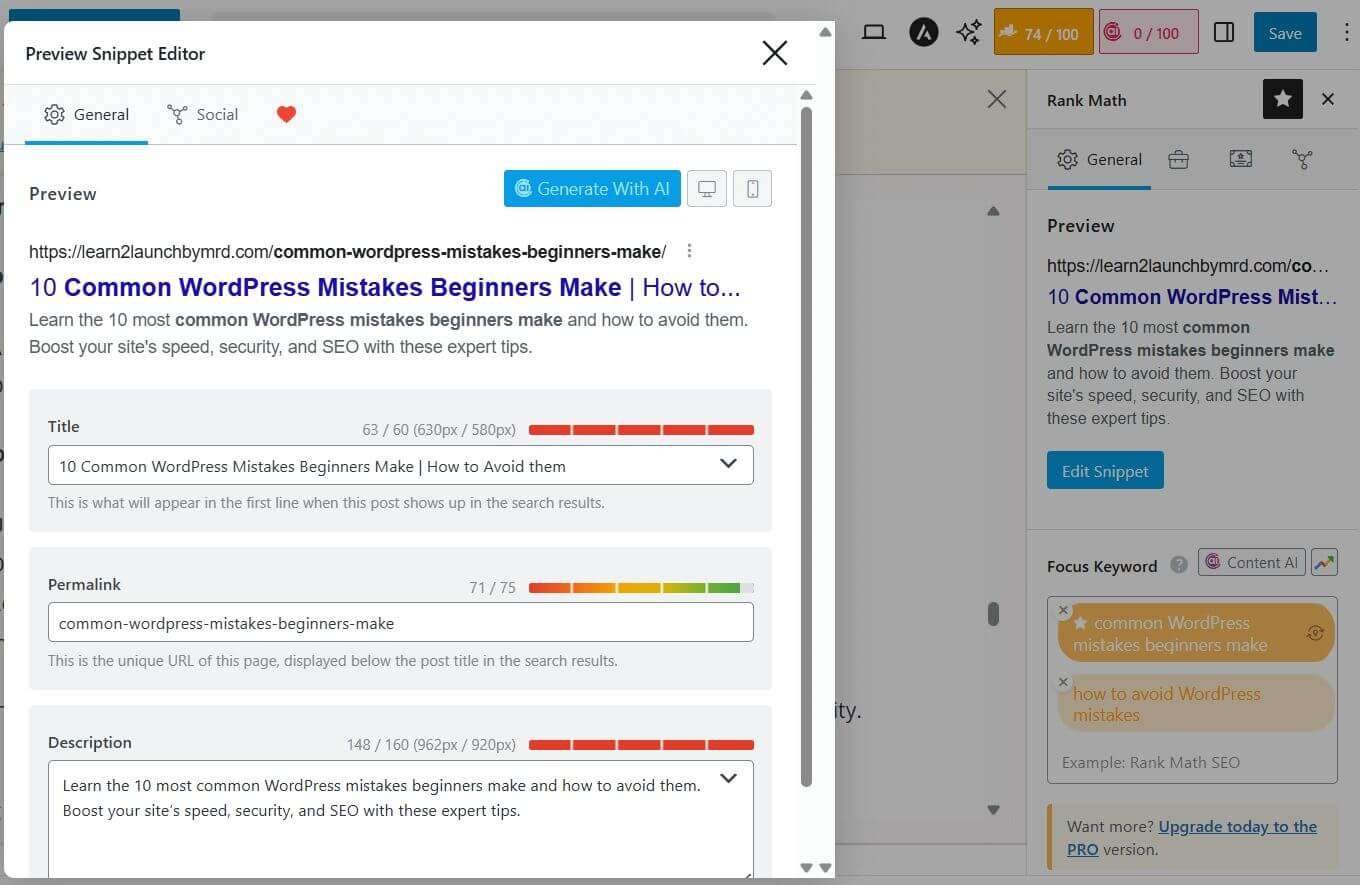
- Clear meta titles
- Compelling meta descriptions
- SEO friendly permalink settings
- Proper image alt text
- Strong internal linking
Skipping SEO fundamentals limits visibility. Correctly setting meta titles, descriptions, alt text, and internal linking improves rankings. How to do on page SEO for blog posts explains practical on-page strategies for beginners to optimize content effectively.
Search engines will better understand your content with the help of meta titles and meta descriptions. Instead of using random numbers, Permalink settings should employ a clean “Post Name” structure.
Accessibility and image search visibility are improved by alt text. Internal linking increases crawlability by connecting related posts.
Your content might never reach its maximum ranking potential if you ignore these basic rules. A solid foundation for long-term organic traffic growth is created by properly setting up SEO from the start.
The Solution –
- Use an SEO plugin like Yoast SEO or Rank Math.
- Optimize headings (H1, H2, H3), meta descriptions, and image alt tags.
- Research keywords using tools like Google Keyword Planner, Ahrefs, or SEMrush.
- Internal linking is key – help search engines understand your site’s structure.
07 . Not backing up your website properly
Many beginners assume nothing will go wrong, until it does. Without backups, a small issue can wipe out months of hard work.
A proper backup strategy should include,
- Automatic backups
- Regular scheduling
- Offsite storage (cloud or external server)
- A clear WordPress recovery plan
Automatic backups ensure your site is saved even if you forget. Offsite storage protects your data if your hosting server fails.
Having a WordPress recovery plan means you know exactly how to restore your website quickly after errors, hacks or crashes.
Backups are not optional. They are your safety net. A secure and professional website always has a reliable backup system in place. Prevention is far easier than rebuilding everything from scratch.
Backups protect against accidental loss, hacks, or server issues. Beginners can follow The ultimate WordPress launch checklist, which emphasizes scheduled backups, offsite storage and a clear recovery plan to prevent data loss.
08 . Poor content organization and site structure
Even great content can fail if your site structure is messy. Poor organization affects both user experience and search engine crawlability.
To improve structure, focus on,
- Clear categories and tags
- Logical internal linking
- Simple navigation menus
- Organized content hierarchy
Categories help group related topics. Tags should be used carefully, not excessively.
Organized categories, tags and internal links enhance user experience and SEO. How to structure a blog for beginners provides step by step guidance on arranging content logically to improve readability and search engine crawlability.
Internal linking connects related posts and guides readers deeper into your website. This improves engagement and helps search engines understand your content structure.
When your website is easy to navigate, visitors stay longer and search engines crawl your pages more efficiently. Good organization builds authority and trust over time.
09 . Overlooking website speed optimization
If you have ever asked , “Why is my WordPress website so slow?” , speed optimization is likely the issue. This is one of the biggest WordPress speed optimization mistakes beginners make,
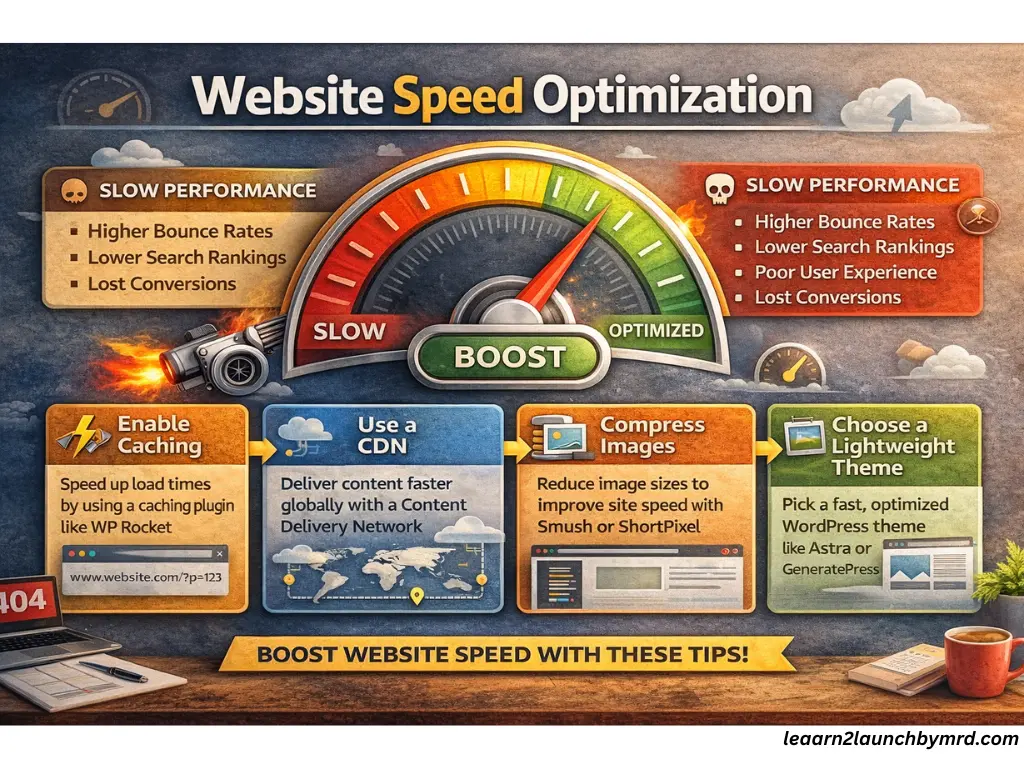
Slow websites lead to,
- Higher bounce rates
- Lower rankings
- Poor user experience
- Reduced conversions
To improve speed, focus on,
- Enabling caching
- Using proper image compression
- Choosing optimized hosting
- Using a CDN (Content Delivery Network)
Caching reduces server load and speeds up page delivery. Image compression prevents large files from slowing your site. A CDN distributes your content globally for faster loading.
Website speed directly impacts SEO performance. Even a one-second delay can reduce engagement. Speed optimization isn’t technical, it’s essential for growth.
The Solution –
- Compress images using tools like ShortPixel or Smush.
- Use caching plugins like WP Rocket or W3 Total Cache.
- Consider a Content Delivery Network (CDN) like Cloudflare.
- Choose a hosting provider that emphasizes speed.
Site speed affects engagement and ranking. Beginners can follow tips from How to speed up your WordPress website, covering caching, image compression, CDN and lightweight themes to maintain optimal performance and keep users engaged.
10 . Forgetting mobile optimization
Today, most users browse websites on mobile devices. Because of mobile first indexing , Google primarily evaluates your mobile version for rankings.
If your site isn’t optimized, you may experience,
- Lower rankings
- Poor user experience
- High bounce rates
A strong mobile setup includes,
- Responsive design
- Fast mobile loading speed
- Clear and readable text
- Easy navigation
Responsive design ensures your website adapts to different screen sizes automatically.
Test your site on smartphones and tablets regularly. If visitors struggle to navigate your content, they will leave quickly.
Mobile optimization is no longer optional. It’s a core part of modern SEO and professional website development.
Responsive design ensures usability across devices and aligns with mobile-first indexing. Techniques from How to design a website layout with WordPress guide beginners to create adaptable layouts that improve experience and SEO on phones, tablets and desktops.
11 . Not setting up Google search console and analytics
Many beginners wonder , “Why is my WordPress blog not getting traffic?” The problem is often missing tracking and indexing setups. Without Google Search Console and Google analytics, it’s hard to monitor performance or identify issues.
Key steps include,
- Indexing issues – Check which pages Google has indexed.
- Submit sitemap – Ensure all your content is discoverable.
- Performance tracking – Measure clicks, impressions and user behavior.
Early setup of these tools helps in audience behavior analysis, traffic gap identification, and SEO troubleshooting. You may improve content, optimize for search intent and strategically grow your blog by constantly monitoring analytics.
Tracking tools help identify why traffic is low and monitor site health. Submitting sitemaps and measuring performance can be guided by How to create a website with WordPress, which explains setup strategies while maintaining indexing and analytics monitoring.
12 . Publishing thin or low quality content
It’s a common mistake to publish content that doesn’t meet search intent or reader satisfaction. Poor blog content can lower engagement and harm rankings. Beginners must focus on useful content that offers value and clear answers to questions.
Key points to consider,
- Match search intent – Make sure your post fulfills what readers are looking for.
- Add depth – Avoid overly short posts with little information.
- EEAT signals – Build authority and trust through clear, factual, and readable content (without technical overload).
High-quality content improves user experience in addition to ranking higher. Long-term authority and traffic are two benefits of spending time on well-written, organized, and timely posts.
Low quality posts can prevent rankings and engagement. Beginners should focus on helpful content aligned with search intent. How to optimize blog posts for SEO beginners and what happens to blogging in the age of AI provide guidance on creating valuable content that performs well and stays relevant.
13 . Not optimizing images properly
Large images can drastically slow your website. Beginners often upload images without compression , which leads to slow page loading and poor user experience.
Tips for optimization ,
- Compress images – Use lightweight formats like WebP without losing quality.
- Add alt text SEO – Descriptive text helps search engines understand your images.
- Resize images – Avoid uploading huge files, scale appropriately for display.
Image optimization raises rankings, accessibility, and speed. Improving load times even slightly can increase engagement and decrease bounce rates, giving your blog a more polished and friendly appearance.
14 . Using default permalink settings
Beginners often leave WordPress’s default permalink settings, which can be long and messy. Optimizing URLs is a simple yet effective SEO tactic.
Tips include,
- SEO friendly URLs – Use clear, descriptive keywords.
- Clean URL structure – Avoid numbers or unnecessary characters.
- Post name format – Keeps links readable and memorable.
A proper permalink setup helps search engines and users understand your page structure. This small adjustment improves Click through rates and enhances overall site authority without technical complexity.
Messy URLs can harm SEO. Using SEO friendly URLs with a clean post name format is critical. Guidance from How to start a WordPress blog for beginners step by step explains setting permalinks properly during initial setup to avoid common mistakes.
15 . Ignoring internal linking strategy
Internal linking connects related pages and strengthens your site’s structure. Beginners often overlook this, missing opportunities to boost topical authority and improve page authority.
Key points,
- Link related posts – Guide readers to additional content naturally.
- Improve navigation – Help users find relevant information quickly.
- Build authority – Distribute link equity across pages.
In more than improving SEO, a carefully planned internal linking strategy increases reader engagement. Logically connecting content improves the organization, professionalism, and search engine optimization of your website.
Internal linking strengthens topical and page authority while aiding navigation. Where to place affiliate links in blog posts and How to structure a blog for beginners illustrate ways to connect content naturally, improving user experience and search engine understanding without overstuffing links.
Frequently asked questions on Common WordPress mistakes beginners make
Why is my WordPress blog not getting traffic?
Many beginners struggle because of SEO setup mistakes, poor content organization, or slow site speed. Focus on optimizing meta titles, descriptions, permalinks, internal linking and mobile responsiveness to improve rankings and attract more organic traffic.
Why is my WordPress website so slow ?
A slow WordPress site is often caused by poor hosting, too many plugins, large images or missing caching. Optimize your website with lightweight themes, image compression, a CDN, and a reliable hosting provider to speed up load times.
What are common WordPress SEO mistakes beginners make?
Beginners often skip meta titles, meta descriptions, alt text, internal linking, and clean permalinks. Ignoring these basics prevents Google from understanding your site and limits organic traffic growth. Proper setup from the start improves rankings and user engagement.
How many plugins should a beginner install?
There’s no exact number, but installing too many plugins can slow your site and cause conflicts. Use only essential, high quality plugins, remove unused ones and regularly update them to maintain performance, security and WordPress stability.
Is WordPress safe for beginners?
Yes, WordPress is safe if you follow best practices. Use strong passwords, SSL certificates, security plugins, automatic updates, and backups. These simple steps prevent hacking, data loss and performance issues, making your website secure from day one.
Avoiding the common WordPress mistakes beginners make and how to avoid them is the first step toward building a professional, high performing website. From slow loading times and poor SEO setup to weak security and messy content organization, even small errors can have a big impact on traffic and user experience.
You can significantly improve your website’s performance, rankings, and credibility by implementing the 15 practical tips previously discussed, such as making sure your site is mobile-friendly, optimizing its speed, choosing the best hosting, and creating proper backups.
If you’re still starting out, it’s also helpful to see a step-by-step guide like how to create a website with WordPress , which walks you through everything from setup to publishing content, ensuring you don’t repeat beginner mistakes.
Remember , questions like why is my WordPress blog not getting traffic ? or Why is my WordPress website so slow? are common, but there is a simple, workable solution for each issue. Your website will grow more quickly, safely, and successfully if you take the time to set these fixes to use right now.