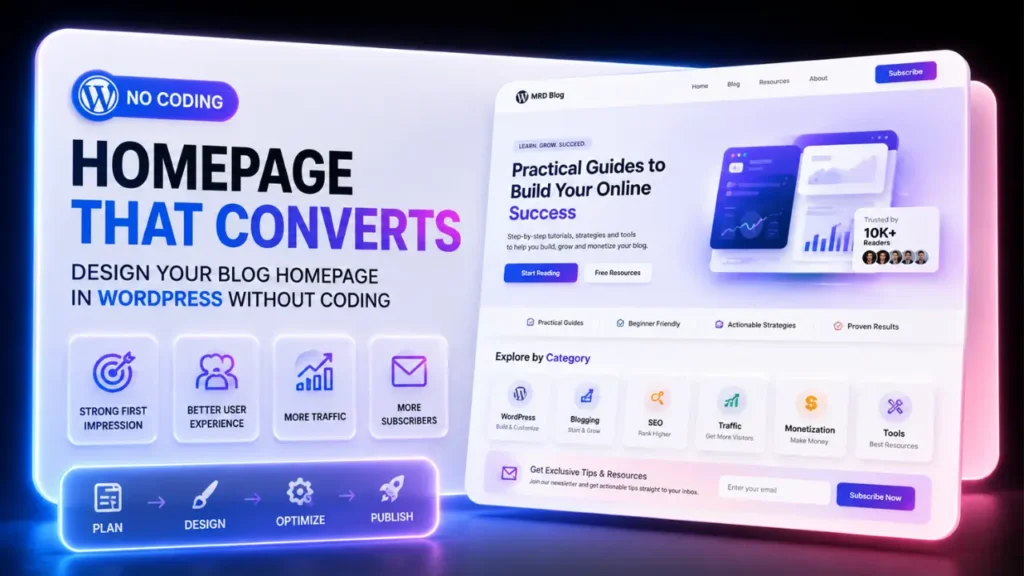
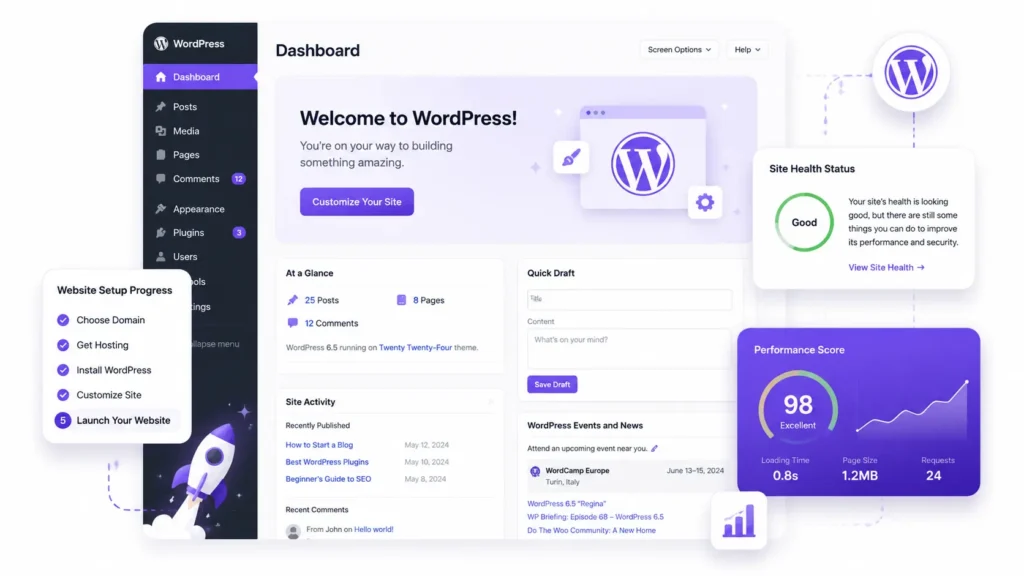

I spent six weeks convinced that building a website required code.
Six weeks of watching tutorials I couldn’t follow. Six weeks of opening developer forums and closing them immediately because nothing made sense. Six weeks of telling myself I’d start “when I understood it better.”
Then I discovered that how to create a WordPress website without coding was genuinely possible, not as a simplified compromise, but as the actual standard way most professional blogs and business websites are built in 2026.
WordPress powers 43.5% of all websites globally, making it the undisputed leader for no-code development. That includes news publications, e-commerce businesses, personal brands, and blogs generating six-figure incomes – all built without a developer, often by people who started exactly where you are right now.
This guide is part of the Complete No-Code WordPress Blog Setup Framework for Beginners – the complete system for building a WordPress blog from domain registration to first published post.
This specific guide covers the full website creation process end-to-end, with individual deep-dive resources linked throughout for every step that deserves more detail.
By the time you finish reading, you will have a complete, actionable setup sequence that takes most beginners from blank screen to live WordPress website in a weekend.
Here’s the part nobody tells you upfront: the technical setup takes four to eight hours total. Everything else – content, design refinement, strategy – is what you spend the next months building. The weekend is for the foundation. Let’s get it right.
How to create a WordPress website without coding: Register a domain name, choose reliable hosting, install WordPress with a one-click installer, configure the essential settings, customize a lightweight theme, install only the plugins you need, and complete a pre-launch checklist. Most beginners can build a professional WordPress website in a single weekend without writing any code.
What’s the difference between WordPress.com and WordPress.org?
WordPress.com is a hosted service where WordPress manages your server and software. WordPress.org is the free, self-hosted version you install on your own hosting – giving you complete ownership, full plugin access, and no platform restrictions. For any blog or business website you plan to monetize, WordPress.org on your own hosting is the correct choice.
This is the question that stops most beginners before they even start and getting it wrong means potentially rebuilding everything from scratch six months later.
There are two versions of WordPress and, while they’re both built around the same core software, they’re designed for different use cases. WordPress.com is a hosted service. WordPress.org is self-hosted open-source software.
The core difference comes down to ownership and control:
WordPress.com (Hosted) :
- WordPress manages the server and software for you
- Free plan exists but shows WordPress ads on your site
- Limited plugin access on free and lower tier plans
- You don’t technically own your problems – WordPress.com does
- Restrictions on monetization, custom code, and affiliate links until you pay for higher plans
WordPress.org (Self-hosted)
- You install WordPress on your own hosting account
- Complete control over every plugin, theme and setting
- Full monetization freedom – ads, affiliates, digital products, all permitted
- WordPress itself is completely free – you only pay for hosting and a domain
- The version used by 43.5% of all websites on the internet
The verdict for any blogger who wants to build income from their website: WordPress.org on self-hosted web hosting. The guided setup below uses this version exclusively.
For a complete comparison of both platforms before you decide, WordPress.org vs WordPress.com: Which platform is best for starting a profitable blog? covers every major difference – including which monetization restrictions apply at each plan level.
Is WordPress good for beginners with no technical experience?
Yes – WordPress is built specifically for non-technical users. You can set up, design, customize, and publish a full website without writing a single line of code. If you can use email and a word processor, you have the skills needed to build a WordPress website.
WordPress was designed for non-technical users. Everything uses visual interfaces requiring no code. If you can use email, you can build a WordPress site.
The numbers back this up :
- Over 63.4 million websites currently use WordPress worldwide the majority built by non-developers
- 14,000+ free themes are available in the WordPress directory alone – visual design without code
- 59,000+ plugins extend functionality without writing a single function
- The Gutenberg/ Elementor block editors work like a visual drag-and-drop interface – no HTML required
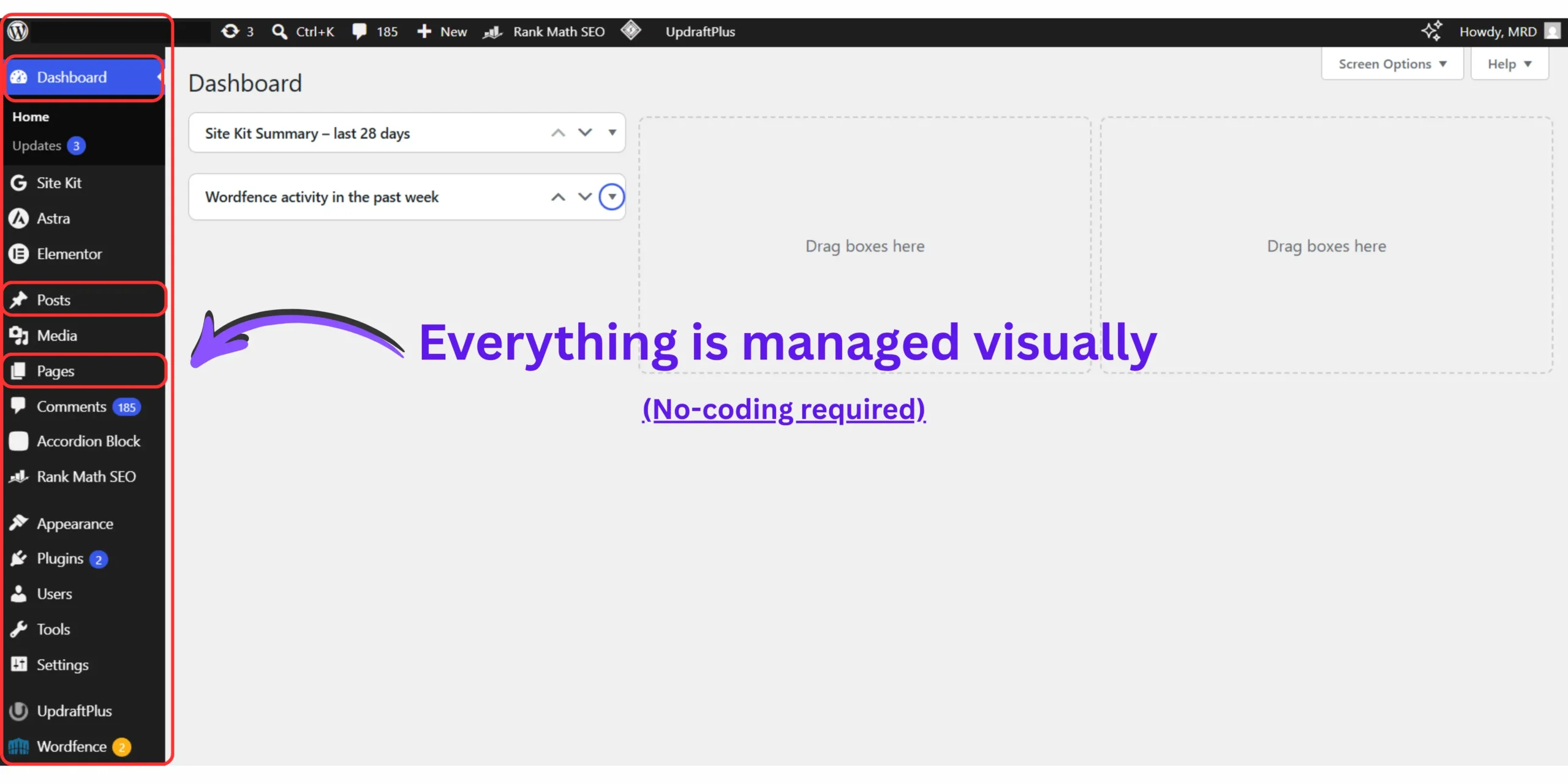
For a basic functional WordPress site, expect four to eight hours of focused work. If your goal is a polished, content-rich site, you’re looking at several days to weeks but that’s mostly content creation, not technical setup.
The technical barrier that once made websites exclusive to developers has been dismantled entirely. What remains is a decision-making process: which domain, which hosting, which theme, which plugins. Those are strategic choices, not technical ones and this guide walks you through every single one.
Step by step guide to building a WordPress website for beginners – The 7 phrase no-code launch system
Building a WordPress website without coding follows seven sequential phases: choose a domain name, set up hosting, install WordPress, configure core settings, choose and customize a theme, install essential plugins, and complete pre-launch verification. Skipping or reordering these phases is the primary reason beginner setups create avoidable technical problems later.
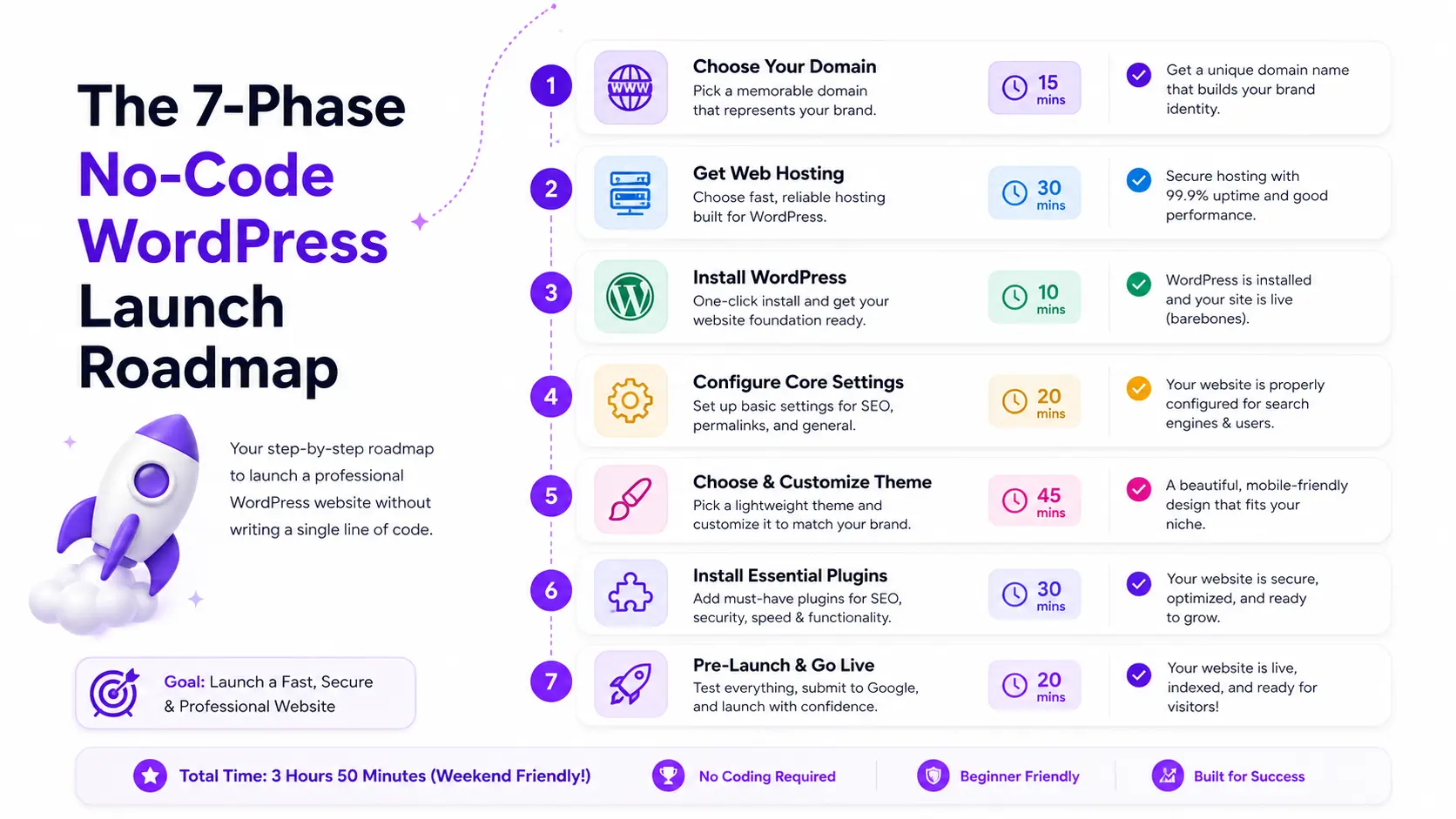
This is the complete 7-Phase No-Code WordPress Launch System – the structured sequence I wish I had followed on my first build instead of jumping between random tutorials and creating a setup that took three months to fully clean up.
The phases matter in sequence. Each one prepares the foundation for the next. A step by step guide to building a WordPress website for beginners that skips the sequence is what creates the “technical debt” most beginner bloggers silently accumulate before they realize it.
🚀 Your 7-Phase No-Code WordPress Launch Progress
Phrase 01 – Choose your domain name
Your domain name is the permanent address of your WordPress website. Every future decision – email setup, branding, SEO strategy, social profiles connects to this choice.
What makes a domain name works :
- Under 15 characters – longer domains invite typos and reduce memorability
- Available as a dot.com – Still the most globally trusted extension
- No hyphens or numbers – both signal low credibility to first time visitors
- Easy to spell when spoken aloud – your domain will be shared verbally
In 2026, standard .com domain registrations average between $12 and $20 per year.
If you’re still searching for an available domain name that meets these criteria, best free domain name generators for WordPress website covers the fastest tools for finding available .com names in under five minutes – including Hostinger’s AI generator and Lean Domain Search.
🧭 Beginner Website Decision Guide
Follow this simple roadmap to build the right WordPress website without coding.
Once you have a candidate name, how to choose a brandable domain name for a professional blogging business walks through the full strategic evaluation – brand flexibility, niche scalability, and the trademark check most beginners skip before registering.
Phrase 03 – Set up your hosting
Web hosting is the server space where your WordPress files, database, and media live. Every visitor who loads your website is loading content from your hosting server.
For beginner bloggers in 2026, shared hosting is the right starting point. It’s cost-effective, fully supports WordPress, and scales as your traffic grows. The two factors that matter most at this stage are WordPress compatibility and customer support quality.
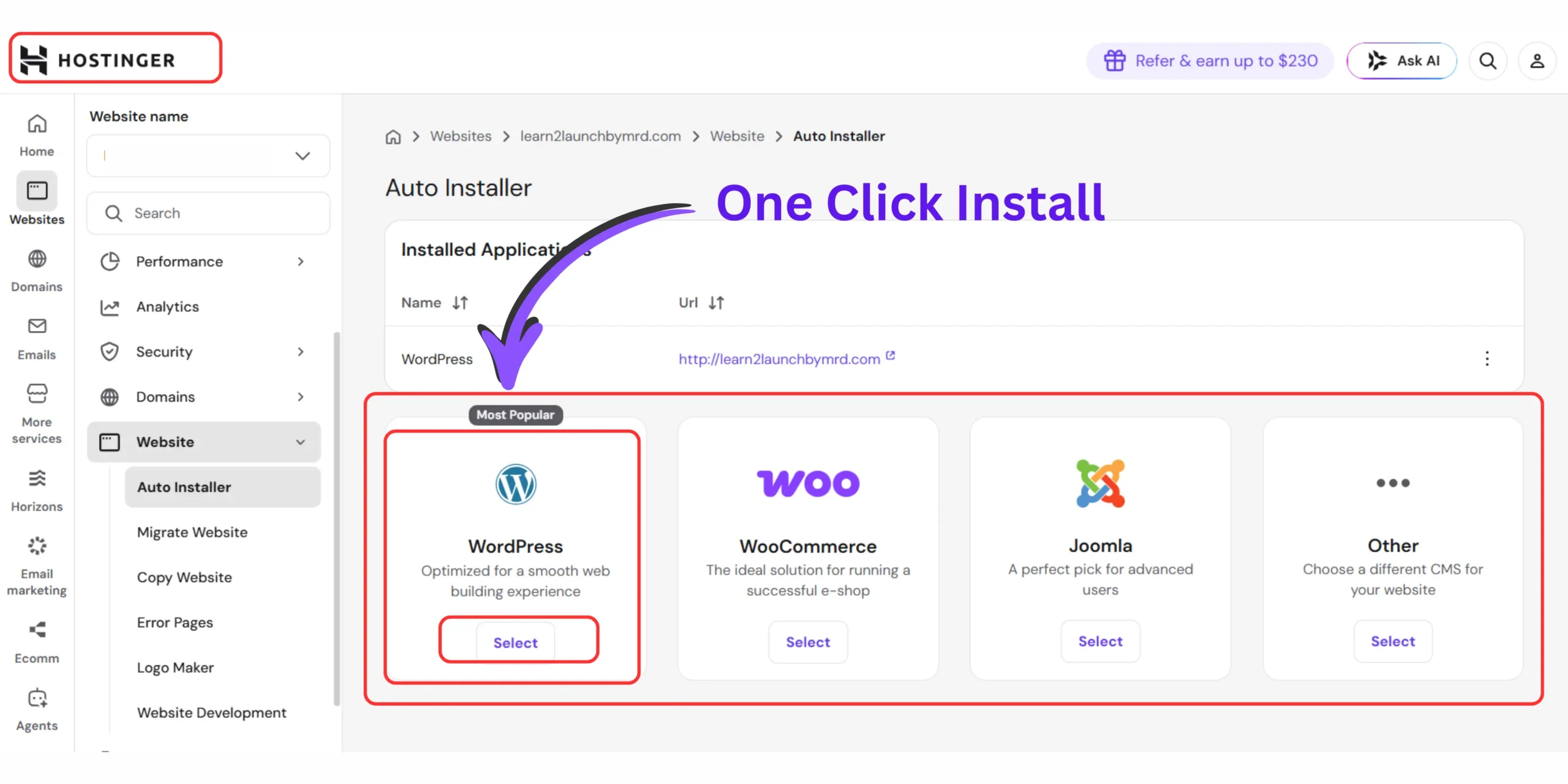
Most reputable hosting providers include a one-click WordPress installer that handles the technical installation automatically – meaning Phase 3 requires no command-line knowledge.
For a complete comparison of hosting options across price, features, and WordPress-specific performance, best website hosting for small business breaks down the top providers at each budget level.
The complete technical walkthrough for setting up WordPress on Hostinger specifically — the platform most of our readers use – is covered step-by-step in how to install WordPress on Hostinger in 2026.
Phrase 03 – Install WordPress
WordPress itself is free. You’ll need to pay for web hosting and a domain name and most good hosts include a one-click WordPress installer that handles the full installation automatically.
The one-click installer in your hosting control panel (cPanel, hPanel, or equivalent) handles every technical aspect of installation: creating the database, configuring the wp-config.php file, and setting up file permissions all without you touching a single server setting.
After installation, your WordPress dashboard is accessible at yourdomain.com/wp-admin. Log in with the credentials you created during installation.
Before touching design or content, there is a critical but often-missed cleanup step: your fresh WordPress install comes with default sample content – a “Hello World” post, a “Sample Page,” and placeholder data in the database.
Leaving these in place creates indexing issues and database clutter. How to clean default WordPress database tables and sample posts on a fresh blog covers the exact cleanup sequence to complete before doing anything else on a fresh install.
For a complete, clean installation walkthrough that avoids the configuration errors most beginners make during this phase, how to install WordPress cleanly on hosting dashboards for a new blog covers every setting from the installation wizard forward.
Phrase 04 – Configure core setting
This is the phase most beginners skip or rush and it’s the one that creates the most lasting technical problems.
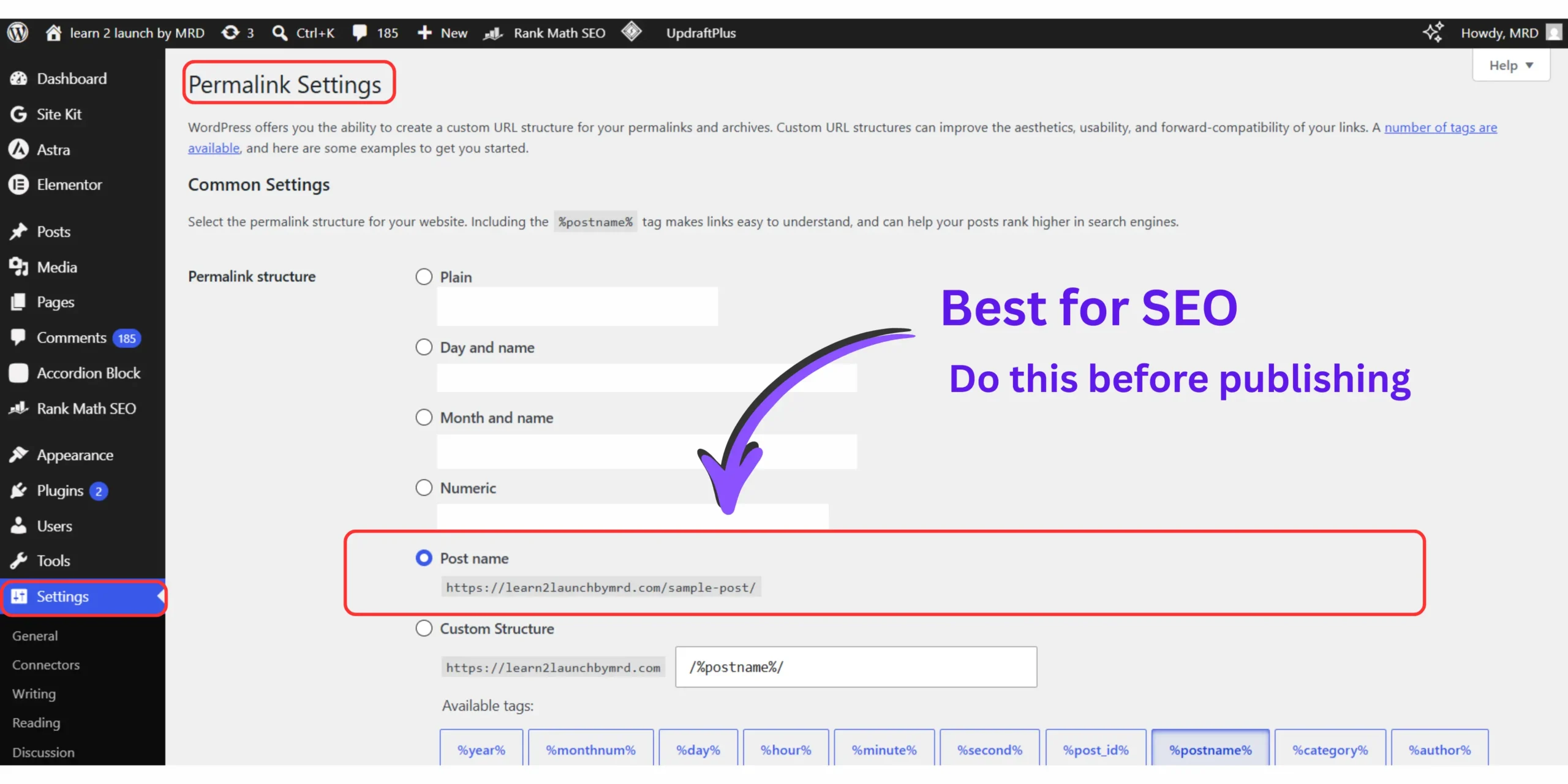
The default WordPress configuration is terrible for search visibility. Go to Settings > Permalinks and change the structure to ‘Post name’. This removes dates and weird characters from your URLs. Then go to Settings > Reading and ensure ‘Discourage search engines from indexing this site’ is unchecked.
The four core settings that must be configured before anything else :
01 . Permalinks – Change from the default numeric structure (/?p=123) to “Post name” (/your-post-title). This change must be made before publishing any content — changing it afterward requires 301 redirects on every existing URL. How to configure WordPress permalinks for optimal blog SEO and URL readability covers exactly why this setting matters and how to verify it’s applied correctly.
02 . Reading setting – Confirm “Discourage search engines from indexing this site” is unchecked. This checkbox is sometimes left enabled after development mode, which completely prevents Google from finding your website.
03 . Discussion setting – Configure comment moderation, spam filtering, and notification settings to prevent your inbox from flooding and your comment sections from filling with spam from day one. How to configure the default global settings for comments and spam on a new blog walks through the exact settings that balance reader engagement with spam protection.
04 . General settings – Set your site title, tagline, timezone, and admin email address. These appear in your browser tab, RSS feed, and email notifications – get them right before they propagate anywhere.
For the complete dashboard configuration sequence covering all settings in one organized pass, 10 essential WordPress dashboard settings you must change immediately after starting a blog gives you the full checklist in priority order
Phrase 05 – Choosing and customize your theme
Your WordPress theme controls the visual design of your website – layout, typography, color scheme, and page structure. Critically, you can change your theme at any time without losing your content.
The WordPress.org directory alone offers 14,000+ free themes. Many come packed with impressive tools and customization options at no cost. The theme you choose today isn’t a permanent decision — you can always change it later.
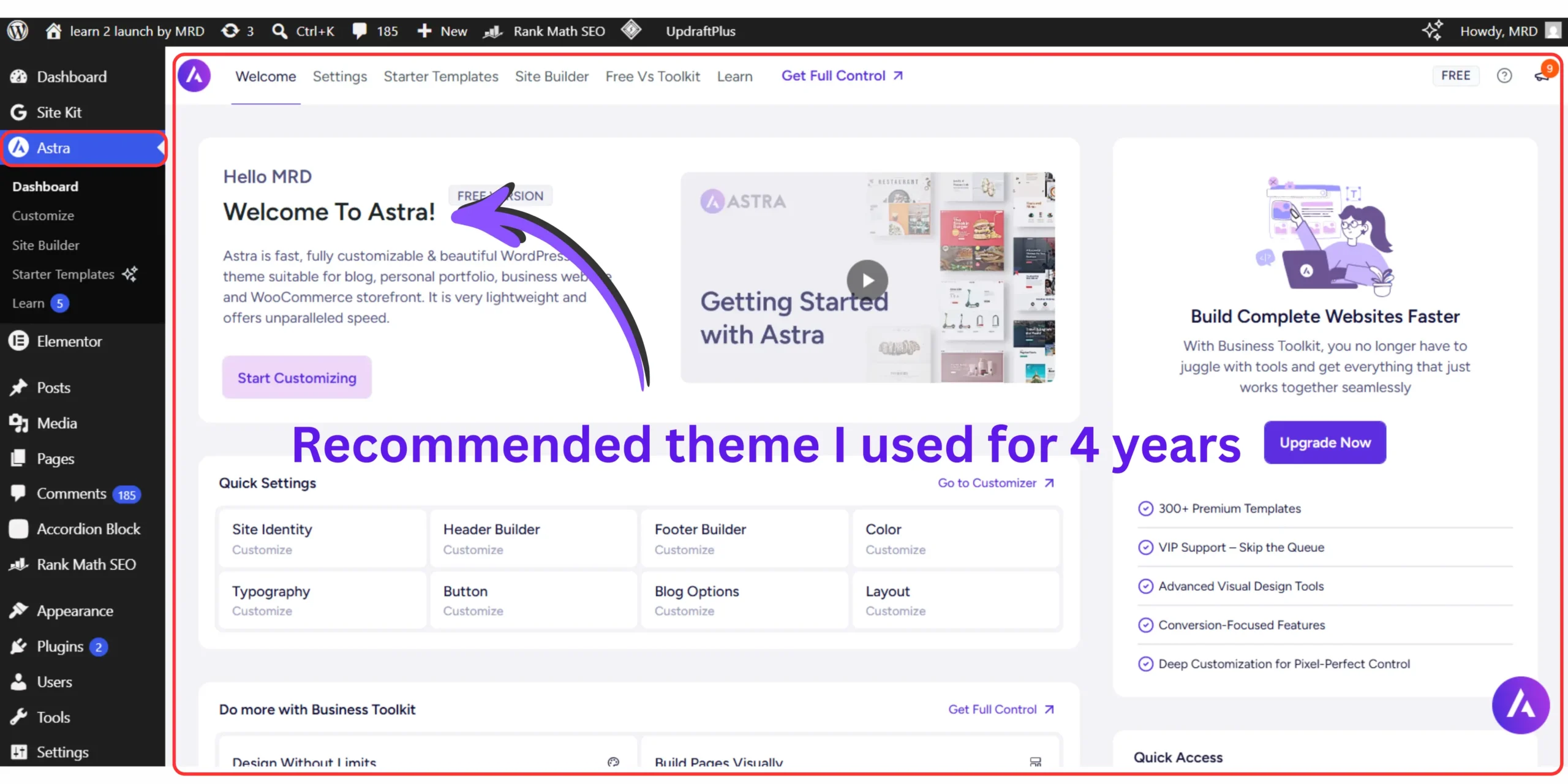
For beginner bloggers, lightweight themes (Kadence, Astra, GeneratePress) consistently outperform heavy, feature-loaded themes on page speed, mobile responsiveness, and compatibility with the Gutenberg editor.
Avoid themes that bundle page builder software – these create dependency and slow your site significantly.
The visual customization in WordPress works entirely through the Theme Customizer or the Full Site Editor (in block themes) – both are visual, drag-and-drop interfaces that require zero code.
How to choose the best WordPress themes for your website covers the specific criteria for selecting a theme that supports your content type, loads fast on mobile, and doesn’t lock you into design decisions you’ll regret later.
Phrase 06 – Install your essential plugin stack
Plugins extend WordPress functionality without requiring any code. The right plugin stack handles SEO optimization, security protection, performance caching, contact forms, and email opt-in forms – all through visual settings interfaces.
The critical rule for beginners: install only the plugins you actively need. Each plugin adds code that loads on every page and plugin overload is one of the most common causes of slow WordPress websites and compatibility conflicts.
The foundational plugin stack for a new WordPress blog :
- SEO plugin (Rank Math or Yoast) – keyword optimization, schema markup, sitemap generation
- Security plugin (Wordfence or Sucuri) – malware scanning, login protection, firewall
- Caching plugin (WP Super Cache or LiteSpeed Cache) – page speed optimization
- Forms plugin (WPForms or Contact Form 7) – contact page and lead capture forms
- Backup plugin (UpdraftPlus) – scheduled backups to cloud storage
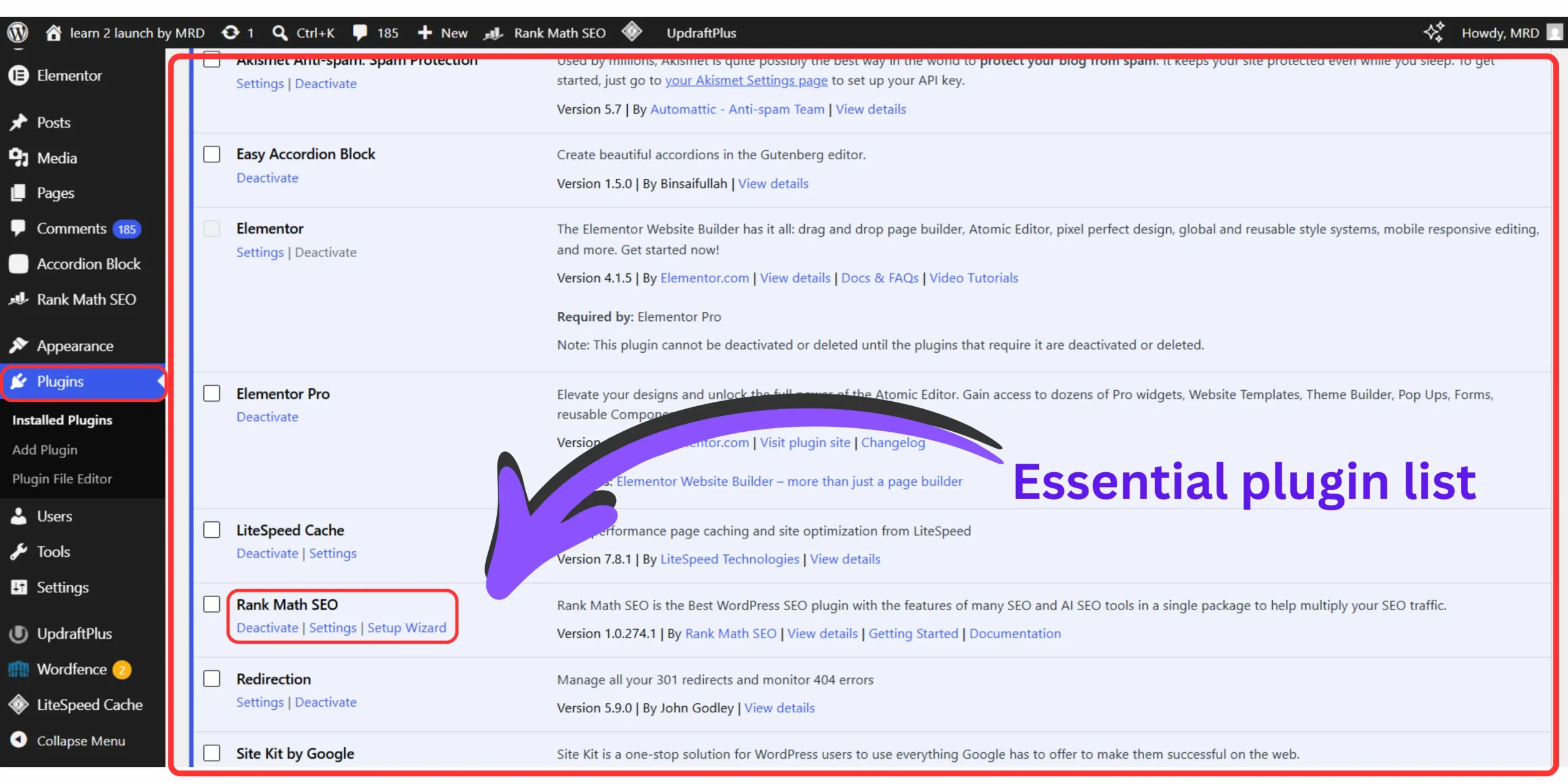
Don’t launch your website without these 10 WordPress plugins that cover the complete vetted plugin list — including which free plugins replace premium tools, and which premium tools are genuinely worth the investment from day one.
Phrase 07 – Pre launch verification and publish
Before any WordPress website goes live, a structured pre-launch verification catches the setup errors that become exponentially more expensive to fix after traffic and content accumulate.
Pre launch checks that protect your investment :
- Confirm search engine indexing is enabled (Settings → Reading)
- Submit your sitemap to Google Search Console
- Test all pages on mobile – 58.67% of global web traffic originates from mobile devices
- Verify SSL certificate is active (padlock icon shows in browser)
- Test all contact forms and email opt-in forms
- Confirm site loads under 3 seconds (test at pagespeed.web.dev)
- Set up a Coming Soon page if launching to a small initial audience
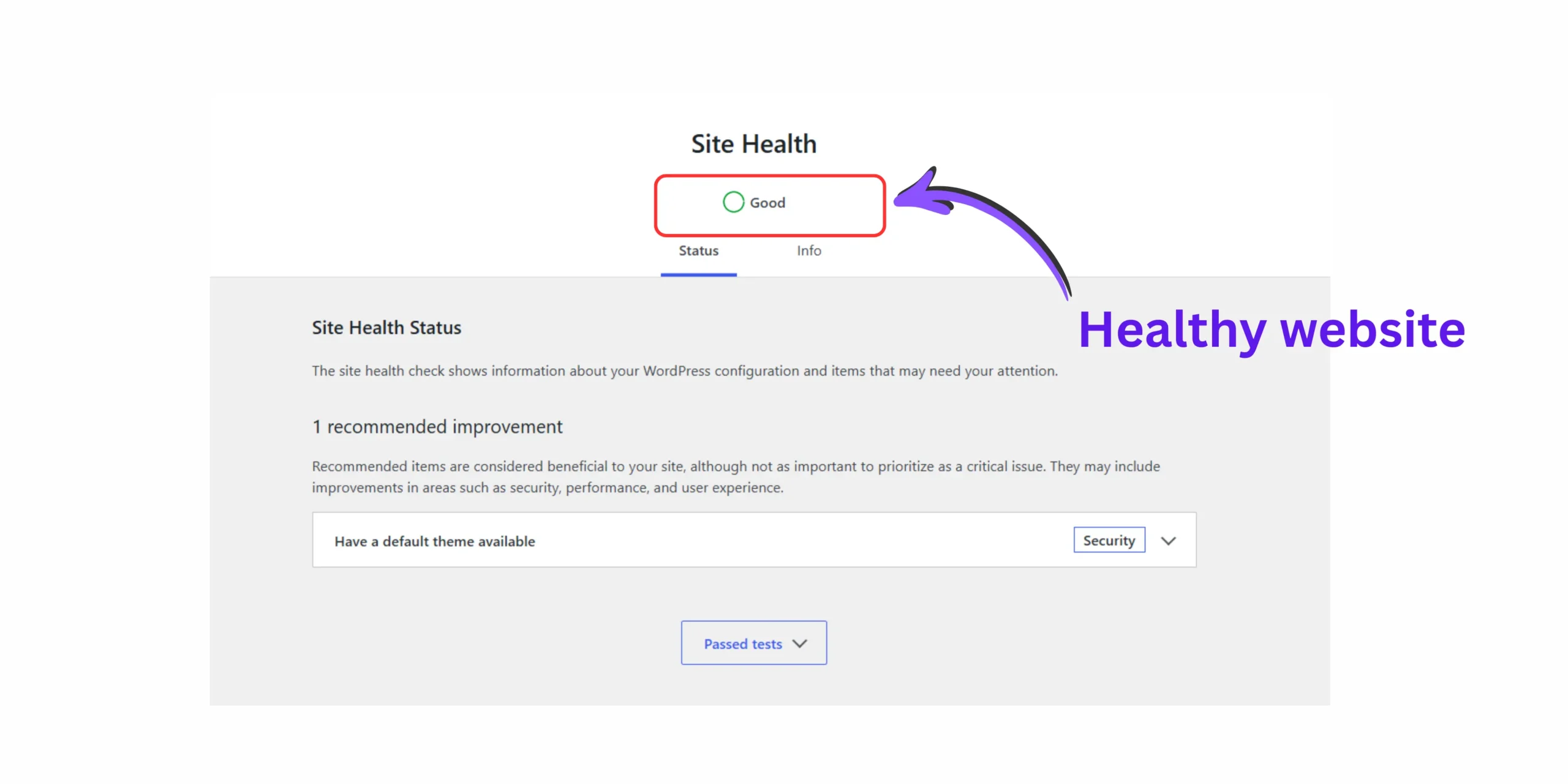
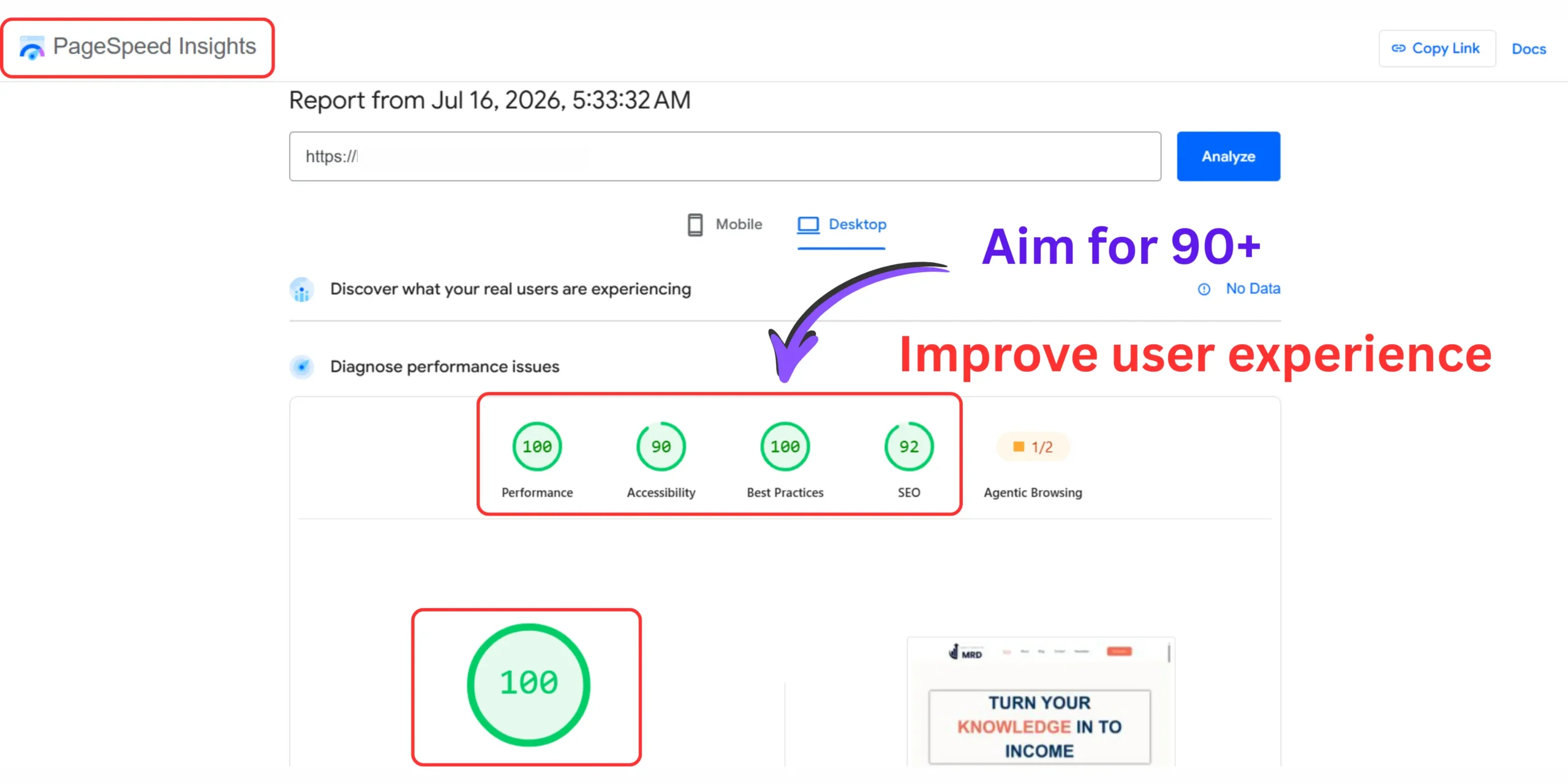
For a complete pre-launch sequence that covers all 25 technical checks, the step by step checklist for launching a no-code WordPress blog safely covers everything from DNS propagation to analytics setup.
And if you want to build audience anticipation before your full launch, how to set up a professional “coming soon” landing page for your upcoming blog covers the exact setup that collects email subscribers before your first post goes live.
The complete pre-launch master resource remains the ultimate WordPress launch checklist – the comprehensive verification document to run through before sharing your URL with anyone.
How to build a WordPress website with now experience – What catches every beginner in the first month
Building a WordPress website with no experience is straightforward on the surface — hosting, install, theme, plugins. The part that catches beginners isn’t the technical steps. It’s the sequence mistakes and default settings that silently create SEO, security, and performance problems that take months to find and fix.
Here’s what nobody tells you before you start.
The technical setup of WordPress is genuinely beginner-accessible. The problem isn’t the steps themselves – it’s what happens when those steps are completed out of order, with default settings left unchanged, and without the foundation checks that professional bloggers complete before publishing content.
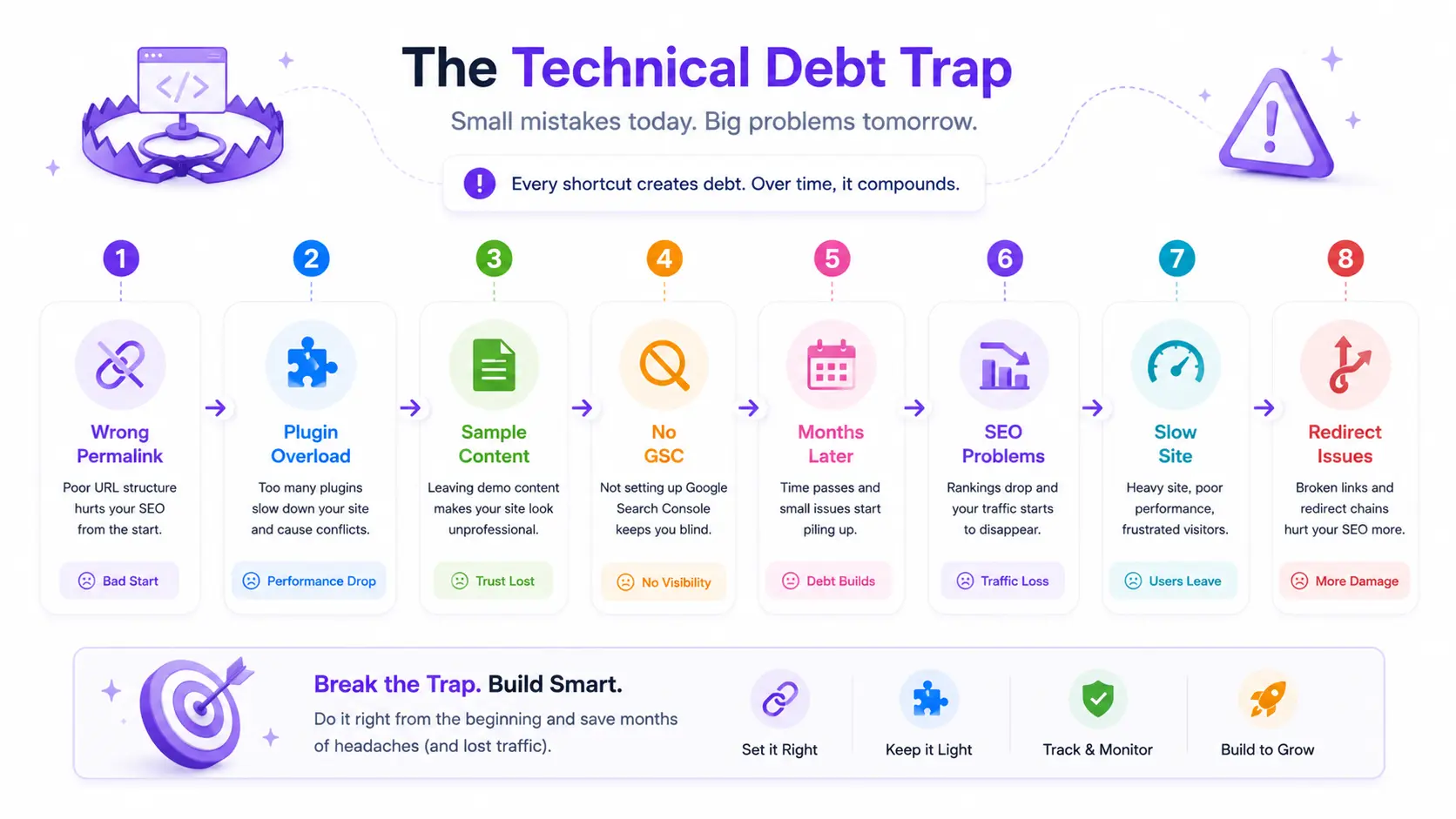
I call this the technical debt trap.
Every default WordPress setting you leave unchanged is a small debt. Every plugin you install without understanding its function is a small debt. Every piece of content you publish before configuring permalinks correctly is a small debt.
These accumulate quietly and six months into a blog, when you try to fix them retroactively, the cost of each small debt has compounded significantly.
The three technical debts that cost beginner bloggers the most time to fix retroactively :
- Wrong permalink structure at launch – changing it after publishing requires 301 redirects on every existing URL, or you lose all accumulated SEO equity
- Skipping Google search console verification – means weeks or months of publishing content that Google hasn’t indexed correctly because the foundation wasn’t established
- Leaving default simple content in the database – creates duplicate indexing issues that require cleanup after real content is already competing with them
How to build a WordPress website with no experience sustainably means completing Phase 4 (core settings) before Phase 5 (theme) and certainly before any content is published. The sequence is the protection.
5 critical setup mistakes beginner bloggers make on their initial WordPress install documents each of these errors in detail – with the specific corrections that undo them at each stage of your blog’s development.
How to build your first WordPress website – What my first month actually looked like
Building your first WordPress website takes most complete beginners 4-8 hours of focused technical setup, followed by 2-4 weeks of content and design refinement before the site feels truly ready. The technical setup is the shorter part. The learning curve around the dashboard, editor, and settings is where most beginners invest the most time in month one.
Let me be honest about what my first WordPress build actually looked like – because the polished tutorials don’t show you this part.
Week one: I installed WordPress in 10 minutes and then spent four hours changing my mind about themes. I installed 11 plugins because they all sounded important. My site loaded in 8.3 seconds. I published my first post before setting up Google Search Console.
Week two: I realized my permalink structure was set to the numeric default. I changed it. Every URL I had published changed. I lost the three social shares I had accumulated.
I spent two days researching whether I had broken my site permanently. I had not but I had created unnecessary redirect work that a correct Phase 4 setup would have prevented entirely.
Week three: I found the Gutenberg block editor and it changed everything. The visual block interface – heading blocks, image blocks, column blocks, button blocks – made design work feel like using a word processor rather than a development tool.
How to navigate the Gutenburg block editor dashboard as a non-technical blogger is the resource I wish I had in that third week rather than the one I found it in.
Week four: My site started looking like a real blog. Not because I learned to code. Because I understood the tools I already had.
The actual timeline for a complete beginner building their first WordPress website in 2026 :
- Technical setup (Phases 1-7): 4-8 hours
- Theme customization and homepage design: 3-6 hours
- Writing and publishing first 3 posts: 6-12 hours
- Setting up Google Search Console and basic SEO: 2-3 hours
- First visitor from organic search: typically 2-4 months
The technical work is genuinely the smallest part of the investment. The content and strategy that follows it is where the real work happens – which is why the technical foundation matters so much. You want to build content on something stable, not spend energy fixing the foundation six months in.
WordPress website without coding for small business – The promotional layer that separates real business from hobby blogs
A WordPress website without coding for small business requires three layers beyond the basic blog setup: a custom professional email address matching your domain, a legal footer with required privacy and terms pages, and a security and performance foundation that protects your business data and reader information. These three layers are what separate a professional business website from a beginner blog.
Most WordPress setup guides cover design and content. They rarely cover what makes a website legally compliant, professionally credible, and technically secure.
For any WordPress website representing a real business — whether that’s a blog monetized through affiliate marketing, a service business, or an e-commerce store – these three elements are non-negotiable:
01 . Professional business email
Sending emails from @gmail.com while operating a professional WordPress website creates an instant credibility gap. Every partnership pitch, affiliate application, and reader communication should come from an address matching your domain.
How to create a professional custom business email address using your blog domain covers three free methods for setting this up – including Hostinger’s included email, Zoho Mail’s free tier, and the Cloudflare Email Routing + Gmail method – all at zero monthly cost beyond your domain registration.
02 . Legal footer with required pages
Privacy policies are required if you collect any visitor data (forms, analytics, cookies). Explain what you collect, how you use it, who you share it with, and retention periods. Terms of service outline usage rules.
Any WordPress website using Google Analytics, contact forms, or affiliate links collects visitor data and requires a visible, accessible privacy policy. Without one, you’re operating outside GDPR, CCPA, and most major data protection frameworks simultaneously.
How to add a legal footer layout with required privacy and terms links on a blog covers the exact footer structure – the pages required, the placement that satisfies legal standards, and the tools that generate compliant policy language for free.
03 . Security and hosting isolation
A WordPress website without coding for small business is still a business asset. Every hour of content you publish, every subscriber you collect, every affiliate relationship you build lives on your hosting server. Protecting that asset is not an advanced-stage concern — it begins at setup.
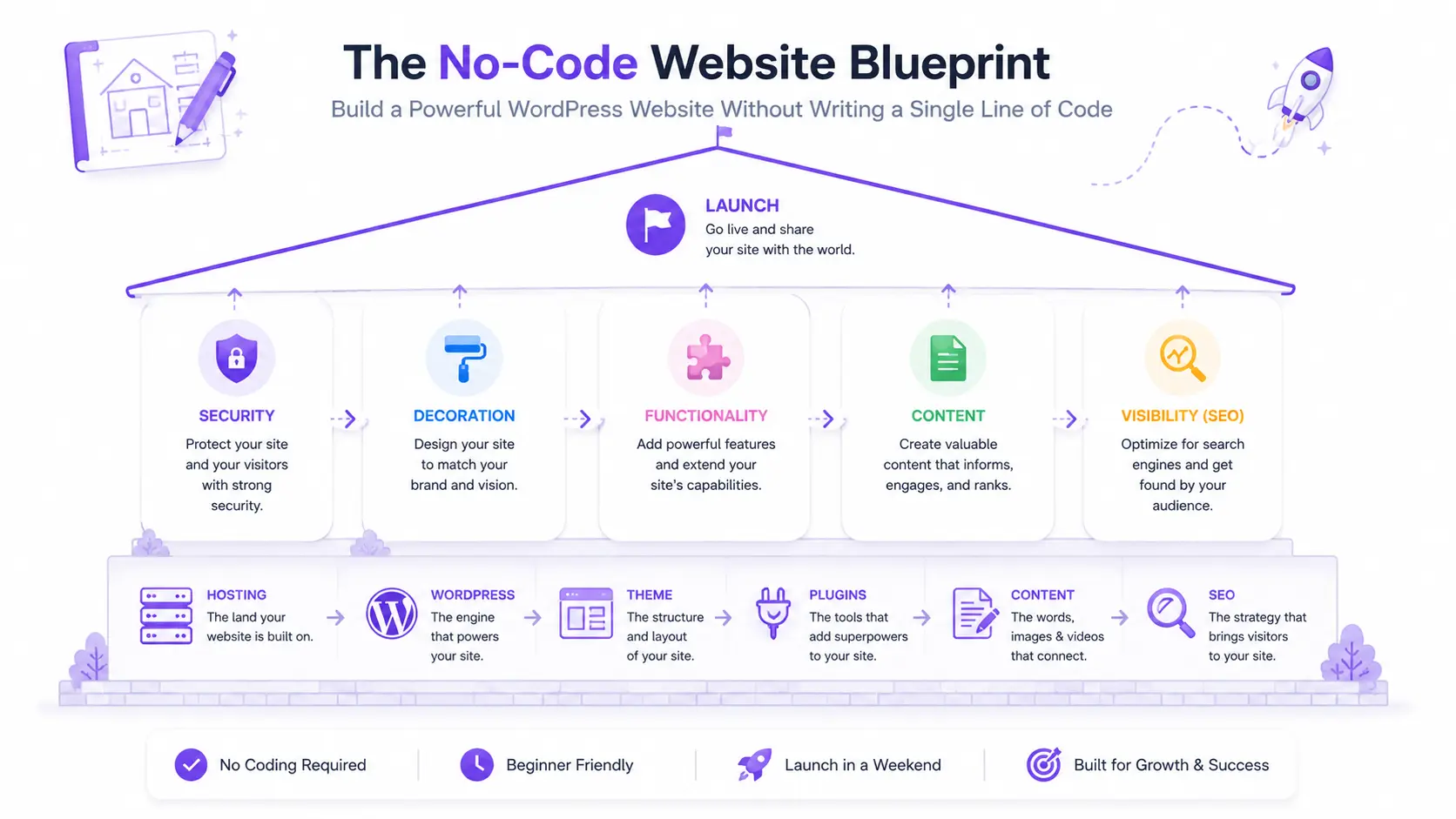
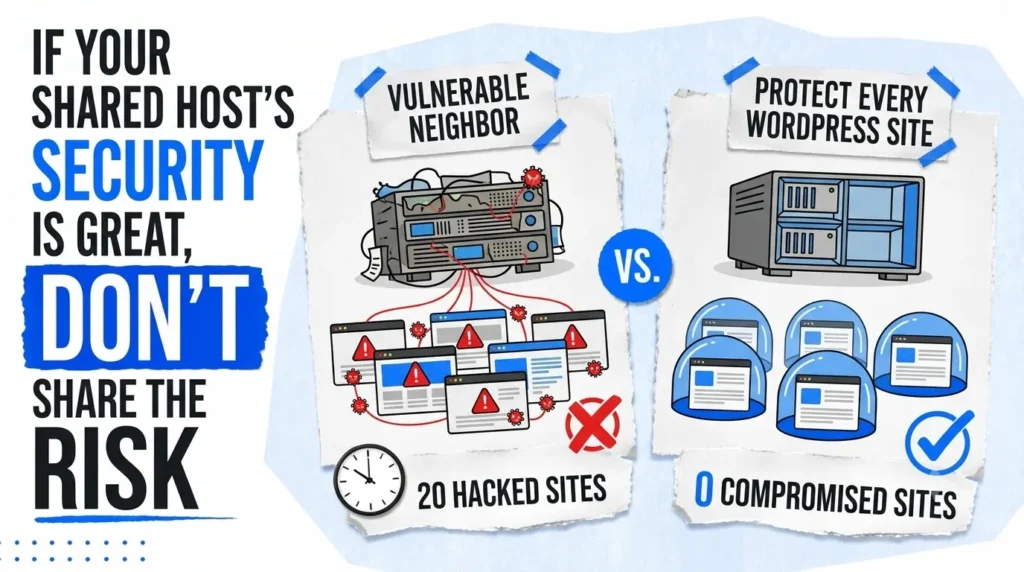
How to secure your WordPress website covers the complete security hardening checklist. And if you’re running multiple WordPress sites under the same hosting account, how to isolate WordPress sites on shared hosting addresses the specific vulnerability that allows one compromised site to expose everything else on the account simultaneously.
The technical foundation that make everything else compound – search visibility , speed , and authority
Here is the information layer most beginner WordPress guides treat as optional and it’s the one that determines whether your content earns traffic or sits invisible.
Search visibility : Getting Google to find you
Publishing content on a WordPress website that Google can’t index is the equivalent of building a store in a location with no road access. Before your first real post goes live, Google Search Console verification establishes the connection between your website and Google’s indexing infrastructure.
How to verify your new WordPress blog in Google search console using DNS records covers the verification process step by step – including the DNS record method that doesn’t require adding code to your WordPress files.
If you’ve already published content and your site isn’t appearing in search results, how to fix the “WordPress blog not indexing on Google” search visibility error diagnoses the six most common causes – including the Reading Settings checkbox that many beginners accidentally leave enabled.
Page speed : The performance factor that affects ranking and revenue
A one-second delay in page load time reduces conversions by 7%.
For a WordPress website monetizing through affiliate marketing or digital products, page speed isn’t a technical nicety — it’s a revenue lever.
How to speed up your WordPress website covers the specific optimizations that matter most for beginner WordPress blogs: caching plugin configuration, image format conversion to WebP, and the hosting-level settings that provide the largest speed improvements with the least technical complexity.
Ongoing maintenance : The setup that keeps compounding
The setup you complete in your first weekend doesn’t stay optimal without periodic maintenance. Plugin updates, theme updates, and WordPress core updates each introduce potential compatibility issues that require attention.
Database optimization removes accumulated overhead from months of content publishing.
The most common long-term technical issues beginners face and the specific solutions for each are documented in 15 common WordPress mistakes beginners make and how to avoid them. Many of the mistakes on that list aren’t setup errors – they’re maintenance gaps that develop gradually after a good initial launch.
Frequently asked questions – How to create a WordPress website without coding
Do I need to no how to code to build a WordPress website?
No – WordPress is designed entirely for non-technical users. You can build, design, and publish a complete website using only visual interfaces without writing a single line of code.
If you can use email and a word processor, you already have the technical skills required. The Gutenberg block editor works like a drag-and-drop tool. Theme customization happens through visual settings panels. Everything from layout to typography is controlled through click-based menus.
How long does it take to build a WordPress website as a complete beginner?
The technical setup – hosting, domain, WordPress installation, and core settings, takes most complete beginners four to eight hours of focused work.
Design refinement, content writing, and plugin configuration add another one to three days depending on complexity. Most beginners have a functional, publicly accessible WordPress website live within a single weekend. Technical work is genuinely the smallest time investment. Content creation is where the real hours go.
What do I actually need to pay for to start a WordPress website?
WordPress software is completely free. The only required costs are web hosting (typically $3–10 per month) and a domain name ($12–20 per year). Everything else – themes, plugins, and the platform itself — has a capable free version.
Most hosting providers bundle a free domain for the first year when you purchase an annual plan. A functional, professional WordPress website for blogging costs under $50 to launch in 2026.
What’s the difference between WordPress.com and WordPress.org as a beginner blogger?
WordPress.org is self-hosted open-source software you install on your own hosting — giving you full control, complete monetization freedom, and no platform restrictions. WordPress.com is a hosted service with significant limitations on free and lower-tier plans.
For any blogger planning to earn income through affiliate marketing, ads, or digital products, WordPress.org on self-managed hosting is the correct choice. WordPress.com restricts monetization on all plans below the Business tier, which costs significantly more monthly.
Can I change my WordPress theme later without losing my content?
Yes – switching WordPress themes never affects your posts, pages, or media. Your content lives in the database independently of whichever theme is currently active.
Some design customizations (widget positions, theme-specific settings) reset when you switch, but all written content remains intact. This means your initial theme choice carries no permanent consequence – you can upgrade your design at any stage of your blog’s growth without rebuilding content from scratch.
How many plugins does a beginner WordPress website actually need?
A beginner WordPress website needs five core plugins: an SEO plugin, a security plugin, a caching plugin, a forms plugin, and a backup plugin. Everything else is optional until a specific need justifies it.
Plugin overload is one of the most common causes of slow WordPress websites. Each plugin adds code that loads on every page. Starting with five essential plugins and adding others only when a specific function is needed keeps performance and compatibility clean from launch.
Will my WordPress website work on mobile without any extra setup?
Yes – modern WordPress themes are responsive by default, meaning they automatically adapt to phone and tablet screen sizes without any additional configuration from you.
Always verify mobile performance before launching by using WordPress’s built-in preview modes and testing on an actual device rather than a browser simulation. With 58.67% of global web traffic arriving from mobile in 2026, a broken mobile layout is the fastest way to lose readers before they read a word.
How do I get my WordPress website to show up on Google?
Submit your website to Google Search Console immediately after launch, confirm the “Discourage search engines from indexing this site” checkbox in Settings → Reading is unchecked, and submit your XML sitemap – which your SEO plugin generates automatically.
Organic rankings take two to four months on a brand new domain. Google needs time to crawl, index, and evaluate your content. Setting up Search Console from day one ensures Google finds your content correctly rather than discovering it accidentally weeks later.
Your WordPress website is one weekend away – Here’s where to start
Understanding how to create a WordPress website without coding is not about learning to code. It has never been about that. It is about understanding a structured sequence, making the right decisions at each phase, and building on a technically sound foundation that earns traffic and income rather than requiring constant repair.
The 7-Phase No-Code WordPress Launch System gives you that sequence. The 15 cluster resources linked throughout this guide give you the depth on every phase where the details matter.
The global no-code development platform market is projected to hit $187 billion by 2030.
The skill of creating a WordPress website without coding is not a workaround — it’s the standard. It’s how 43.5% of the internet is built and maintained right now, by millions of bloggers, business owners, and content creators who started exactly where you are.
Pick Phase 1. Register your domain. The rest follows from there.
Which phase of the 7-Phase System are you currently stuck on and what’s the specific step that has you blocked?