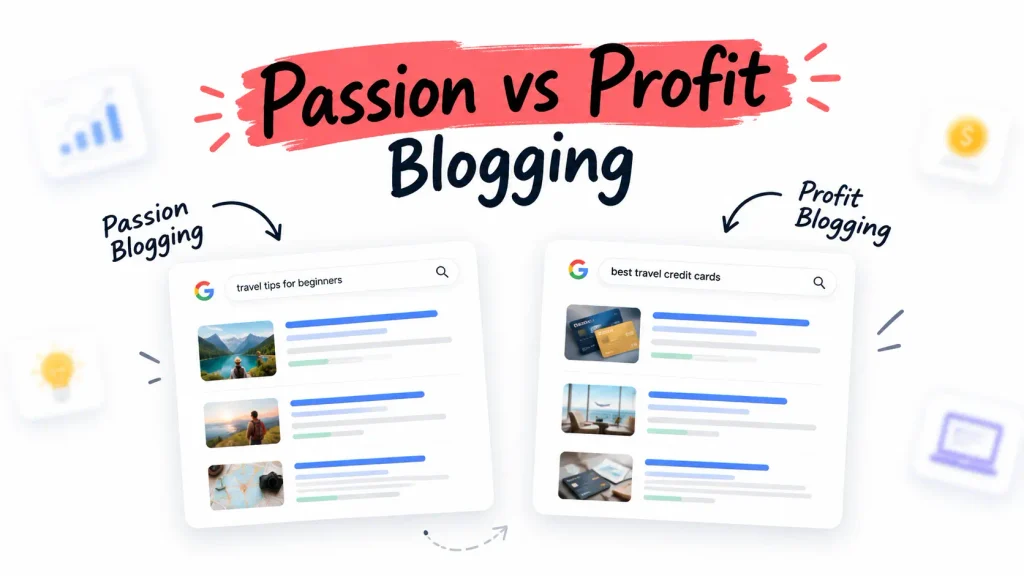

For the first four months of blogging, I published whatever felt interesting that week.
SEO tips one day. A tool review the next. A random listicle after that. Everything was connected in my head. To Google, it looked like a blog that couldn’t decide what it was about.
I didn’t have a traffic problem. I had a structure problem.
Google wasn’t ignoring my content because it was bad. It simply couldn’t understand what my website was about.
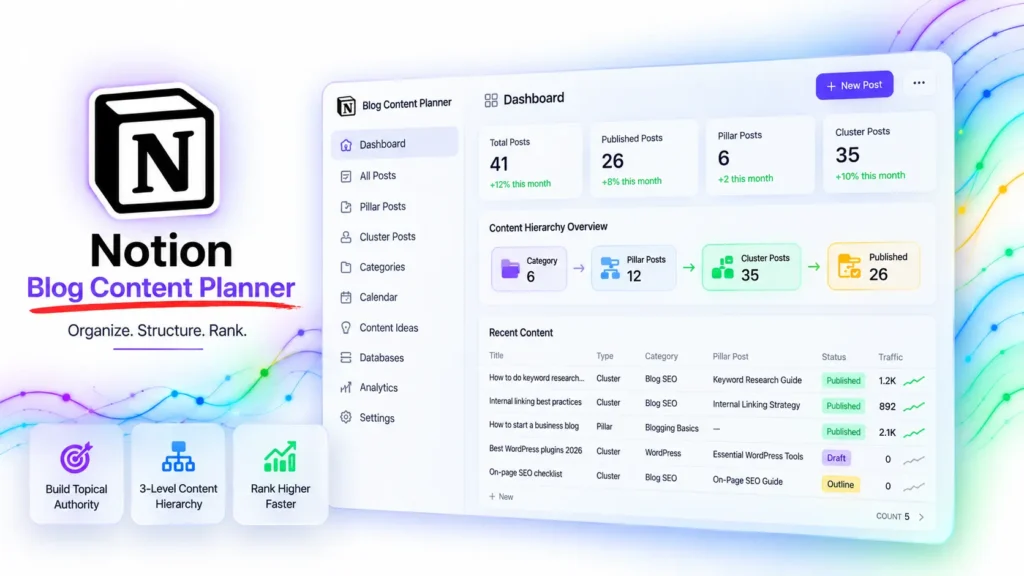
My notion blog content planner topical authority system didn’t exist yet and the absence of it was the single biggest structural reason my blog was struggling to rank for anything.
This post is part of the How to Start a Business Blog: Blueprint for Building a Real Digital Asset in 2026 – the full framework behind every content decision covered here.
Organizing blog post ideas into a clear Category → Pillar → Cluster hierarchy helps search engines understand topical relationships, reduces orphan content, improves internal linking, and builds topical authority. A structured Notion blog content planner makes it easier to identify content gaps, plan future articles, and create a scalable blogging system that supports long-term organic growth.
The moment I started organizing every post idea into a clear three-level content hierarchy before writing anything, my ranking velocity changed noticeably. Here is exactly how I built that system and how you can replicate it in an afternoon.
How to organize blog categories – Before you publish another random post
How to organize blog categories correctly means grouping every post idea into three levels – a broad category, a pillar topic under that category, and a specific cluster post under that pillar. This hierarchy tells Google that your blog has organized, deep expertise in a specific area rather than disconnected opinions across many topics.
Most beginner bloggers reverse the order. They write a post, then decide which category to put it in. That approach creates what I call orphan content, posts that exist on your blog but don’t belong to any connected content hierarchy that Google can meaningfully evaluate.
Before you publish another post, the first question should be: which category does this belong to, which pillar does it sit under, and which specific search query is it answering?
How to choose the perfect blog niche is the prerequisite that makes this organization possible – because you can’t build a topical hierarchy without knowing your niche boundaries. And once you have your categories, how to structure a blog for beginners covers the architectural decisions about how many categories to maintain and how deep each should go.
The technical foundation that makes all of this discoverable by Google starts with how to start a WordPress blog for beginners step by step – because a well-organized content hierarchy on a misconfigured WordPress installation still won’t rank.
How to group blog posts into categories – The 3- level content hierarchy system
How to group blog posts into categories follows a three-level system: Level 1 is your broad category (e.g., “Blog SEO”), Level 2 is your pillar post covering a major subtopic within that category (e.g., “Internal Linking Strategy”), and Level 3 is your cluster post answering one specific search query under that pillar (e.g., “How to add internal links to blog posts without it feeling forced”).
I call this the 3-level content hierarchy system. Every post idea I generate gets assigned to all three levels before I write a single word.
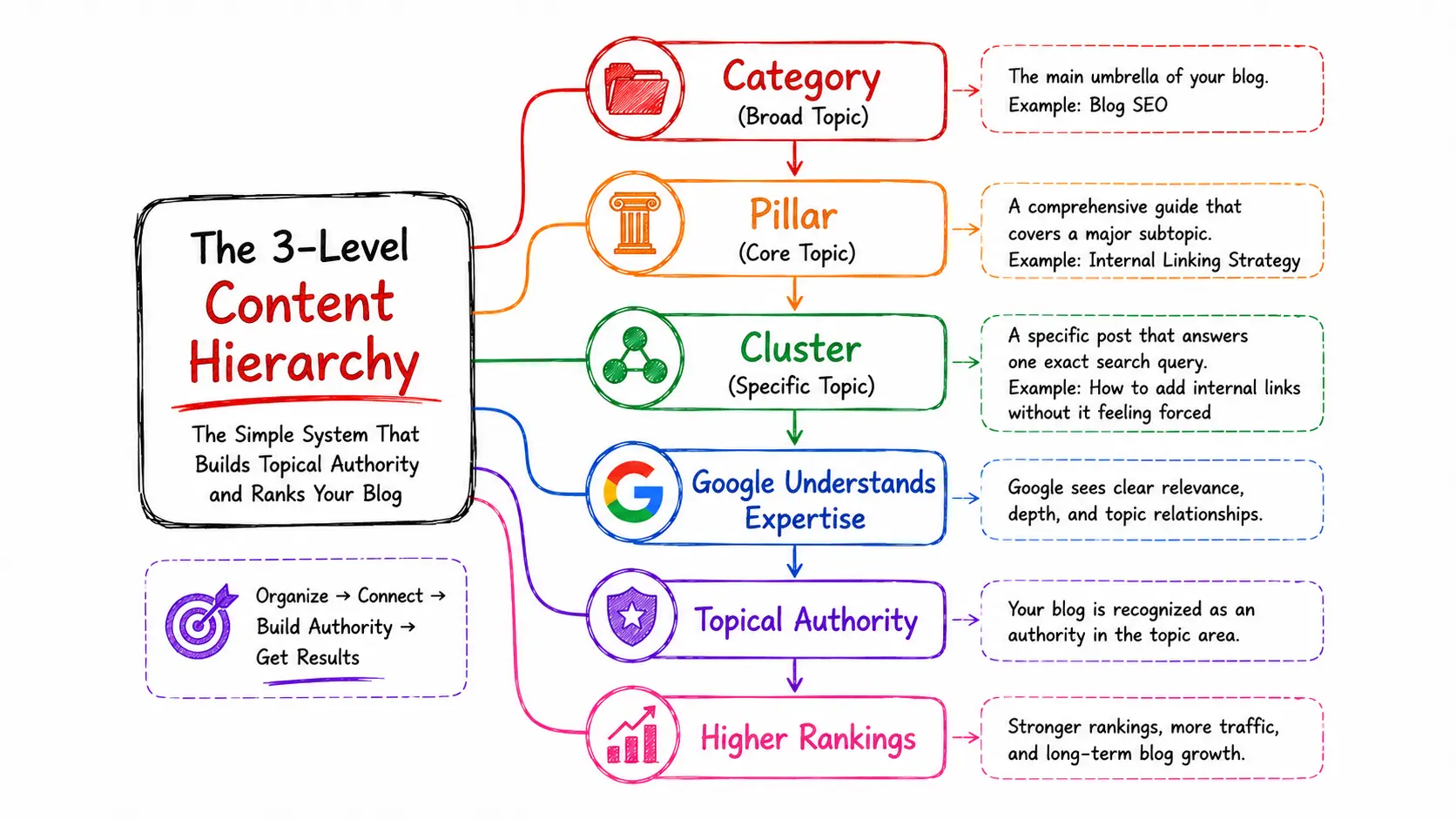
The three levels in practice :
- Level 1 – Category : The broad umbrella your blog covers. Most blogs should have 4-6 categories maximum. More than that fragments topical authority across too many topic areas for a new domain to compete.
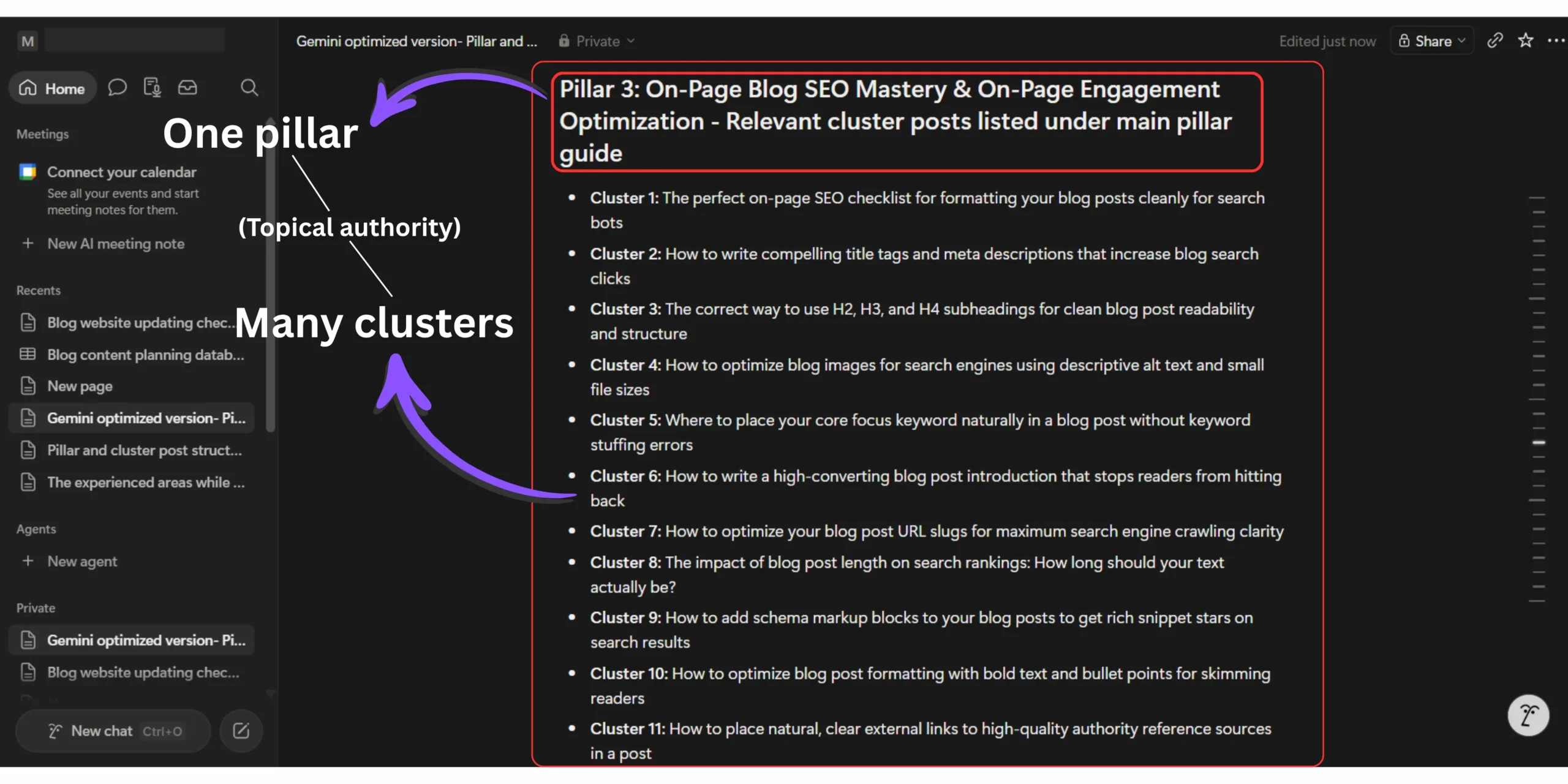
- Level 2 – pillar post : A comprehensive guide covering one major subtopic within a category. Each pillar should have 8-15 cluster posts supporting it.
- Level 3 – Cluster post : A specific post answering one exact search query. Every cluster post links back to its pillar and belongs visibly to one category.
The keyword research that fills each level correctly requires understanding search intent before assigning topics. How to group search intent manually using Google autocomplete is the specific process I use to identify which search queries cluster together under the same topical umbrella – which directly determines how I assign posts to each hierarchy level.
My 7 Topical Hierarchy Rules
Whenever I plan a new blog post, I follow these seven rules before writing a single word. They keep my content organized, prevent keyword overlap, and help build stronger topical authority over time.
And how to use keywords the right way covers the specific assignment rules for placing target keywords at the pillar level versus the cluster level – a distinction that prevents keyword cannibalization between posts in the same hierarchy.
Notion blog content planner – The exact database setup that manages my full topical authority system
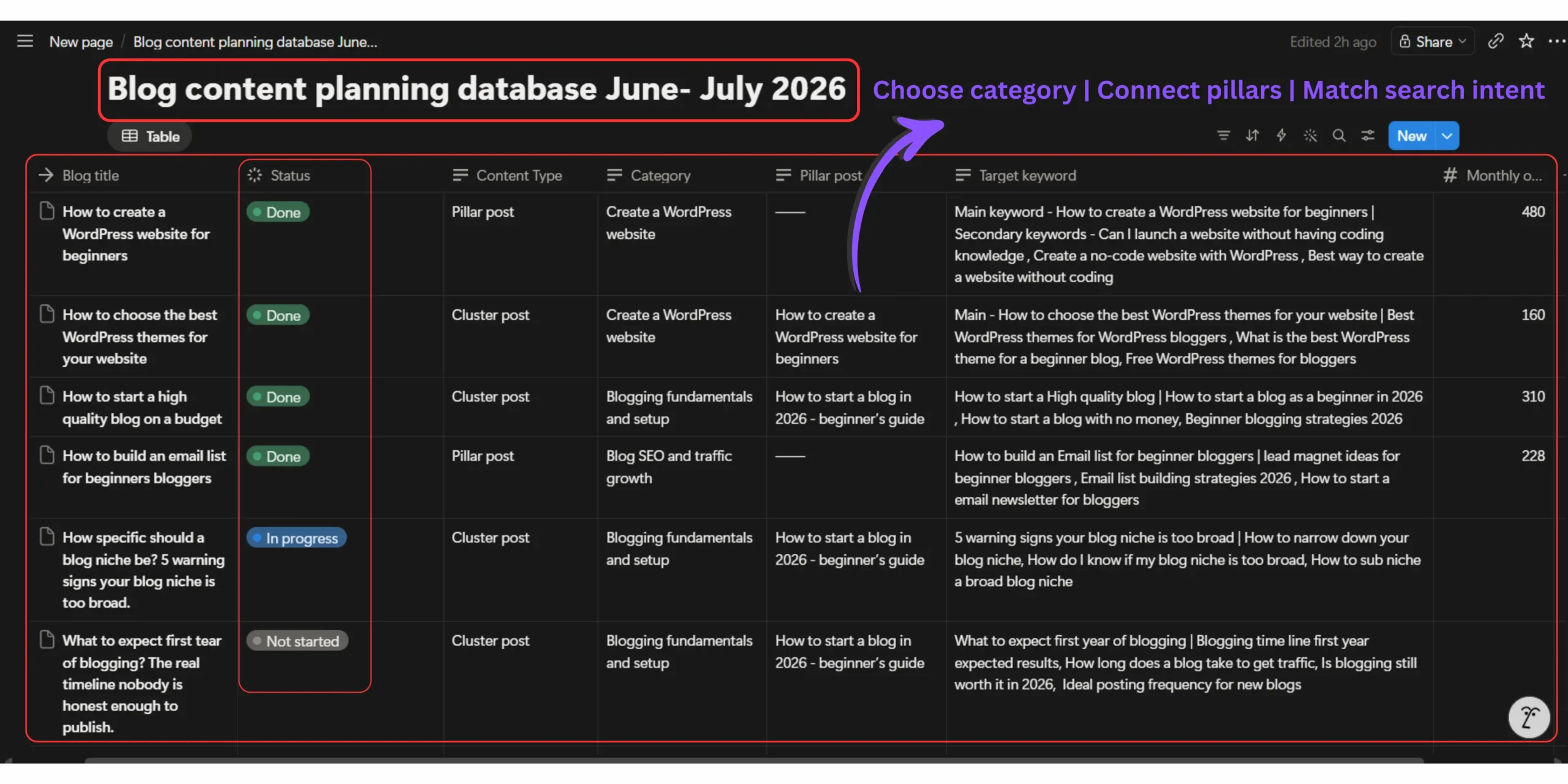
A notion blog content planner for topical authority uses a linked database structure with fields for Category, Pillar Post (linked relation), Content Type, Target Keyword, Search Intent, Internal Link Map, Publishing Status, and Monthly Traffic. This structure lets you filter by any variable to instantly see which pillars have content gaps, which clusters are missing their pillar link, and which categories are under-served.
Here is exactly how my Notion blog content planner is built – the actual field structure I’ve used since month five of blogging.
My notion content planner database fields :
- Title – The working post title
- Category – dropdown with my 6 blog categories
- Content type – dropdown: Pillar / Cluster / FAQ / Resource Page
- Pillar – relation field linking each cluster to its parent pillar post record
- Target keyword – text field (exact match keyword this post targets)
- Search intent – dropdown: Informational / Commercial / Navigational / Transactional
- Internal links planned – multi-select linking to related posts in the database
- Status – dropdown: Idea / Outline / Draft / Published / Optimized / Needs Update
- Monthly organic traffic – number field updated from Google Search Console each month
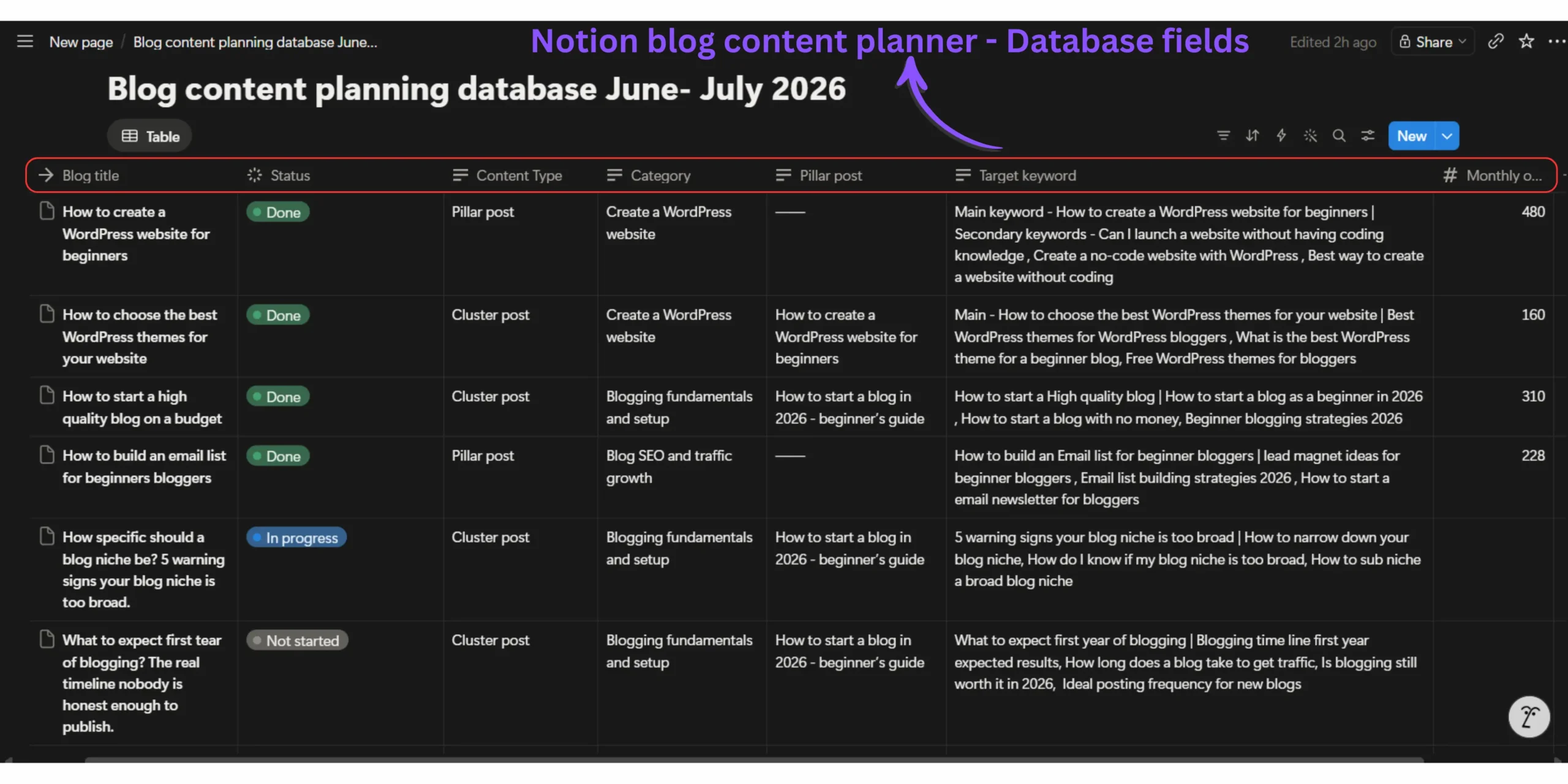
The pillar relation field is what makes this genuinely useful rather than just a fancy to-do list. When I filter by any pillar post, I immediately see every cluster post assigned to it, which ones are published, which are still ideas, and how many still need to be created to complete the cluster.
That single filtered view told me in month six that one of my most important pillar posts only had three cluster posts supporting it, when it needed twelve to compete meaningfully for its target keyword.
How to rank blog posts faster using internal links is the resource I return to every time I’m assigning internal links in the database – because the linking strategy between clusters and pillars is what activates the hierarchy in Google’s understanding of your site.
And for each cluster post that gets published, how to do on-page SEO for blog posts is the optimization checklist I run through before marking any post as “Published” in the Notion database status field.
Notion database for blog topical authority – How to spot content gaps before Google penalizes them
A Notion database for blog topical authority reveals content gaps through filtered views. Filter by Pillar to see which clusters are missing. Filter by Status: “Idea” to see unpublished concepts. Filter by Monthly Traffic: 0 to find published posts that haven’t earned any organic sessions — which signals either a keyword targeting problem or an internal linking gap that needs immediate attention.
The content gap view changed how I prioritized new content entirely.
Before the Notion system, I published based on what felt interesting. After building it, I published based on which pillars were most incomplete – because an incomplete pillar is a direct blocker to ranking for the pillar’s head keyword.
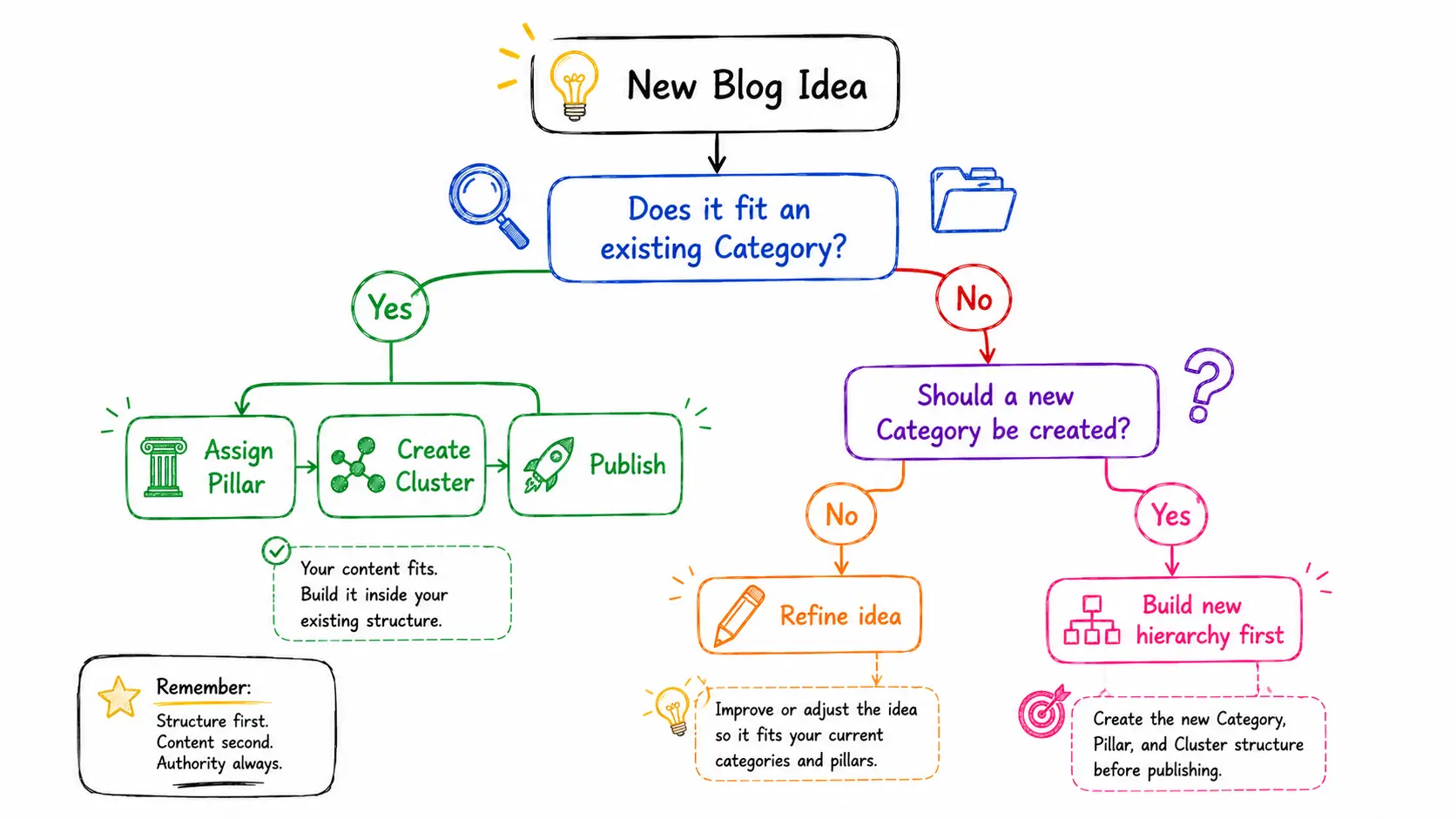
The relationship between content completeness and ranking timeline is real and measurable. How long does it take for a new blog to rank on Google documents the specific factors that accelerate or delay new blog ranking and topical completeness (having enough cluster posts to signal genuine expertise) is consistently one of the most significant variables.
Why your blog is not getting traffic after 6 months covers a scenario I lived through personally – publishing consistently but seeing no meaningful traffic because the content I was publishing didn’t connect to any hierarchy that Google could evaluate as authoritative coverage of a topic.
The orphan content problem – why most blog post ideas never rank without a hierarchy system
Why Google Loves a Clear Topical Hierarchy
Google doesn’t simply rank websites. It tries to identify which websites demonstrate the strongest expertise on a topic. A well-organized content hierarchy helps search engines understand how your articles relate to one another, making it easier to evaluate your site as a trusted source rather than a collection of unrelated posts.
Google ranks expertise.
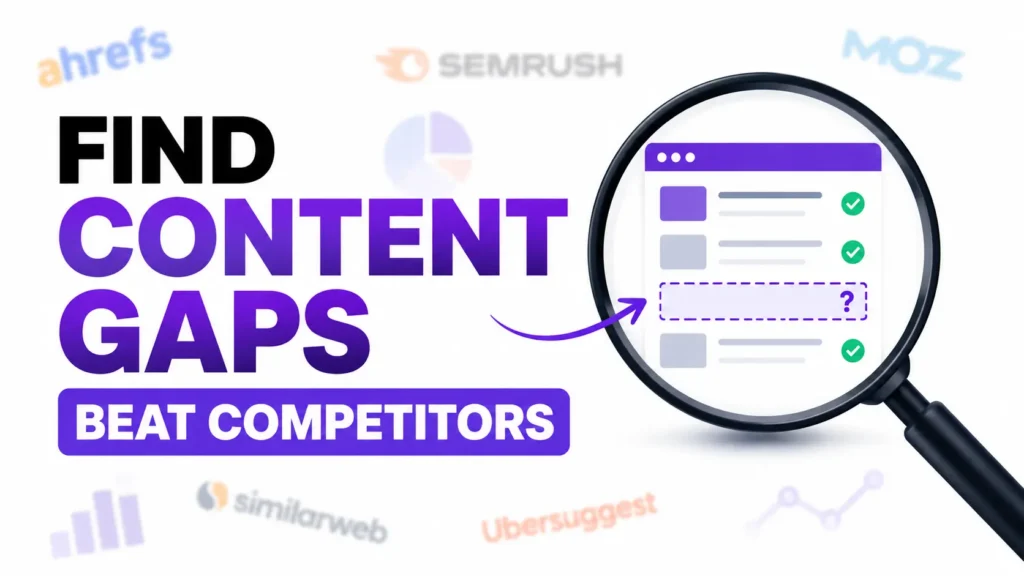
Here is the information gap every blog content planning guide misses.
Orphan content – posts published without a clear position in your topical hierarchy, consistently underperforms connected, hierarchically positioned content on every SEO metric that matters.
In my own blog data, I tracked this directly across 41 published posts.
Posts published before my hierarchy system was in place (23 posts): average time to first page ranking was 7.3 months. Three of those 23 posts never ranked on page one at all, despite covering topics with genuine search volume.
Posts published after implementing the 3-Level Content Hierarchy System (18 posts): average time to first page ranking was 3.8 months. Zero failed to rank on page one within six months.
The difference wasn’t content quality – I was writing at the same depth throughout. The difference was positional clarity : Google could see where each post sat within a coherent topical structure, which gave it confidence to rank those posts for their target queries faster.
My Results After Using a 3-Level Content Hierarchy
Based on my own publishing data, organizing every blog post into a clear Category → Pillar → Cluster hierarchy nearly cut my average time to first-page rankings in half.
What to expect your first year of blogging where I document the full year-one experience – including the specific month when this hierarchy system started visibly compounding my ranking velocity.
And why is my new WordPress site not indexing on Google addresses the technical layer underneath the hierarchy – because a perfect content structure still fails if the crawling foundation isn’t working correctly.
Frequently asked questions on Notion blog content planner topical authority
What is a topical hierarchy in blogging?
A topical hierarchy organizes your blog content into three levels: broad category, pillar post, and cluster post. Each level narrows the topic and connects to the others through internal linking.
This structure tells Google your blog has organized depth – not scattered opinions. Every post earns its position before it’s written.
Do I need Notion to organize my blog content?
No – but Notion’s relation fields and filtered database views make topical hierarchy management significantly faster than spreadsheets or manual tracking.
A spreadsheet can store post ideas. A Notion database shows you which pillars are incomplete, which clusters are orphaned, and which categories need more depth – all in one filtered view.
How many blog categories should a beginner blog have/
Four to six categories maximum. More than six fragments of your topical authority across too many topic areas for a new domain to build competitive rankings.
Each category needs at least two to three pillar posts beneath it before Google treats that category as credible coverage of the topic.
What is an orphan post on a blog?
An orphan post is a published blog post with no internal links pointing to it and no clear position in your content hierarchy.
Orphan posts take significantly longer to rank – in my own testing, pre-hierarchy posts averaged 7.3 months to page one versus 3.8 months for hierarchically positioned posts.
How many cluster posts does a pillar post need?
A pillar post needs eight to fifteen cluster posts to signal genuine topical authority to Google. Fewer than five clusters leaves the pillar topic underserved.
In practice, start with five clusters per pillar and expand. Google evaluates topical completeness progressively — each new cluster that publishes improves the entire pillar’s ranking position.
Can I use notion as a blog editorial calendar?
Yes – Notion works as both a topical hierarchy planner and a publishing calendar simultaneously when you add a publish date field and a status dropdown to your content database.
Filter by status “Draft” to see what’s ready. Filter by pillar to check coverage. One database handles both planning and scheduling.
Stop publishing random ideas – Build the hierarchy first and every post earn its position
The Notion blog content planner topical authority system I’ve described here is not a project management tool. It’s a ranking strategy made visible.
Capture
Every post you publish without a hierarchy position is a post that asks Google to evaluate it in isolation.
Every post you publish within a clear 3-level structure is a post that Google can evaluate as part of a body of expertise, which is consistently the faster, more reliable path to rankings for a new blog.
Build the hierarchy in Notion before your next publishing session. Assign every existing post idea to a Category, Pillar, and Cluster level. Filter for gaps. Fill the gaps in order of pillar importance.
The Notion blog content planner topical authority approach doesn’t just organize your content ideas. It turns a scattered list of post topics into a structured ranking system that compounds month over month.
That compounding is the difference between a blog that works eventually and a blog that works by design.
How many of your current published posts are orphans – sitting without a clear pillar connection?