
Finding ideas is one of the most difficult aspects of content creation for beginners. Your mind goes blank when you sit down to write, record, or create. That’s exactly why I created this 101 content ideas for beginners (2026 guide).Instead of giving you theory , this post gives you ready to use ideas you can publish today across any platform , your blog , YouTube channel, TikTok , Instagram , Pinterest or even your email list.
In 2026, content moving faster ever . Trends shift weekly, algorithms reward creativity , and audiences expect more value in less time. This guide goes deep in to content creation ideas 2026 , showing you what actually works – not what used to years ago.
Whether you want ,
- Simple content ideas for beginners
- Content ideas for social media beginners
- high growth viral content ideas 2026
Everything is arranged in distinct categories here to ensure that you never run out of ideas again.
Based on actual creator data, trend analysis, and top platform performance, this list was created. This guide will become your go-to resource for the entire year if you’ve ever had trouble maintaining consistency, expanding your audience, or coming up with ideas on demand.
Table of Contents on 101 content ideas for beginners
How to use this list
This guide breaks down 101 content ideas for beginners into easy categories so you can pick the right idea fast , without overthinking . Whether you want simple content ideas for beginners , viral content ideas 2026 or something you can post today , this list helps you create consistently
How to use it effectively
- Choose a category that matches your niche or platform.
- Pick one idea and turn it into a blog , YouTube video , TikTok , Instagram reel or Pinterest pin
- Repurpose everything – one idea – 5 posts across platforms
- Start simple and build momentum before creating advanced formats.
- Track what performs best and repeat winning topics
If you’re completely new to content creation and still setting up your online presence , you’ll benefit from the foundation explained in my guide on how to start a WordPress blog for beginners . It walks you through choosing your niche , setting up hosting and writing your first posts – making it the perfect companion to this list of 101 content ideas for beginners.
Use this list as your content engine – easy , repeatable and beginner – friendly.
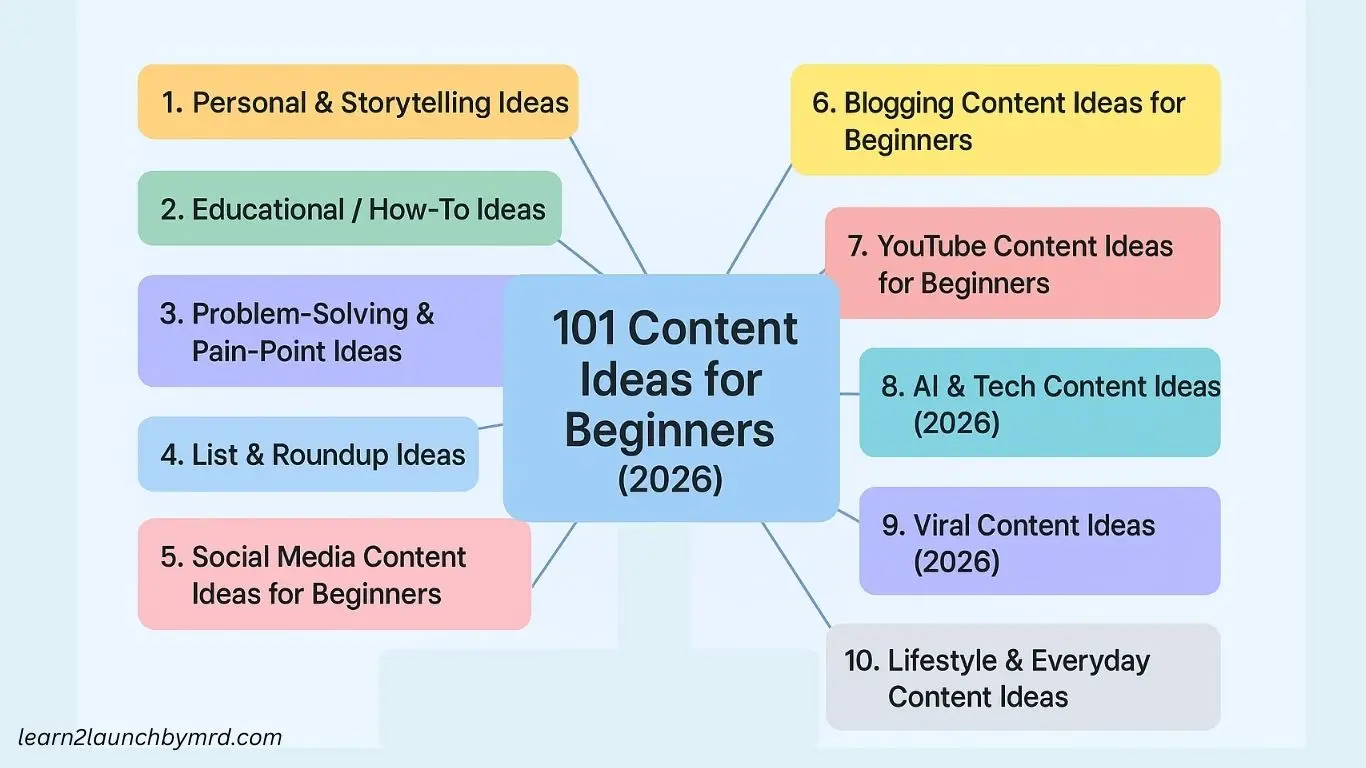
01 ) – Personal and storytelling ideas
Perfect for beginners who want simple content ideas for beginners. These ideas help build personality , relatability and connection with your audience , across blogs , YouTube , TikTok , Instagram or Pinterest.
01 ) – Your “Why I Started” Story
Share why you began your journey in content creation, blogging, or social media. Explain what motivated you and what challenges inspired your start. This not only builds trust but also shows authenticity. Beginners can easily relate to personal journeys.
Benefits – High relatability and engagement.
Drawback – May feel vulnerable for some creators.
Example – “ I started my YouTube channel to help others learn tech skills I wished I knew earlier .”
02 ) – Beginner lessons you learned
Discuss the top mistakes or lessons you’ve learned in your first 30 – 60 days of content creation . Highlight actionable takeaways that beginners can apply to avoid repeating the same errors .
Benefits – Helps beginners feel understood and reduces trial – and-error time.
Drawback – Requires sharing personal details.
Example – “I went from zero knowledge in video editing to creating faceless YouTube videos in 3 months.”
03 ) – Transformational Before/After Story
Show a personal transformation – could be a skill , habit or lifestyle improvement. Include visuals or storytelling to emphasize progress . This approach inspires and motivates your audience to start their own journey .
Benefits – Creates emotional connection.
Drawback – Requires sharing personal details.
Example – “I went from zero knowledge in video editing to creating faceless YouTube videos in 3 months.”
04 ) – “A Day in My Life as a Beginner”
Provide a detailed account of your daily routine, including how you manage content creation , learning and work – life balance . Beginners appreciate seeing real life workflows and time allocation .
Benefits – Builds relatability and trust.
Drawback – Needs careful planning to remain engaging.
Example – “My day starts with research for 30 minutes, followed by 2 hours of script writing for my blog.”
05 ) – Biggest Challenges You Faced Starting Out
Talk about the difficulties you faced when beginning your content journey . Highlight both mental and technical challenges , then share solutions . This helps beginners prepare mentally and practically .
Benefit – Helps beginners avoid common mistakes.
Drawback – Must focus on challenges that resonate.
Example – “Learning SEO was overwhelming at first, so I created a checklist to simplify the process . ”
06 ) – “My First 30 Days Journey” Breakdown
Share a step by step account of your first month – successes , failures and what you would do differently. Include metrics if possible ( views, subscribers, engagement ) .
Benefit – Shows actionable progress in a realistic timeline.
Drawback – Requires detailed tracking.
Example – “ I started with 3 posts per week and learned that engagement doubled after posting daily. ”
07 ) – Tools That Changed My Life
Discuss tools or apps that significantly helped your content creation, productivity or learning. Provide practical examples of how you use them.
Benefit – Great for affiliate marketing and actionable advice.
Drawback – Must ensure credibility and current relevance.
Example – “I started using Canva for Pinterest graphics, which reduced my design time by 50 %.”
08 ) – My Best Habit for Growth
Explain a daily habit that contributed the most to your growth – writing, planning, researching or recording. Show beginners how they can replicate it.
Benefit – Habits are practical and motivational .
Drawback – Requires proof of effectiveness .
Example – “I write three micro-posts daily in my notebook, which fuels my blog and social media content .”
09 ) – My Worst Mistake as a Beginner
Share your biggest failure or misstep and the lessons you learned . Be honest but constructive , showing beginners what to avoid.
Benefit – Highly relatable and educational.
Drawback – Might feel uncomfortable to share personally.
Example – “I ignored keyword research initially, which cost me organic traffic opportunities.”
10 ) – My Story of Getting Consistent
Explain how you overcame inconsistency in posting and built a content creation workflow. Include systems, scheduling and motivation strategies.
Benefit – Motivates beginners to take action and stay disciplined.
Drawback – Needs practical, actionable steps.
Example – “Using Trello to plan weekly posts helped me stay consistent and improve engagement.”
02 ) – Educational / How – To Ideas
These ideas are perfect for beginners who want actionable content creation ideas 2026. Educational posts provide high value , improve SEO and build authority by teaching skills that your audience can implement immediately.
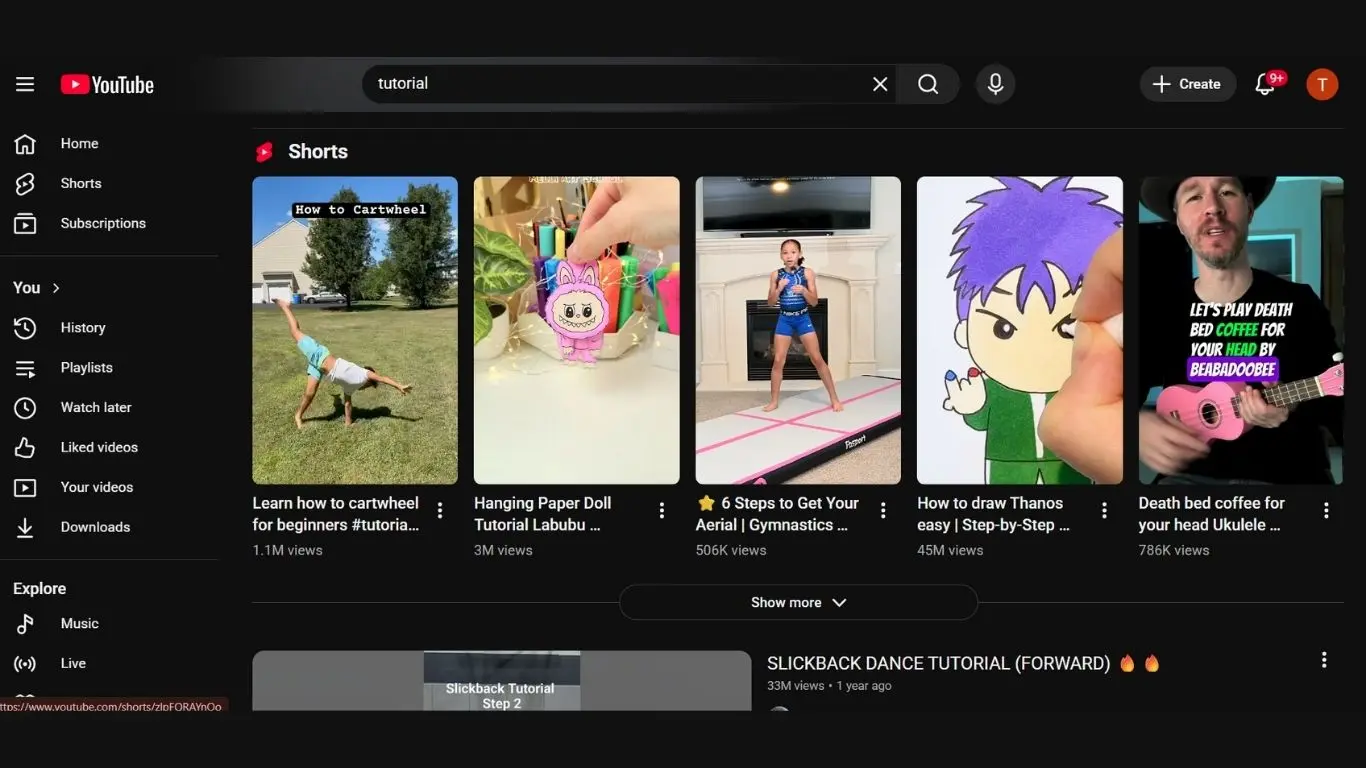
11 ) – How to Start… (Your Niche)
Create a step by step guide for beginners to start in your niche , whether it’s blogging , YouTube or social media. Break it down into simple actionable steps so that even someone with zero experience can follow.
Benefit – High search demand and beginner friendly.
Drawback – Needs clarity and actionable examples.
Example – “How to start a YouTube channel in 2026 even if you have no equipment.”
12 ) – Beginner’s Guide to Your Niche Tools
List essential tools and apps for your niche and explain how to use each one . Beginners love knowing what tools professionals rely on without trial and error .
Benefit – Builds authority and provides practical guidance.
Drawback – Tools may update frequently, requiring revisions.
Example – “Top 5 tools every new blogger should use to simplify research, SEO, and content planning.”
13 ) – How to Stay Consistent as a Beginner
Teach daily routines , content scheduling and productivity hacks that help beginners post regularly. Include templates or calendars for actionable applications.
Benefit – Solves a major beginner pain point – consistency.
Drawback – Requires step – by-step examples for real impact.
Example – “Use a weekly content calendar to batch-write posts and schedule automatic publishing.”
14 ) – How to Research Ideas (Deep Strategy)
Show beginners how to discover content ideas using Google , YouTube , Pinterest and AI tools. Explain methods like keyword research, trend spotting and social listening.
Benefit – High value skill that improves content relevance.
Drawback – Requires clear instructions to avoid overwhelming beginners.
Example – “Requires clear instructions to avoid overwhelming beginners.”
15 ) – Step-by-Step Tutorial on One Skill
Focus on teaching a specific skill in your niche with detailed steps, screenshots or videos. Keep instructions simple enough for beginners.
Benefit – Educational and evergreen content.
Drawback – May require visuals or screen recordings.
Example – “How to create a faceless YouTube video from script to upload in under 60 minutes.”
16 ) – “How to Avoid Beginner Mistakes” Guide
Highlight common errors beginners make and provide solutions . This type of content is highly searchable and shares practical value.
Benefit – Helps your audience save time and avoid frustration.
Drawback – Needs thorough research to ensure tips are accurate.
Example – “Avoid posting inconsistent content by planning 2 weeks ahead using a simple content calendar.”
17 ) – How to Improve Your Workflow
Show beginner-friendly methods to streamline content creation, like batching, automation tools, or using templates.
Benefit – Boosts productivity and reduces overwhelm .
Drawback – Requires explanation for each tool or method.
Example – “Batch record TikTok videos for the week using a simple phone tripod setup and captions spreadsheet.”
18 ) – Beginner Budget Guide
Provide actionable tips for starting content creation without spending much money . Highlight free or affordable alternatives.
Benefit – Highly attractive for beginners and aspirational audiences.
Drawback – Must maintain credibility with useful suggestions.
Example – “Start a blog using free WordPress hosting, Canva for graphics, and free stock images.”
19 ) – Beginner Productivity Hacks
Share time-saving routines, shortcuts, and tools tailored for content creators just starting.
Benefit – Evergreen and practical advice.
Drawback – Generic advice won’t engage; examples must be specific.
Example – “Use AI tools to create draft captions quickly, freeing time for video editing.”
20 ) – Beginner-Friendly Roadmap for 2026
Outline the essential skills, trends, and strategies beginners should focus on this year . Include milestones for measurable growth.
Benefit – Trend – focused, actionable and establishes authority
Drawback – Needs periodic updates to stay relevant.
Example – “Focus on AI content tools, short-form videos, and niche blogging strategies to grow in 2026.”
03 ) – Problem solving and pain point ideas
This category focuses on addressing the most common struggles beginners face . Solving real problems positions you as an authority and gives highly actionable content for blogs , YouTube , TikTok , Instagram and Pinterest.
21 ) – “I Don’t Have Time” Solution Guide
Many beginners struggle to create content due to busy schedules . Offer actionable time management techniques like batching , scheduling, and using automation tools . Demonstrate how allocating just 30 – 60 minutes daily can yield consistent results.
Benefit – Helps beginners overcome a major barrier and stay consistent.
Drawback – Requires clear, practical steps to be effective.
Example – “Schedule two focused 45-minute content sessions weekly using a simple calendar app.”
22 ) – How to Overcome Creative Block
Creative blocks are common in early content creation . Provide exercises like brainstorming prompts , content idea banks or AI assisted writing to unblock creativity.
Benefit – Keeps content flow steady and reduces stress.
Drawback – Techniques may need practice before results appear.
Example – “Use 30-minute daily idea sprints with AI prompts to generate 5–10 new content concepts.”
23 ) – What to Do When Your Content Gets No Views
When early posts receive little interaction, beginners frequently become discouraged. To increase visibility, teach techniques like optimizing titles, utilizing popular keywords, or enhancing thumbnails.
Benefit – Helps maintain motivation and improves discoverability.
Drawback – Requires ongoing testing and refinement
Example – “Revise your blog titles with long-tail keywords to match search intent for better traffic.”
24 ) – How to Improve Content Quality on a Budget
Show useful methods for improving content without the need for costly tools. Free editing software, smartphone configurations, and free stock media resources are examples of tips.
Benefit – Encourages beginners who are budget-conscious to start confidently.
Drawback – May require additional time for creative solutions.
Example – “ Use Canva’s free templates and royalty-free images to make visually appealing posts. ”
25 ) – Fixing Bad Engagement
Describe how to write better captions or hooks, optimize posting times, and analyze audience behavior. Emphasize how important it is to reply to comments.
Benefit – Increases reach and retention
Drawback – Needs analytics tracking.
Example – “Post at 7 PM when your followers are most active and respond to all comments within 24 hours.”
26 ) – How to Stop Overthinking Content
Perfectionism makes many beginners hesitant to publish. Teach decision-making techniques such as “publish fast, improve later” or basic checklists.
Benefit – Reduces procrastination and increases consistency.
Drawback – Can lead to minor mistakes if not checked before posting.
Example – “Use a 3-step checklist: hook, content value, CTA; then hit publish.”
27 ) – How to Deal With Hate or Negative Comments
Give advice on how to respond constructively, ignore trolls, or use moderation tools because online negativity may inspire newcomers .
Benefit – Preserves mental health and audience trust.
Drawback – Requires emotional resilience.
Example – “Delete harmful comments that violate community guidelines and thank constructive critics.”
28 ) – When You Don’t Know What to Post
Provide frameworks for coming up with ideas for content, such as content pillars, popular subjects, or recycling old concepts. Encourage beginners to maintain an active “idea bank.”
Benefit – Reduces anxiety and ensures a constant stream of posts .
Drawback – Requires habit-building.
Example – “Maintain a Trello board to collect 50 content ideas and select one daily to post.”
29 ) – Breaking perfection
Teach beginners to prioritize progress over perfection, using templates, batch creation, and simple design hacks. Highlight that growth comes from consistent effort.
Benefit – Increases content output and confidence.
Drawback – Risk of minor quality issues initially.
Example – “Batch – create 3 videos per week using a basic template rather than perfecting one at a time.”
30 ) – Overcoming Self-Doubt
Provide actionable mindset strategies like goal-setting , tracking wins and positive reinforcement to reduce self – doubt in content creation.
Benefit – Builds confidence and motivation.
Drawback – Requires self-reflection and commitment.
Example – “Start by publishing micro-content and celebrate small milestones to reinforce progress.”
04 ) – List and roundup ideas
List and roundup posts are highly effective for SEO and engagement. Beginners can quickly produce valuable content by curating tools, tips, or resources, making these some of the best simple content ideas for beginners.
31 ) – “Top 10 Tools” in Your Niche
Curate a list of essential tools for your niche , explaining how each one helps beginners improve efficiency or quality. Include pros, cons and cost considerations.
Benefit – High SEO potential and actionable content for beginners.
Drawback – Tools frequently change, requiring updates.
Example – “Top 10 free blogging tools every beginner should use in 2026 to maximize productivity.”
32 ) – “Best X for Beginners” List
Create a curated list of the best apps, equipment, or services tailored for newcomers. Include why they are beginner – friendly.
Benefit – Quick to create, highly useful for beginners.
Drawback – Requires thorough research for credibility.
Example – “Best cameras for beginner YouTubers in 2026 under $ 300 . ”
33 ) – “Top 10 Mistakes to Avoid”
Highlight common errors beginners make and provide actionable solutions for each. These posts are both educational and motivational.
Benefit – Helps your audience save time and avoid frustration.
Drawback – Must include practical examples to stand out.
Example – “Avoid posting inconsistent content by planning two weeks ahead using a simple content calendar.”
34 ) “Top 10 Ideas That Work in 2026”
List trending content ideas or strategies that are likely to succeed this year. Focus on platforms like TikTok, YouTube, Instagram and blogs.
Benefit – Keeps content relevant and trend-focused.
Drawback – Trends change quickly, requiring updates.
Example – “Top 10 viral content formats for beginners in 2026 that maximize engagement.”
35 ) – “Best Free Resources for Beginners”
Share tools, templates, libraries, or educational resources that beginners can use for free. Include step by step instructions or use cases.
Benefit – Highly actionable and shareable content.
Drawback – Free resources can change or expire.
Example – “Free AI tools every beginner blogger should try in 2026 for SEO and content generation.”
36 ) – “Top 10 Hacks That Save Time”
Provide productivity hacks for content creation, editing or scheduling. Include tools and practical strategies for implementation.
Benefit – Simple, beginner-friendly and highly useful.
Drawback – Must be specific , generic tips are less valuable.
Example – “Use batch content creation for Instagram Reels to save up to 3 hours weekly.”
37 ) – “Top 10 Niche Ideas”
Share the most promising niches for beginners to explore in blogging, social media or YouTube. Include pros, audience size and monetization potential.
Benefit – Helps beginners choose a profitable niche.
Drawback – Needs research to be credible.
Example – “Top 10 niches for new creators in 2026: AI tools, productivity, and travel guides.”
38 ) – “Top 10 Skills to Learn in 2026”
Highlight skills that beginners should focus on this year to grow as content creators . Include both technical and soft skills.
Benefit – Evergreen and authority-building content.
Drawback – Skills may evolve; updates required
Example – “Learning AI-assisted video editing and SEO basics are must-have skills for beginners in 2026.”
39 ) – “Top 10 Challenges Beginners Face”
List common struggles beginners experience in content creation and provide actionable advice to overcome them.
Benefit – Relatable content that resonates with beginners.
Drawback – Must focus on challenges that are universal.
Example – “From finding ideas to managing time, beginners face 10 common hurdles in content creation.”
40 ) – “Top 10 Trending Ideas”
Compile trending content formats, challenges or topics relevant to your niche that are currently gaining attention on social media or blogs.
Benefit – Boosts reach and relevance
Drawback – Trends can be short-lived and need monitoring.
Example – “Trending short-form video ideas for beginners on TikTok and Instagram in 2026.”
05 ) Content ideas for social media beginners
This category focuses on content ideas for social media beginners, covering Instagram, TikTok, Pinterest and Facebook. These ideas are perfect for beginners who want quick wins and high engagement while learning the ropes of social platforms
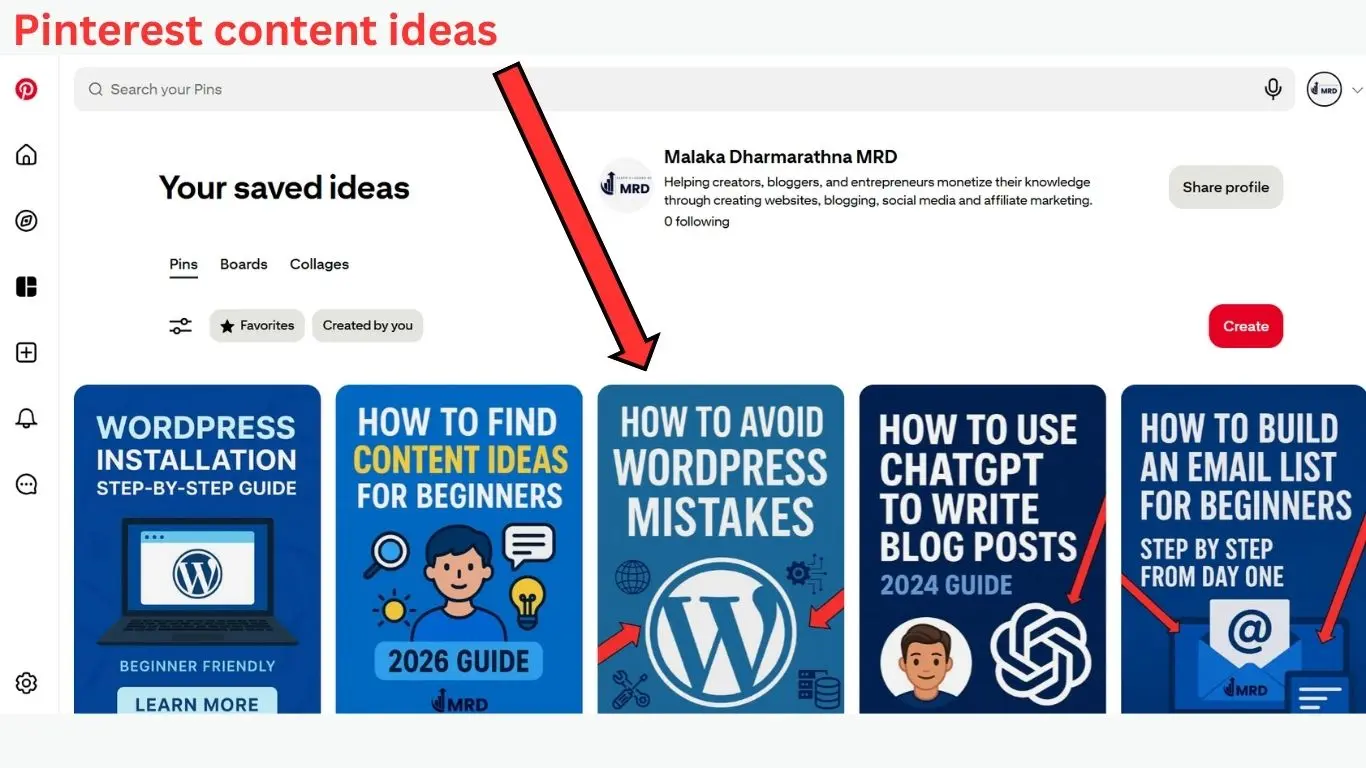
41 ) – Quick tips and micro lessons
Share short, actionable tips in your niche – perfect for Instagram reels , TikTok or Pinterest carousels . These bite – sized lessons help beginners provide value without long – form content.
Benefit – Easy to consume and shareable.
Drawback – Needs clarity to avoid confusion.
Example – “3 productivity hacks to double your output in 10 minute daily”
42 ) – Behind the scenes content
Show how you create content, edit videos or write posts. This builds transparency and trust with your audience while providing educational insight .
Benefit – Builds relatability and authenticity.
Drawback – May require extra effort to capture footage.
Example – “Here’s how I edit my faceless YouTube videos using a simple free tool.”
43 ) – Step by step tutorials
Teach a small skill or technique relevant to your niche . Short video tutorials or image carousels work well across platforms .
Benefit – Highly educational and value driven.
Drawback – Tutorials need to be simple and concise for beginners.
Example – “How to create a Pinterest pin that drives traffic in under 10 minutes.”
44 ) – Trend participations and challenges
Leverage trending hashtags or challenges to boost visibility . Encourage your audience to engage or recreate content.
Benefit – Increases reach and virality potential.
Drawback – Trends are short-lived; timing is crucial.
Example – “Join the #WorkFromHomeSetup challenge and showcase your desk productivity hacks.”
45 ) – Personal stories and relatable moments
Share mini personal stories or struggles related to your niche . Relatable content fosters engagement and trust.
Benefit – Builds audience connection quickly.
Drawback – Trends are short lived , timing is crucial.
Example – “I struggled with consistency in posting; here’s how I overcame it in 30 days.”
46 ) – Infographics and visual guides
Convert valuable content into visually appealing graphics for Pinterest, Instagram or Facebook. Infographics simplify complex ideas for easy understanding.
Benefit – Highly shareable and SEO-friendly.
Drawback – Requires design skills or templates.
Example – “Step-by-step guide to creating content pillars as an infographic for beginners.”
47 ) – Polls and interactive posts
Engage your audience with polls, quizzes or Q&A sessions to gather opinions and feedback. Great for building community interaction.
Benefit – Increases engagement and algorithm favorability.
Drawback – Requires active participation from followers.
Example – “Which content type do you want me to teach next? Poll in stories.”
48 ) – Repurposed long form content
Break down blog posts or YouTube videos into shorter, platform – specific content like reels, carousels or threads.
Benefit – Maximizes content value and saves time.
Drawback – Needs careful adaptation for each platform.
Example – “Convert your 2,000 – word blog post into 5 Instagram carousels.”
49 ) – Social media tips for beginners
Share practical guidance on platform growth, engagement tactics or algorithm understanding. This positions you as a helpful resource.
Benefit – Educational and evergreen content.
Drawback – Requires keeping up – to-date with algorithm changes.
Example – “Post when your audience is most active to get higher reach – use insights to check.”
50 ) – Content ideas series
Create a series around a topic, posting multiple small pieces over days or weeks. The series encourages followers to come back for more.
Benefit – Boosts retention and keeps the audience engaged.
Drawback – Requires planning for consistency.
Example – “ 7- day challenge: Daily AI tools tips for social media beginners . ”
51 ) – User generated content
Feature follower’s content, testimonials or submissions. This builds community and encourages more engagement.
Benefit – Saves content creation time and fosters trust.
Drawback – Must moderate submissions to ensure quality.
Example – “Repost your follower’s successful setup using my productivity tips.”
52 ) – Platform specific mini guides
Offer short guides tailored for Instagram, TikTok, Pinterest or Facebook, like “How to create pins that convert ” or “ TikTok hook strategies .”
Benefit – Highly practical and platform targeted.
Drawback – Must be updated as platform features evolve.
Example – “Instagram beginner guide: Using reels, stories, and highlights effectively in 2026.”
06 ) – Blogging content ideas for beginners
This category is tailored for beginners who want to start blogging. These ideas focus on easy to-implement topics , keyword strategies and content that builds authority while improving SEO. Perfect for those seeking simple content ideas for beginners.
53 ) – How to guides for beginners
Create step by step tutorials addressing specific tasks in your niche. These guides are educational, highly searchable and provide immediate value to readers.
Benefit – Evergreen content that builds authority and drives traffic.
Drawback – Requires clear structure and examples.
Example – “How to start a blog in 2026 with zero budget and no coding skills.”
54 ) – Listicles of tips or tools
Compile top tips, tricks, or tools for beginners. Listicles are highly engaging, easy to read and perfect for SEO optimization.
Benefit – High click through potential and shareable content.
Drawback – Must be researched to avoid generic lists.
Example – “10 free AI tools every beginner blogger should try in 2026.”
55 ) – Beginner mistakes to avoid
Highlight common blogging mistakes and provide solutions. This helps beginners learn faster and avoid frustration.
Benefit – Provides actionable advice and builds credibility.
Drawback – Must focus on relevant, universal mistakes.
Example – “Avoid neglecting SEO in your first blog posts—here’s a simple guide.”
56 ) – Case studies or personal experiments
Share your experiences or experiments with blogging techniques. Include results, lessons and takeaways for beginners.
Benefit – Engaging, authentic and educational.
Drawback – Requires careful tracking and honesty.
Example – “Testing 5 different posting schedules: what worked for traffic growth in my first 30 days.”
57 ) – Step by step keyword research tutorials
Teach beginners how to find and use keywords in their blog posts effectively. Include tools and examples.
Benefit – Improves SEO and content discoverability.
Drawback – Requires basic understanding of SEO concepts.
Example – “How to use Google Keyword Planner to find high traffic, low competition keywords in 2026.”
58 ) – Content pillar creation
Explain how beginners can create content pillars and subtopics for their blog to stay organized and consistent.
Benefit – Enhances SEO and website structure while simplifying content planning.
Drawback – Requires strategic planning upfront.
Example – “Build 4 main content pillars for your blog and expand with 20 subtopics each.”
59 ) – Tutorial on formatting and SEO optimization
Teach beginners about headings, meta descriptions and internal linking. Show how proper formatting improves readability and search rankings.
Benefit – Boosts SEO and user experience.
Drawback – Beginners may feel overwhelmed by technical details.
Example – “Use H2 and H3 headings, internal links, and short paragraphs for maximum SEO benefit.”
60 ) – Blogging challenges or prompts
Create content challenges or prompts to inspire new bloggers. This helps them practice consistency and creativity.
Benefit – Encourages engagement and regular posting.
Drawback – Must provide clear instructions to be effective.
Example – “7-day blogging challenge: Write one short post per day using these prompts.”
61 ) – Reviews and recommendations
Write beginner-friendly reviews of tools, apps or services used in blogging. Include pros, cons, and practical advice.
Benefit – Valuable for affiliate marketing and guiding beginners.
Drawback – Needs unbiased analysis and credibility.
Example – “Canva vs. Figma for beginners: which tool is best for creating blog graphics in 2026? ”
62 ) – Blog monetization ideas
Explain easy ways for beginners to start monetizing their blog, such as affiliate marketing, ad networks or digital products.
Benefit – Highly motivating and practical for beginners.
Drawback – Requires beginner-friendly explanation to avoid confusion.
Example – “How to make your first $100 from a blog in 2026 using affiliate links and free promotion.”
07 ) – YouTube content ideas for beginners
These ideas are tailored for beginners who want to start YouTube channels. They focus on easy-to-produce, faceless or voiceover-friendly formats and strategies that help beginners gain views, engagement, and SEO traction.
63 ) – Tutorial on how to videos
Create step by step videos teaching a specific skill, software, or process in your niche. Short, clear instructions help beginners get immediate value.
Benefit – Evergreen content that attracts search traffic.
Drawback – Requires screen recording or clear demonstrations.
Example – “How to create Instagram reels that get 10x engagement in 2026.”
64 ) – Listicles / top 10 videos
Compile top tips, tools or strategies in your niche . Use numbered lists for clarity and engagement.
Benefit – Highly searchable and shareable content.
Drawback – Must research to ensure accuracy and relevance.
Example – “Top 10 free AI tools for content creators in 2026.”
65 ) – Product or service reviews
Review tools, apps, or products that beginners might use. Include pros, cons and practical recommendations.
Benefit – Great for affiliate marketing and building authority.
Drawback – Requires honesty to maintain credibility.
Example – “Canva vs. Figma: Best design tool for beginners in 2026.”
66 ) – Reaction or commentary videos
React to trending news, challenges or videos in your niche. Beginners can start with voiceover or screen recording.
Benefit – Capitalizes on trends and attracts viewers quickly.
Drawback – Must stay original and avoid copyright issues.
Example – “Reacting to the top 5 viral TikTok AI tools of 2026.”
67 ) – Blogging journey / personal story
Share your experience starting YouTube or learning a new skill. Stories are relatable and inspire engagement.
Benefit – Builds trust and emotional connection.
Drawback – Requires vulnerability and authenticity.
Example – “How I grew from 0 to 1,000 subscribers in 60 days without showing my face.”
68 ) – FAQ videos
Answer frequently asked questions in your niche. These videos are highly searchable and serve beginner audiences directly .
Benefit – Boosts SEO and positions you as a helpful authority.
Drawback – Requires research on common queries.
Example – “How to start a faceless YouTube channel in 2026: FAQ for beginners.”
69 ) – Tips and hacks videos
Share short, actionable tips to improve productivity, content quality or engagement . Ideal for 3 – 5 minute videos or short-form content.
Benefit – Quick to consume, highly shareable
Drawback – Must be concise and specific.
Example – “5 easy video editing hacks every beginner can use in 2026.”
70 ) – Behind the scenes / Workflow videos
Show your setup, content creation workflow or editing process. Beginners enjoy learning practical methods.
Benefit – Builds authenticity and educational value.
Drawback – Requires some recording or editing effort.
Example – “How I batch create 5 videos per week using free tools and faceless editing techniques.”
71 ) – Trend participations and challenges
Participate in trending topics, challenges or viral formats. Adapt them for your niche while keeping it beginner friendly.
Benefit – Boosts reach and virality potential.
Drawback – Trends change rapidly; timing is key.
Example – “Join the #AIContentChallenge by creating a faceless tutorial in under 60 seconds.”
72 ) – Compilation or curated videos
Compile useful tips, trending clips or resources into a single video . Make sure to provide proper credit or transform content for originality.
Benefit – Easy to produce and highly watchable.
Drawback – Must avoid copyright issues , content transformation is important.
Example – “Top 10 AI tools for beginner content creators in 2026 – all in one video.”
08 ) – Tech – trending content creation ideas
This category focuses on AI and tech trends, perfect for beginners who want to create content leveraging cutting-edge tools and workflows. These content creation ideas 2026 are highly searchable, valuable, and shareable across blogs, YouTube, and social media.
73 ) – AI tool tutorial
Teach beginners how to use popular AI tools for content creation. Include step by step guides and practical applications.
Benefit – High search demand and highly educational.
Drawback – Tools evolve quickly; tutorials may need updates.
Example – “How to generate blog outlines using ChatGPT in 2026 – beginner-friendly tutorial .”
74 ) – AI content automation guides
Explain how to automate repetitive tasks like scheduling posts, generating captions or editing videos using AI.
Benefit – Saves time and increases productivity for beginners.
Drawback – Requires explaining complex tools in a simple way.
Example – “Automate your Instagram posting workflow using free AI scheduling tools.”
75 ) – AI vs traditional methods
Compare AI tools with traditional content creation methods. Show pros, cons and use cases for beginners.
Benefit – Educational and trend-focused content.
Drawback – Needs clear examples to avoid confusion.
Example – “AI video editing vs manual editing: Which is better for beginners in 2026?”
76 ) – Tech gadget reviews
Review beginner friendly gadgets that improve productivity or content quality. Include features, pricing and usability.
Benefit – Attracts tech savvy audiences and supports affiliate marketing.
Drawback – Requires hands -on experience for credibility
Example – “Best budget microphones for faceless YouTube videos in 2026.”
77 ) – AI assisted video creation tips
Show how AI can help create faceless videos, voiceovers or automated graphics. Provide beginner friendly steps.
Benefit – Highly relevant and time saving for beginners.
Drawback – Requires explaining the AI tools clearly.
Example – “Create a faceless YouTube video in 30 minutes using AI tools like Synthesia.”
78 ) – Emerging tech trends
Highlight tech trends that beginners can leverage to stand out in 2026 , like AR filters , AI generated content or automation tools.
Benefit – Trend focused , shareable and authority building.
Drawback – Requires constant trend monitoring.
Example – “Top 5 AI trends content creators should adopt in 2026 for growth .”
79 ) – Tool comparison and recommendations
Compare similar AI or tech tools, showing which is best for beginners based on ease of use, cost and effectiveness.
Benefit – Helps beginners make informed decisions.
Drawback – Must remain unbiased and updated.
Example – “Canva vs Figma vs Adobe Express: Best for beginner content creators in 2026.”
80 ) – AI powered writing tips
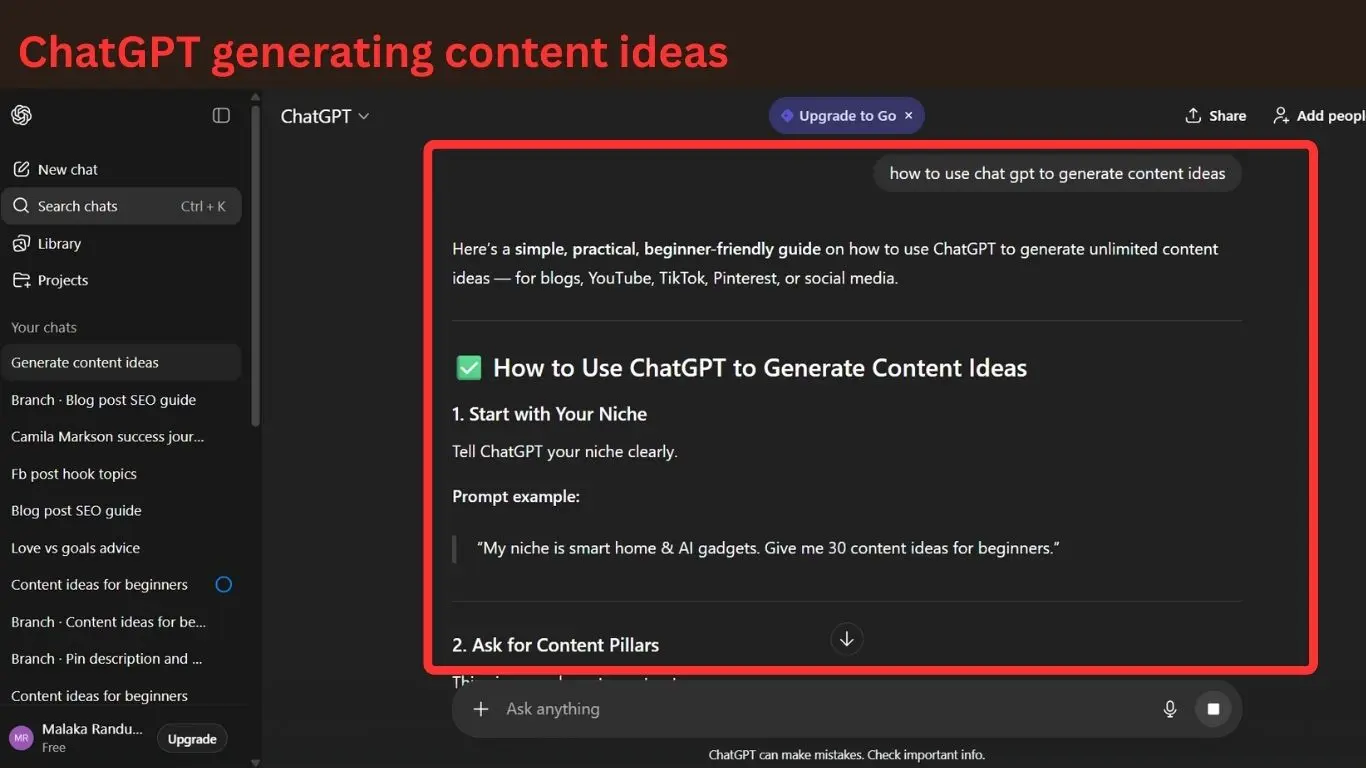
Teach beginners how to use AI for writing blog posts, captions, scripts or social media content. Include prompt examples and workflow tips.
Benefit – Boosts efficiency and creativity.
Drawback – Beginners may need guidance to avoid generic output.
Example – “Use ChatGPT prompts to generate 10 blog post ideas in under 5 minutes.”
81 ) – Workflow optimization with tech
Show how beginners can integrate AI and tech tools to streamline content planning, editing and publishing.
Benefit – Increases productivity and content consistency.
Drawback – Requires step by step clarity for beginners.
Example – “Combine Trello, ChatGPT and Canva to plan and publish content in a week.”
82 ) – Future proofing content creation
Explain how beginners can adapt to upcoming AI and tech developments to stay competitive. Include strategies for learning and experimentation.
Benefit – Builds authority and prepares the audience for long term success.
Drawback – Requires predictive insights and research.
Example – “Focus on AI assisted short videos and voiceover content to future proof your content strategy in 2026.”
09 ) – Viral content ideas 2026
This category focuses on content formats and strategies that are likely to go viral in 2026. Perfect for beginners aiming to maximize reach, engagement, and growth across YouTube, TikTok, Instagram, and other platforms. Incorporates trending techniques, reactions, POVs, and creative angles.
83 ) – Trending challenges
Participate in trending challenges on TikTok, Instagram or YouTube Shorts. Adapt the challenge to your niche for originality.
Benefit – High potential for reach and virality.
Drawback – Requires timely execution and trend monitoring.
Example – “Join the #AIContentChallenge and showcase your faceless content creation setup.”
84 ) – POV ( Point Of View ) videos
Create content from a first person perspective to immerse viewers . Works well for tutorials, day in the life, or storytelling formats.
Benefit – Highly engaging and shareable.
Drawback – Requires creative filming or animation for faceless formats.
Example – “POV: You’re starting your first blog in 2026 – beginner mistakes to avoid.”
85 ) – Reaction videos
React to trending content, news or viral videos in your niche. Share opinions, insights or humorous commentary.
Benefit – Leveraging trending content boosts discoverability.
Drawback – Must ensure originality to avoid copyright issues.
Example – “Reacting to the top 5 AI tools everyone’s talking about in 2026.”
86 ) – Short snappy tips
Create highly consumable short form content with 1 – 3 quick tips that solve common problems.
Benefit – Perfect for viral sharing and engagement.
Drawback – Tips must be concise and actionable.
Example – “3 beginner friendly AI hacks to save hours of content creation time.”
87 ) – “Before and after” content
Show transformations, improvements or progress. This format is relatable and visually engaging .
Benefit – Encourages shares and engagement.
Drawback – Requires examples or case studies.
Example – “Before and after : My faceless YouTube channel growth in 30 days using AI tools.”
88 ) – List of must know trends
Compile current trends in your niche into a single, easy to digest video or post.
Benefit – Highly searchable and shareable.
Drawback – Trends can change quickly; needs regular updates.
Example – “Top 5 content trends every beginner should use in 2026.”
89 ) – Challenges for audience participation
Create interactive challenges that encourage audience generated content , increasing engagement and virality.
Benefit – Builds community and organic reach.
Drawback – Needs clear instructions and moderation.
Example – “Share your beginner setup using AI tools and tag us to get featured.”
90 ) – Tips compilations
Aggregate multiple actionable tips into one post or video. Ideal for short-form viral formats.
Benefit – Quick consumption and high shareability.
Drawback – Must avoid being too generic; include practical value.
Example – 10 AI shortcuts for content creators in 2026 – quick tips for beginners.”
91 ) – Fun facts or “did you know” content
Share surprising or interesting facts about your niche that grab attention.
Benefit – Easily shareable and clickable.
Drawback – Must be accurate and relevant.
Example – “ Did you know AI tools can now generate entire blog posts in minutes? ”
92 ) – Storytime / Mini narratives
Tell a compelling story or personal experience in a short format. Engages viewers and encourages shares.
Benefit – Builds emotional connection and virality.
Drawback – Requires storytelling skill.
Example – “Storytime: How I failed my first 5 content ideas and bounced back.”
93 ) – Comparison and VS content
Share simple, actionable hacks that deliver fast results. Perfect for TikTok, Instagram and YouTube Shorts.
Benefit – High engagement and easy to consume.
Drawback – Must be genuinely helpful to avoid disappointment.
Example – “Beginner hack: Automate your Pinterest posting in under 10 minutes with free tools.”
10 ) – Lifestyle and everyday content ideas
This category focuses on relatable, day to day content that resonates with audiences. Perfect for beginners who want to share routines, life hacks, and micro-vlogs across blogs, YouTube, TikTok, Instagram and Pinterest.
95 ) – Daily routines / Morning and evening habits
Share your daily routines or productivity habits. This helps beginners relate and provides inspiration. Include tips, tools or small adjustments for efficiency.
Benefit – Builds engagement and relatability.
Drawback – Needs authenticity ; overly staged routines can feel fake.
Example – “My 30-minute morning routine that boosts productivity for beginner content creators.”
96 ) – Day in the life videos / posts
Showcase a typical day in your life or niche specific activities . Can be faceless or narrated with voiceovers.
Benefit – Builds connection and humanizes your brand.
Drawback – Requires planning and good pacing to maintain viewer interest.
Example – “A day in the life of a beginner blogger : planning, writing, and publishing content.”
97 ) – Life hacks and productivity tips
Provide small, actionable tips that make everyday life easier for your audience. Short, simple and highly shareable.
Benefit – Adds immediate value to followers’ lives.
Drawback – Must be genuinely useful; avoid trivial tips
Example – “3 productivity hacks every beginner content creator can implement in 10 minutes.”
98 ) – Minimalist and simplified living tips
Show how simplifying tools, processes or routines improves life and content creation efficiency.
Benefit – Appeals to audiences seeking efficiency and clarity
Drawback – Requires practical, implementable advice
Example – “Declutter your digital workspace to save 2 hours weekly – ideal for beginners.”
99 ) – Meal preps and easy recipes
Share simple meal preps or quick recipes for busy content creators . Focus on convenience and health.
Benefit – Engages lifestyle audiences and builds relatability.
Drawback – Needs clear instructions and appealing visuals.
Example – “3 easy 15 – minute lunches for beginners working from home.”
100 ) – Fitness / health routines for beginners
Provide beginner – friendly exercise or wellness routines. Focus on small, consistent habits that are easy to follow.
Benefit – Adds value for audiences seeking balance in life and work.
Drawback – Must clarify beginner level and safety tips.
Example – “5 – minute daily stretching routine for beginner content creators to stay energized.”
101 ) – Personal reflection / motivational content
Share thoughts, lessons or motivational messages from your journey . Perfect for micro – blogs, social media posts or short videos.
Benefit – Encourages engagement and emotional connection.
Drawback – Must balance inspiration with authenticity; avoid clichés.
Example – “How I overcame my first 10 failed content ideas and stayed consistent as a beginner.”
Take your content creation to the next level
Now that you have 101 content ideas for beginners , it’s time to put them into action and start creating content that grows your audience and authority . Remember , ideas are only as powerful as execution.
explore more options –
- How find an Email list for beginners
- How to find content ideas for beginners
- How to create a WordPress website for beginners
Before you begin posting any of these content ideas , make sure your website is properly set up. My Install WordPress for beginners shows you exactly how to design a website layout with WordPress the right way, avoid technical mistakes, and prepare a strong base for long term SEO growth.
Some content topics in this list are ideal for affiliate monetization. To learn how to choose products , join programs, and create conversion – focused content, there for on affiliate marketing for beginners.
How to stay consistent with 101 content ideas
Consistency is key to turning your 101 content ideas for beginners into real growth. without a plan even the best ideas can remain unused . these are the practical strategies to stay on track.
- Batch your content – Create multiple posts or videos in one session to save time. This aligns perfectly with our content creation ideas 2026 guide for efficient workflow
- Use a content calendar – Schedule topics across platforms to maintain a steady flow. Check out our content ideas for social media beginners posts for platform specific tips.
- Minimum viable publishing – Focus on getting ideas out quickly , rather than perfecting every piece. Learn more from our How to find content ideas for beginners guide.
- Accountability tips – Partner with peers , join content groups or track progress in apps .
- Leverage AI tools – Use AI to speed up writing, graphics or video scripts while maintaining quality.
Applying these methods ensures you stay consistent, turning your simple content ideas for beginners in to real engagement and growth across blogs , YouTube , TikTok , Instagram and Pinterest.
Once you start creating consistent content, you’ll want to turn your effort into income. Learn How to monetize your online content is essential to earn from ads, affiliates, digital products and online services – all based on strategies real beginners use successfully.
If you’re unsure which topics from this list will actually rank, explore on how to use keywords the right way explains how to find low – competition keywords , analyze search intent and pick topics with real traffic potential. It’s the perfect next step before writing your first post.
To create content faster and more professionally, explore my breakdown of content creation tools and strategies for beginners. It covers writing tools, AI helpers , design apps and productivity systems that make the creation process easier , especially when turning these 101 ideas into consistent weekly content.
Frequently Asked Questions on 101 content ideas for beginners
What content works better for beginners?
Beginners should start with simple content ideas for beginners like how – to guides, list posts, personal stories and short tutorials. Using 101 content ideas for beginners ensures a mix of engaging , easy to create posts that can perform across blogs , YouTube, TikTok, Instagram, and Pinterest
How often should beginners post?
Consistency is more important than volume. Start with a realistic schedule, like 2 – 3 posts per week, and gradually increase. Using a content calendar from our Content Ideas for Social Media Beginners guide helps maintain steady publishing.
Which platform is easiest to start on ?
Platforms like Instagram, TikTok and Pinterest are beginner – friendly . Choose one based on your niche and content type. For example, tutorials or short tips perform well on TikTok , while visual guides excel on Pinterest.
Can beginners are use AI for contetn ideas?
Yes! Tools like ChatGPT or AI writing assistants streamline idea generation and draft creation. Check our Content Creation Ideas 2026 post for AI workflows optimized for beginners.
How to make content go viral?
Focus on trends, hooks, and relatable stories. Quick tutorials, reaction videos, or POV formats often perform well. Our Viral Content Ideas 2026 guide provides detailed strategies to increase shareability.
Start create with these 101 content ideas for beginners (2026)
Creating content doesn’t have to be overwhelming. With these 101 content ideas for beginners, you now have a complete roadmap you can use across blogs , YouTube, TikTok, Instagram and Pinterest. Whether you want simple content ideas for beginners, content ideas for social media beginners, or trend – driven formats like viral content ideas 2026, this guide gives you everything you need to stay consistent and grow faster.
If you want help choosing the right ideas and planning your strategy, make sure to explore these related guides:
- How to find content ideas for beginners
- How to create a WordPress blog that makes money
- How to build an email list for beginners
- How to use social media to grow your online business
Now it’s your turn : pick 3 – 5 ideas from this list, create your first pieces of content and start publishing today . The more you create, the faster you build authority, visibility and confidence. Your content journey starts now – one idea at a time.