
I spent four hours trying to name my first blog.
Every name I came up with was taken. Every variation I tried led to a dead end. By hour three I was staring at “mybloggingtips2024.com” and genuinely considering it.
The problem wasn’t creativity. It was strategy. I had no system for finding the best free domain name generators for WordPress websites that could actually surface available names fast and I didn’t know which tools were worth using versus which ones wasted time on names already registered years ago.
This post fits inside the Complete No-Code WordPress Blog Setup Framework for Beginners, the full foundation guide for building a WordPress blog from scratch without technical experience. Your domain name is the first permanent decision in that framework, and getting it right before anything else is built saves significant rework later.
For the full strategic picture of what makes a domain work long-term for a blog – beyond just availability, how to choose a domain name for a blog that gets traffic covers the brand and SEO thinking in depth. This post focuses specifically on the tools that find you available options fast.
The complete system for going from blank search bar to registered domain is part of our no-code website with WordPress guide – your step-by-step roadmap for everything from domain to published post.
Here is exactly what the best tools look like, how to use them, and the one domain selection mistake that causes more beginner blog rebrands than anything else.
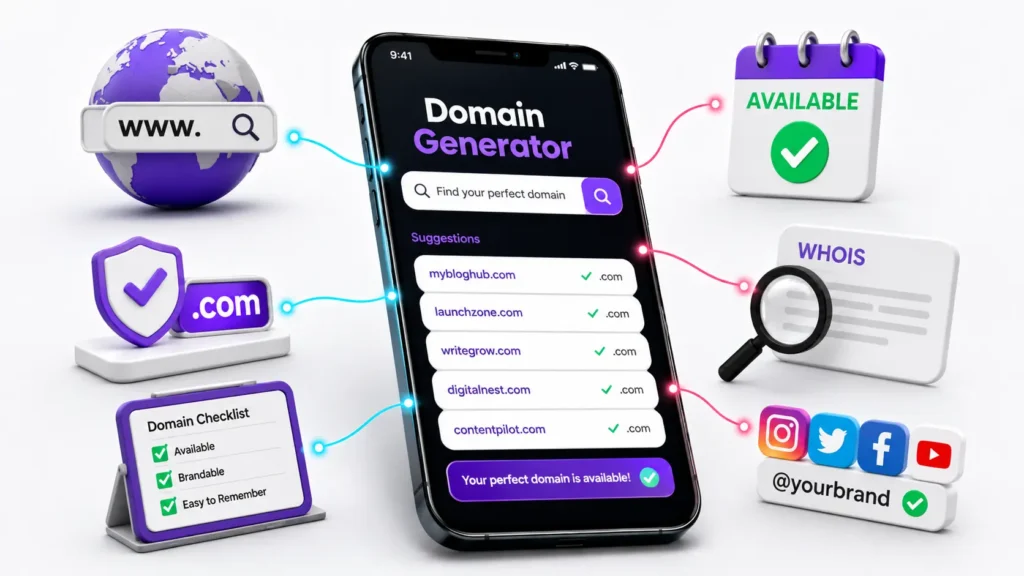
Find Your Perfect Domain Name
Describe your website in a few words, then launch Hostinger’s AI Domain Name Generator to discover available, brandable domain ideas.
- ✅ AI-powered suggestions
- ✅ Free to use
- ✅ Check .com availability
- ✅ Find brandable names faster
How to choose a domain name for WordPress fast – Without wasting hours on names that are already gone
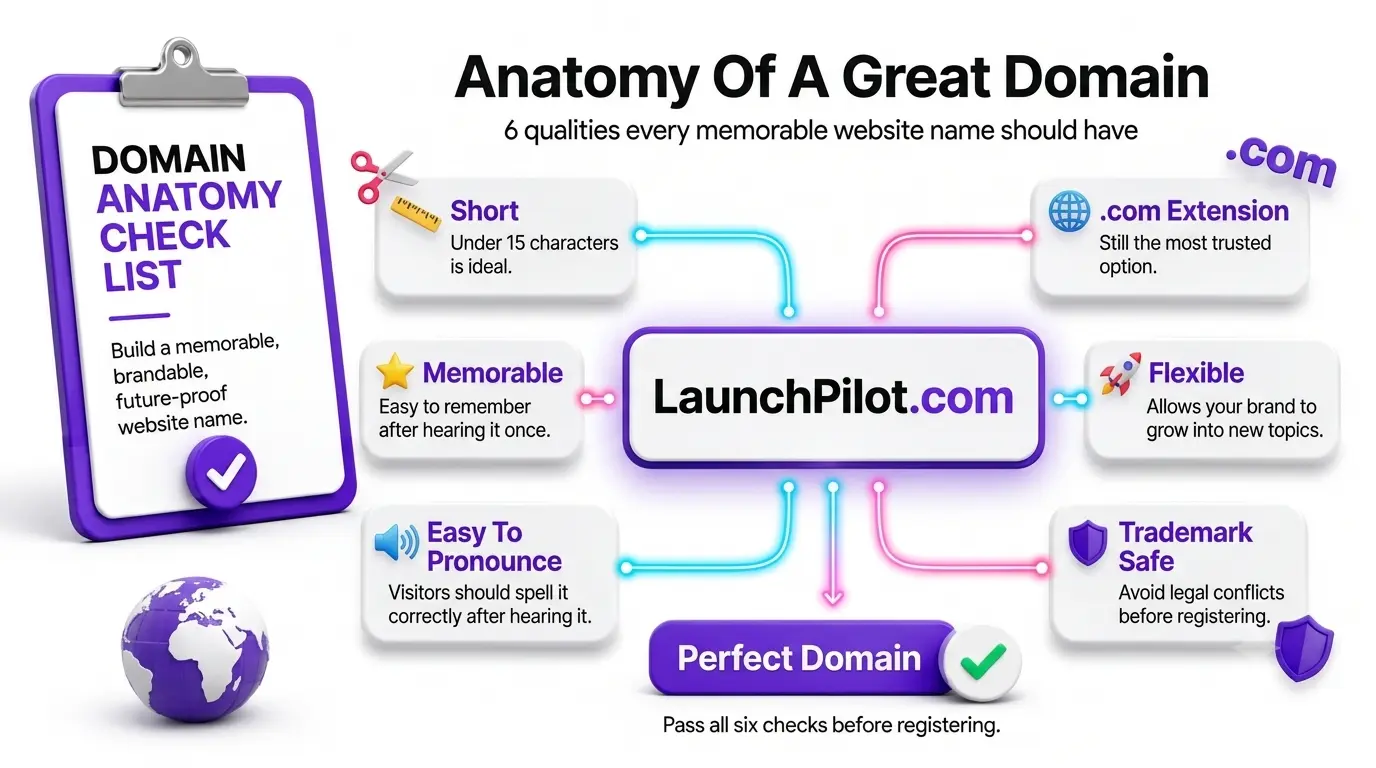
How to choose a domain name for WordPress fast means entering 2-3 descriptive keywords into a domain generator, filtering results for available .com options only, and running the top candidates through a 5-point check – availability, length under 15 characters, spoken spelling clarity, trademark clearance, and social handle availability, before registering.
Most beginners approach domain naming like a creative brainstorming session. They think of a name, search it, find it taken, think of another, search it, and repeat until frustration wins.
The faster approach is systematic, not creative.
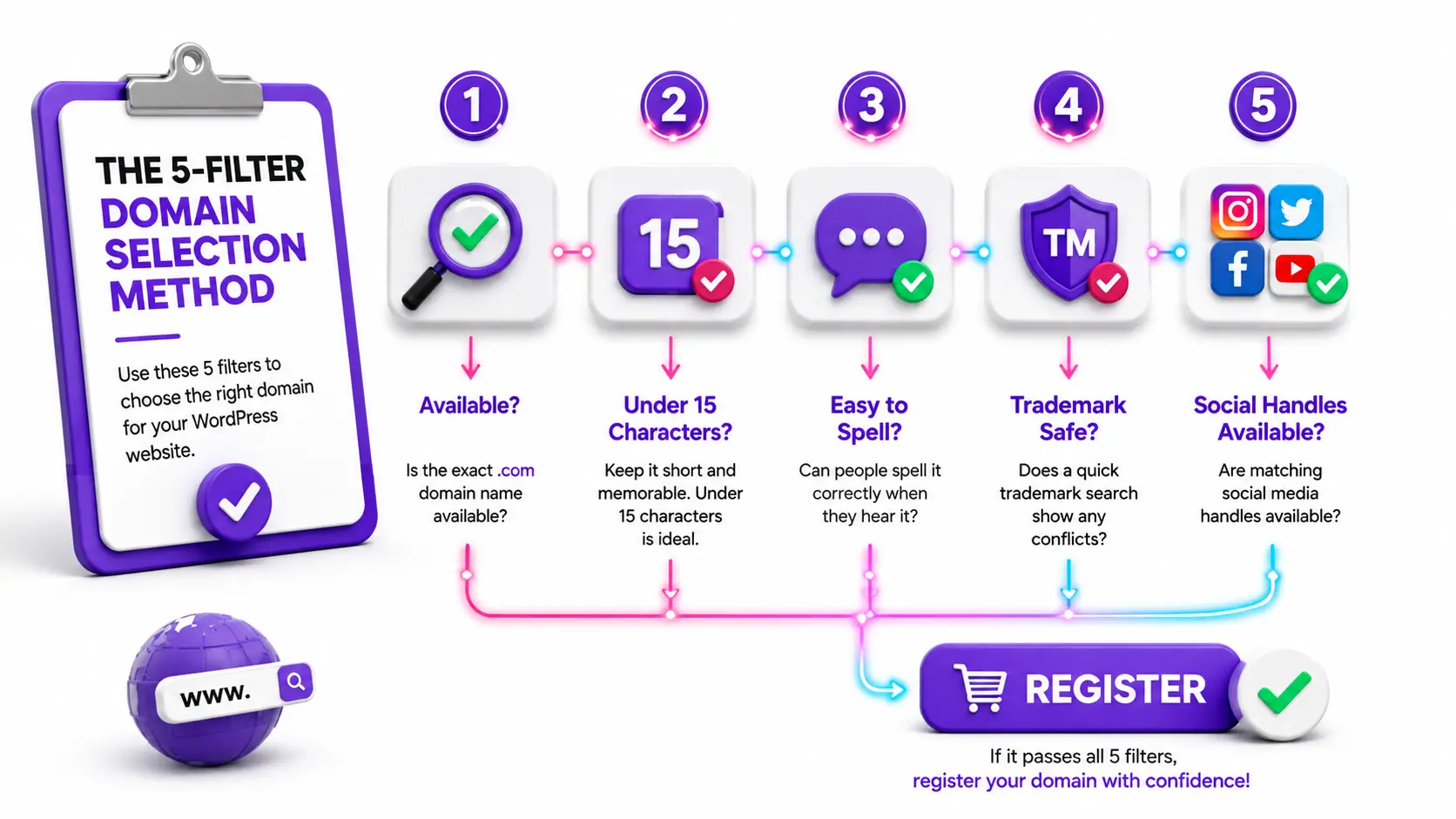
The 5-filter domain selection method :
- Filter 1 – Is the exact .com available? (.com is still the most trusted extension for new blogs)
- Filter 2 – Is it under 15 characters? (Domains over 15 characters see measurably lower direct-type traffic)
- Filter 2 – Can you spell it correctly when someone hears it spoken aloud? (If you have to say “that’s K-N-I-G-H-T not N-I-T-E” — it’s the wrong name)
- Filter 4 – Does a basic trademark search show no conflicts? (A quick search on the USPTO database or Google takes under two minutes)
- Filter 5 – Are matching social media handles available? (Brand consistency across platforms matters from day one)
How to choose a domain name for WordPress fast in practical terms means running generator suggestions through all five filters before you fall in love with a name, not after. The generators below are ranked specifically on how well they support this filtering process.
When you’ve secured your domain, the natural next step is pairing it with the right hosting plan. Best website hosting for small business compares providers on price, WordPress compatibility, and which plans include a free domain registration, so you’re not paying for the domain separately if you don’t need to.
And once hosting is chosen, how to install WordPress on Hostinger in 2026 walks through the complete installation process from domain connection to dashboard access.
How to pick an available .com name for my new WordPress site?
To pick an available .com name, use a domain generator with real-time availability checking, enter 2-3 keywords describing your blog topic and audience, filter results for .com only, and use the “modifier method”, adding words like “the,” “get,” “my,” or your niche qualifier — to surface available variations of your preferred name when the exact match is taken.
Over 350 million domain names are currently registered globally, meaning the most simple, obvious one or two-word .com combinations are already taken. For beginner bloggers, this is genuinely the most frustrating part of starting a blog.
Here’s the thing: the modifier method solves most cases.
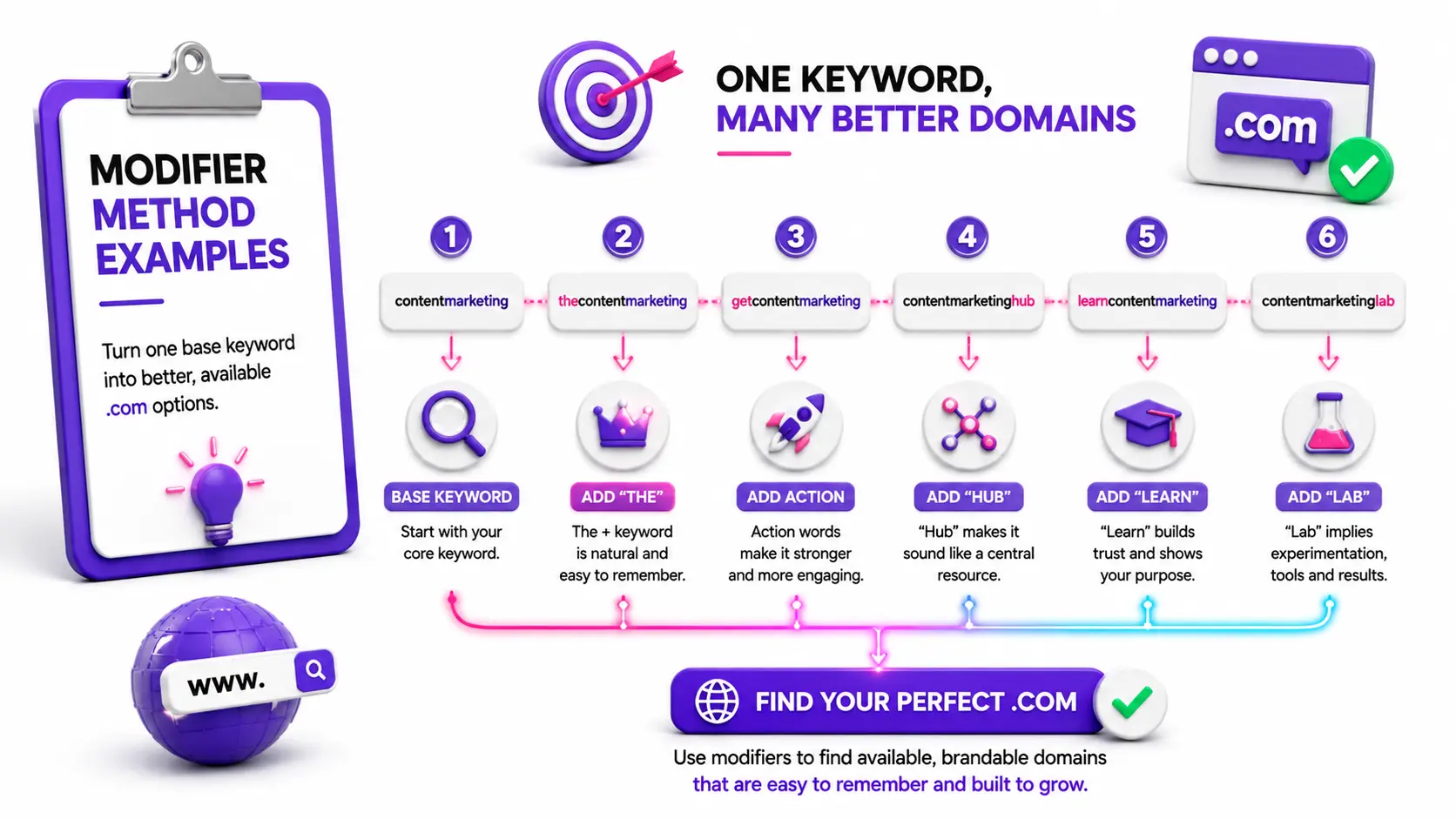
If “contentmarketing.com” is taken, these modifiers almost always surface available alternatives:
- Add a definite article: thecontentmarketing.com
- Add an action word: getcontentmarketing.com / learncontentmarketing.com
- Add your audience: contentmarketingforbloggers.com
- Add your niche: contentmarketinghub.com / contentmarketinglab.com
The key rule for using modifiers: they must still read cleanly as a single brand name. “GetContentMarketing” passes. “ContentMarketingTipsAndTricks” fails Filter 2 immediately.
How do I pick an available .com name for my new WordPress site when the modifier method doesn’t produce a name I like? That’s when AI-powered generators become genuinely useful, they move beyond simple word combinations into invented, brandable names that are more likely to be available precisely because they don’t follow obvious patterns.
The best free domain name generators for WordPress websites – Tested and ranked
The best free domain name generators for WordPress websites are Hostinger AI Domain Generator (fastest for AI-suggested brandable names), Lean Domain Search (best for .com availability using WordPress-backed keyword pairing), Namelix (best for short invented brand names), Nameboy (best for combining two keywords), and Namecheap Beast Mode (best for advanced filtering control).
I tested all five tools using the same three keyword inputs: “beginner blog,” “content strategy,” and “make money blogging.” Here is what each one actually produced and where each one is strongest.
Which Free Domain Name Generator Is Best for Your WordPress Website?
Every tool excels in different situations. This quick comparison helps you choose the right free domain name generator based on your branding goals, AI capabilities, .com availability checking, and ease of use before exploring the detailed reviews below.
| Tool | AI Suggestions | .com Check | Free | Best For |
|---|---|---|---|---|
| Hostinger AI Domain Generator | ✅ Yes | ✅ Yes | ✅ Yes | Beginners looking for AI-generated brandable names |
| Lean Domain Search | ❌ No | ✅ Yes | ✅ Yes | Fast .com availability searches |
| Namelix | ✅ Yes | ◐ Partial | ✅ Yes | Short, unique brand names |
| Nameboy | ❌ No | ✅ Yes | ✅ Yes | Combining two keywords |
| Namecheap Beast Mode | ❌ No | ✅ Yes | ✅ Yes | Advanced filtering and power users |
Which Free Domain Name Generator Should You Choose?
Not every tool is designed for the same goal. Follow this quick decision tree to find the best free domain name generator based on how you want to build your WordPress brand.
01 . Hostinger domain name generator
Hostinger’s AI generator uses AI to understand your description, not just your keywords, producing suggestions that are often short, memorable, and brandable rather than just keyword combinations.
Enter a short description of your blog (not just keywords, a full sentence works better), and the tool returns available options with pricing shown immediately. The seamless connection between generation and registration means you can go from idea to secured domain in under two minutes.
Best for: Bloggers who want AI-suggested brandable names and plan to host with Hostinger anyway. Limitation: Descriptive inputs work significantly better than single keywords. Vague searches return generic results.
02 . Lean domain search
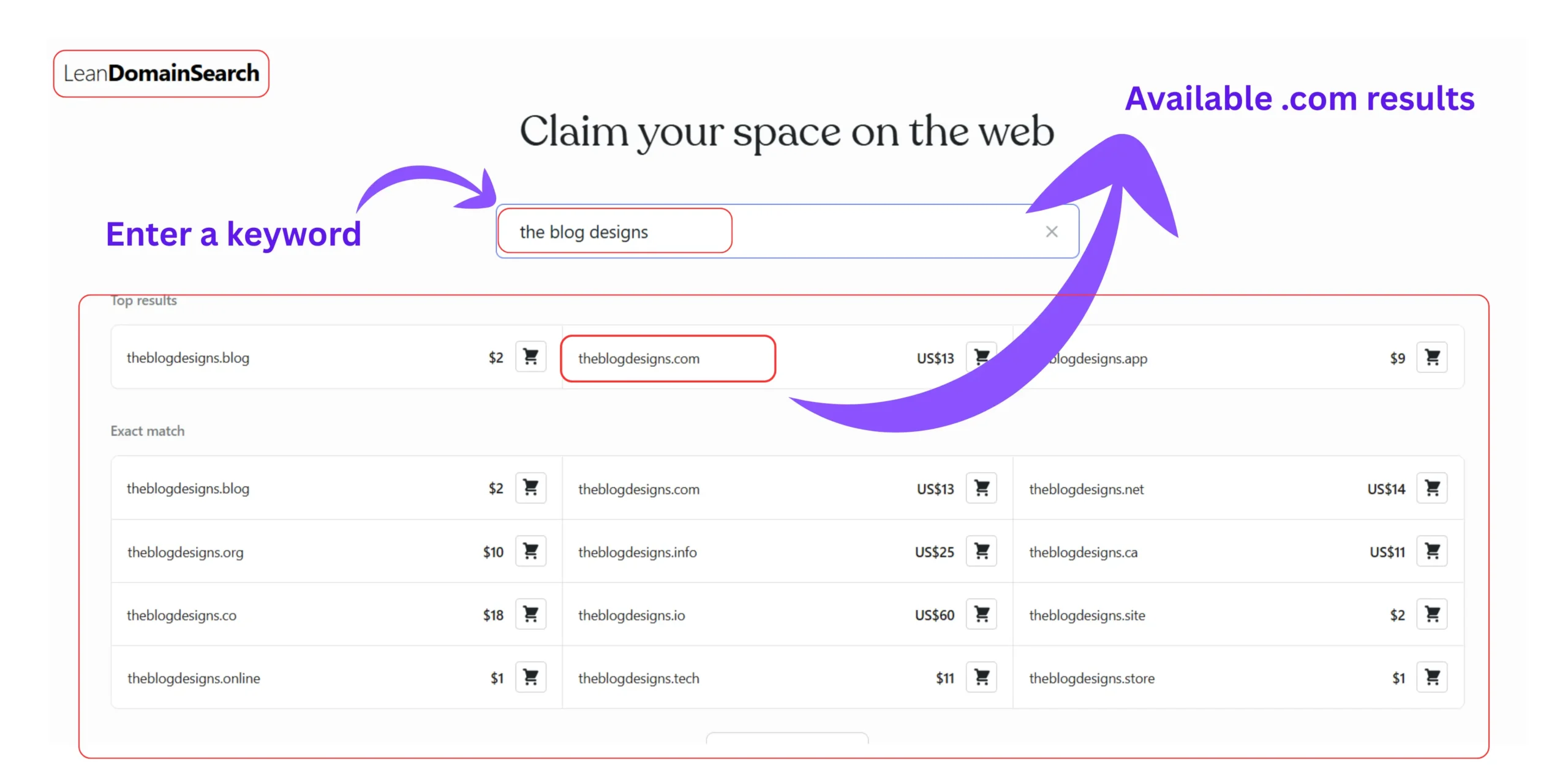
Backed by Automatic, the company behind WordPress itself. Lean Domain Search pairs your keyword with thousands of others to find available .com domains specifically.
It searches exclusively for .com availability, which removes the decision fatigue of sorting through dozens of alternative extensions. Results are sortable by popularity and alphabetical order. Fast, clean, and free with no account required.
Best for: Bloggers who want .com availability specifically, filtered fast without distractions. Limitation: Results are keyword-combination focused — less useful for fully invented brand names.
03 . Namelix
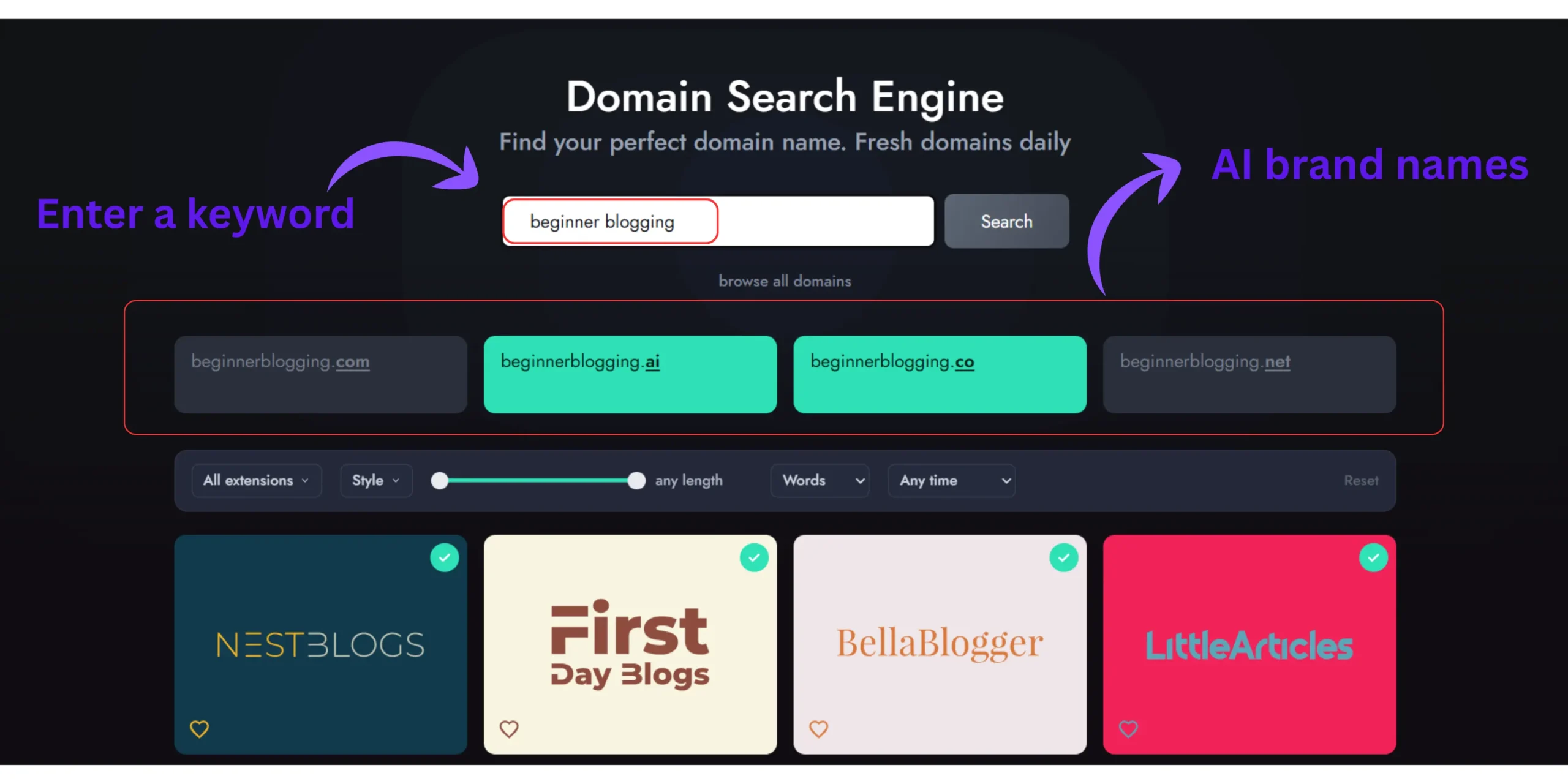
Namelix uses machine learning to produce short, invented names that sound like they belong to real companies. Instead of “BeginnerBlogTips.com,” Namelix might suggest something like “Blogy” or “Postara” – short, unique, and almost always available precisely because they’re invented.
You can set preferences for name style (brandable, alternate spellings, real words, compound words) and the algorithm improves the more you interact with results.
Best for: Bloggers who want a distinctive, invented brand name rather than a descriptive one. Limitation: Invented names require more explanation to new visitors, the domain alone won’t communicate what the blog covers.
04 . Namebody
One of the oldest tools in the category, Nameboy remains reliable for simple keyword-pairing logic. Enter two keywords and it generates combinations, both with and without hyphens, with various suffixes and prefixes.
Best for: Bloggers with two clear concept words they want to combine (e.g., “smart” + “blogging”). Limitation: Results are less creative than AI-powered tools. Best used as a starting point rather than a final answer.
05 . Namecheap domain generator with beast mode
Namecheap’s Beast Mode is a standout feature that gives you an incredible amount of control over your search filtering by TLD, character length, price range, and keyword position. For bloggers who know exactly what filters they want to apply, it’s the most powerful free option available.
Best for: Bloggers comfortable with filtering options who want maximum control over results. Limitation: The interface is more complex than beginners need for a first domain search.
Once your domain is registered, the best free domain name generators for WordPress websites have done their job, the next step is building what sits behind it. The ultimate WordPress launch checklist walks through every configuration step between domain registration and publishing your first post, and how to choose the best WordPress themes for your website covers the visual foundation that shapes your blog’s identity after the domain is secured.
How to use Hostinger AI domain name generator for WordPress – The fastest route from idea to registered domain
How to use Hostinger AI domain name generator for WordPress involves navigating to hostinger.com/domain-name-generator, entering a 1-2 sentence description of your blog (not just keywords), reviewing the AI-suggested available options, clicking your preferred name to see pricing and extensions, and completing registration directly, often as part of a hosting plan that includes the domain free for the first year.
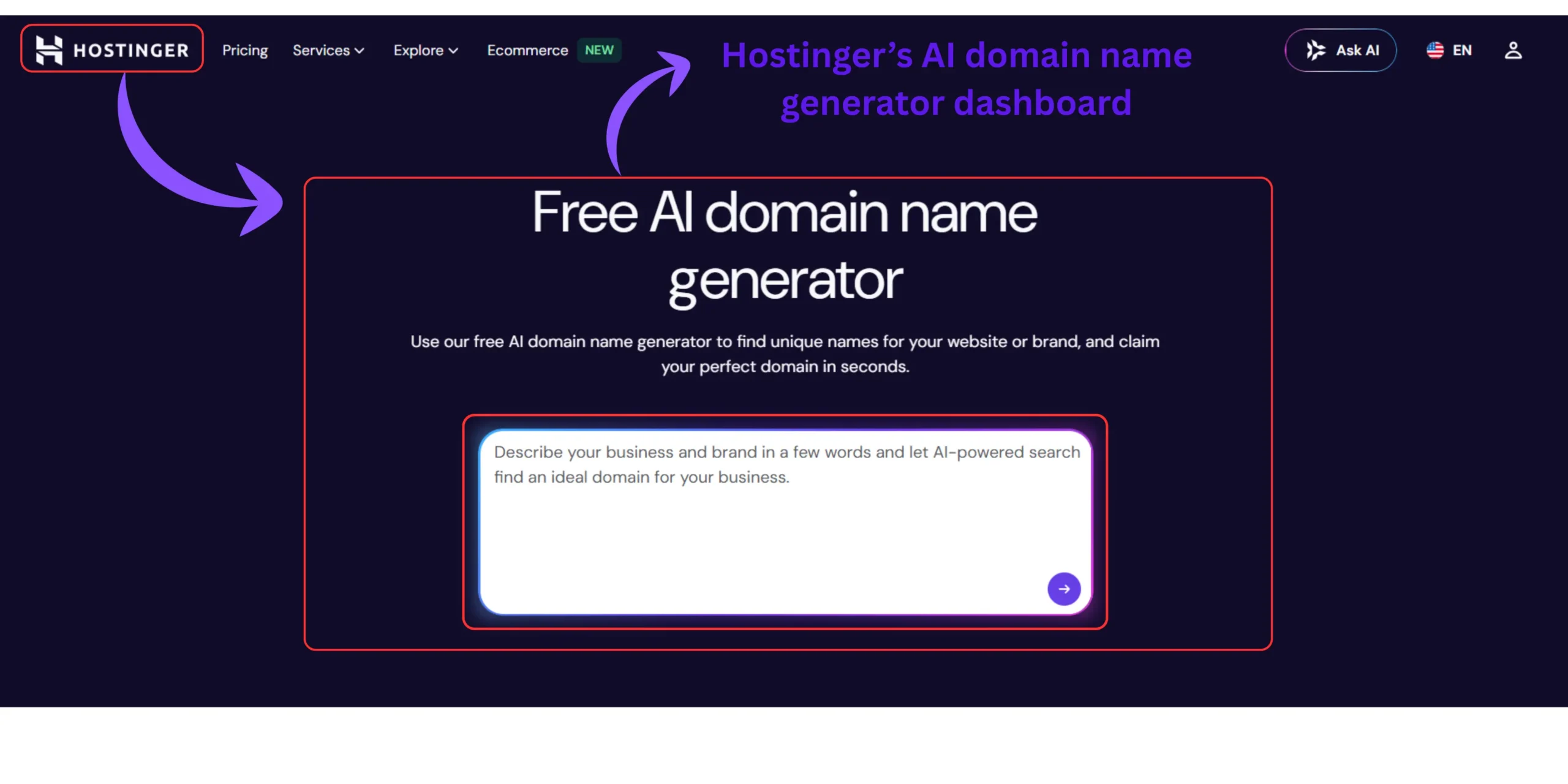
I tested the Hostinger generator with three different input styles to see which produced the best results:
- Input 01 – Single keyword : “blogging” → generic, obvious results with most good names taken
- Input 02 – Two keywords : “beginner blogging” → better, more specific results, still competitive
- Input 03 – Full sentence description : “a blog that helps complete beginners start a WordPress blog and make money without technical skills” → significantly more creative, brandable, and available suggestions
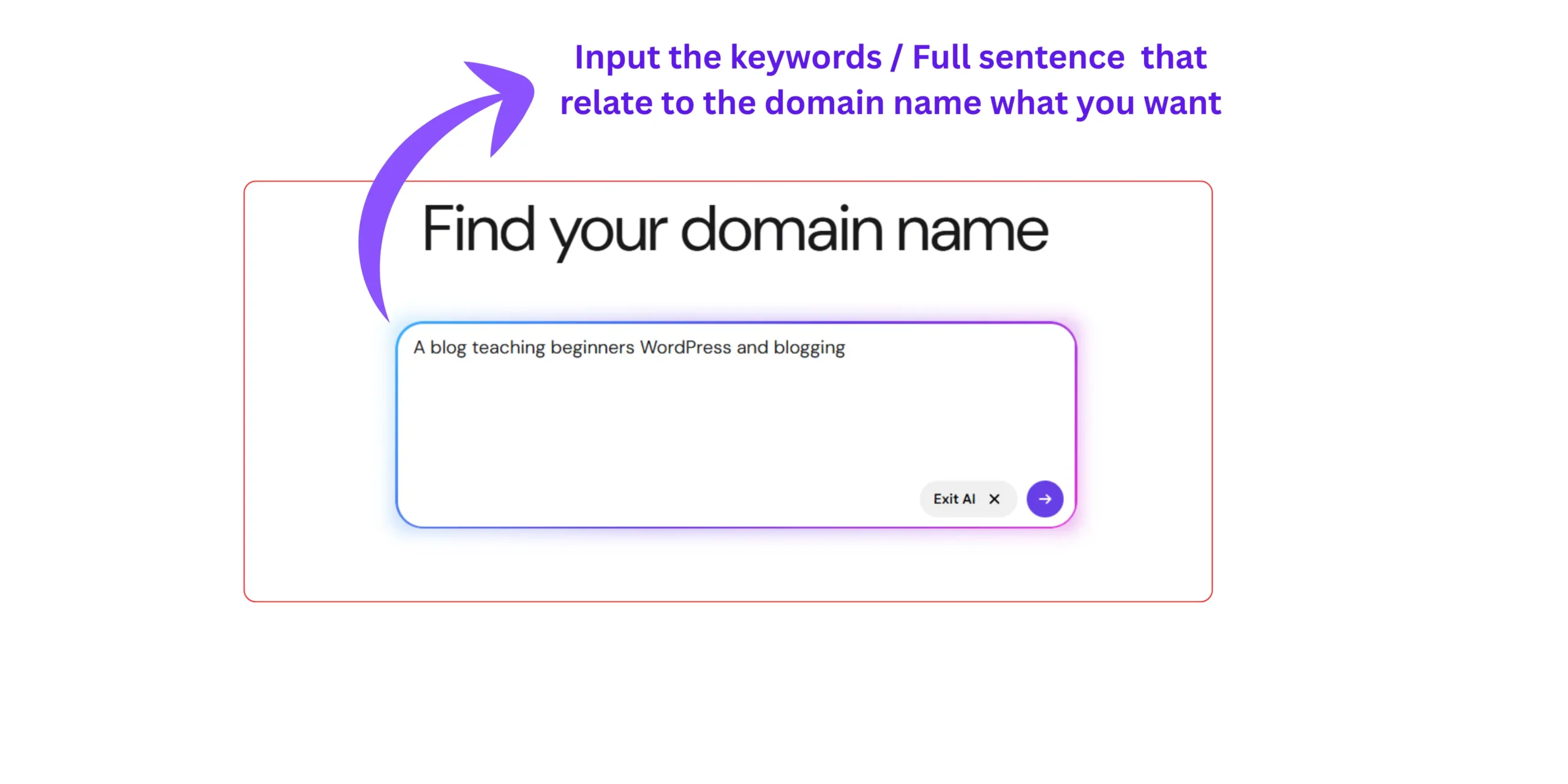
The full sentence input outperformed the keyword-only inputs every time. This is the input style Hostinger’s own documentation recommends and in my tests, it produced available names I genuinely liked rather than compromised alternatives.
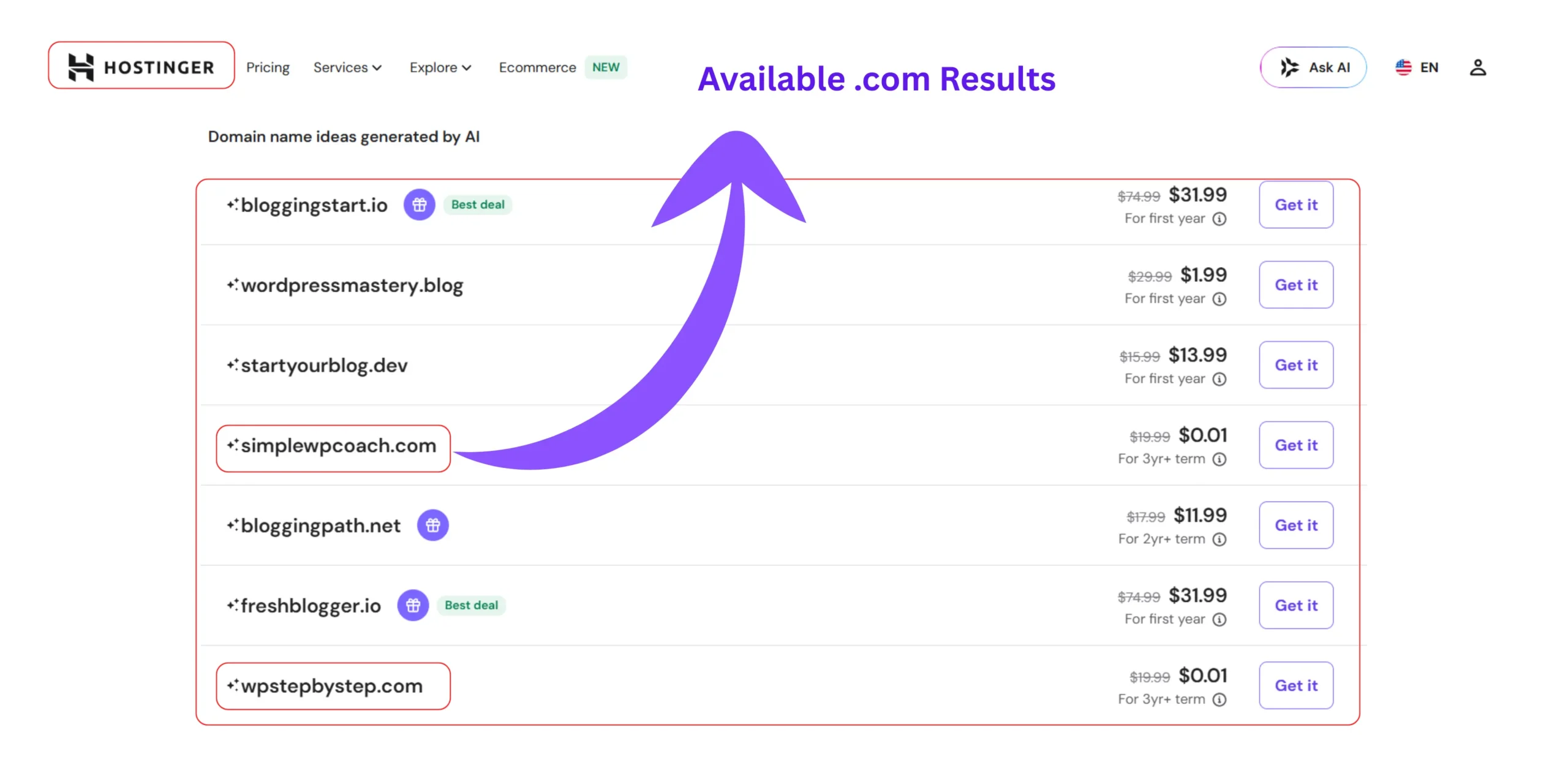
How to use Hostinger AI domain name generator for WordPress step by step:
- Go to hostinger.com/domain-name-generator
- Enter a full sentence describing your blog’s purpose and audience
- Click Generate
- Filter results for .com availability if you want the standard extension
- Click any result to see pricing and available extensions
- Proceed to registration or add to a hosting plan for a free first-year domain
The tool searches across 400+ domain extensions, so if your preferred .com is taken, highly credible alternatives like .blog, .online, or .co are surfaced immediately alongside pricing.
Check .com domain availability for WordPress – The 3-step verification before you buy
Before buying any domain, check .com domain availability for WordPress using three steps: confirm availability in your chosen registrar, run a WHOIS lookup to verify the domain isn’t simply in a pending delete state, and check your preferred social media handles manually to confirm brand consistency is achievable across platforms before committing.
Seeing “Available!” in a domain generator is step one, not the final answer.
Register your domain immediately after confirming it’s available. Popular registrars often cache search activity, and high-quality domain names can disappear surprisingly fast after multiple availability checks. If you’ve completed your trademark and social handle verification, don’t wait too long before securing the name.
Here’s why the verification step matters:
- Some domains show as “available” in generators but are actually in a pending delete or redemption grace period, technically unavailable until the deletion completes
- Some names are legally problematic even when technically available , a basic trademark search before registering prevents future disputes
- A domain name without matching social handles creates a fragmented brand identity from day one
The 3-step verification method
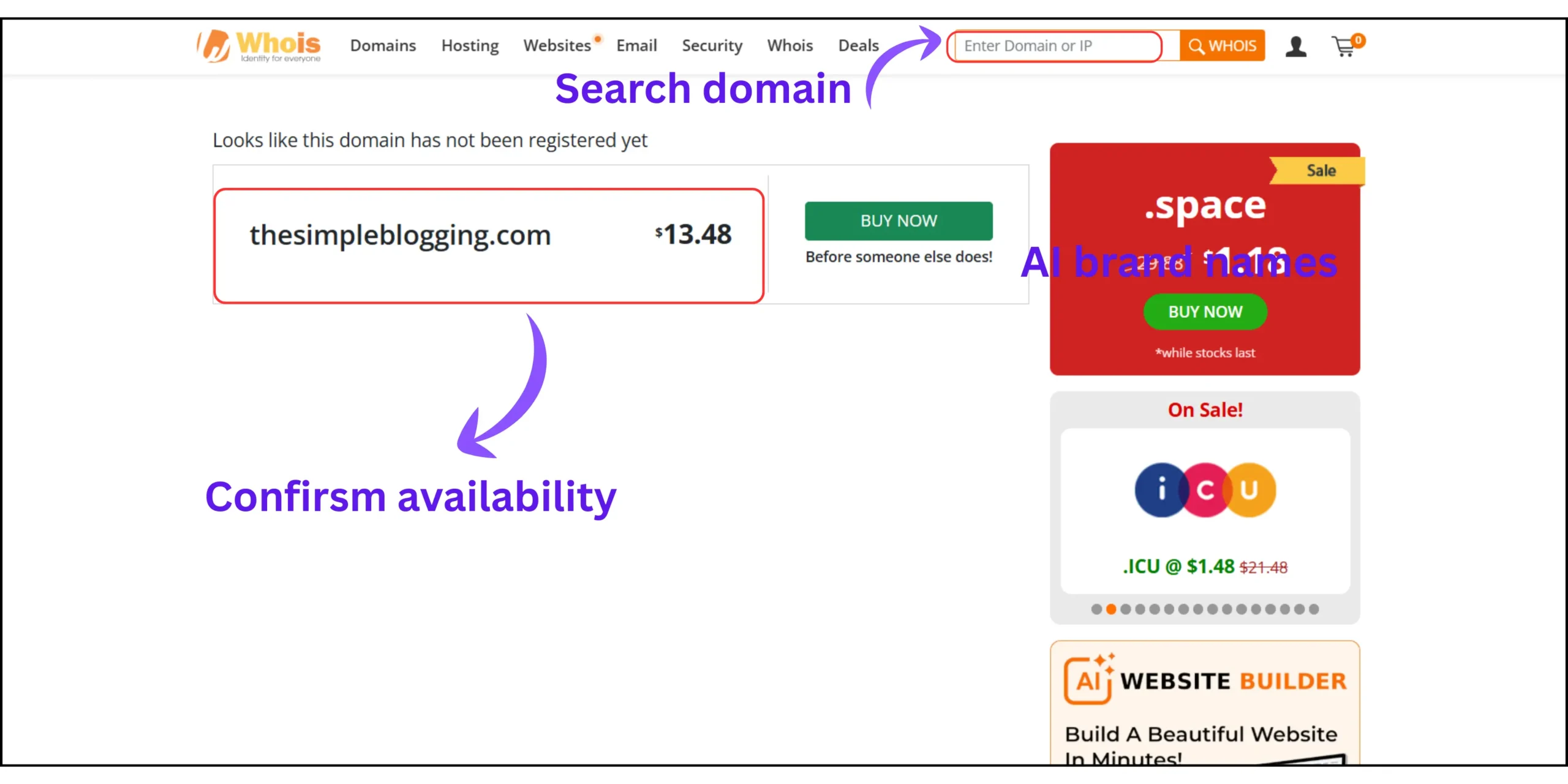
Step 01 – Confirm availability with a WHOIS lookup Search your chosen domain on whois.domaintools.com or your registrar’s own WHOIS tool. If it shows “No match for domain”, it’s genuinely available. If it shows any registration data, even expired, investigate further before purchasing.
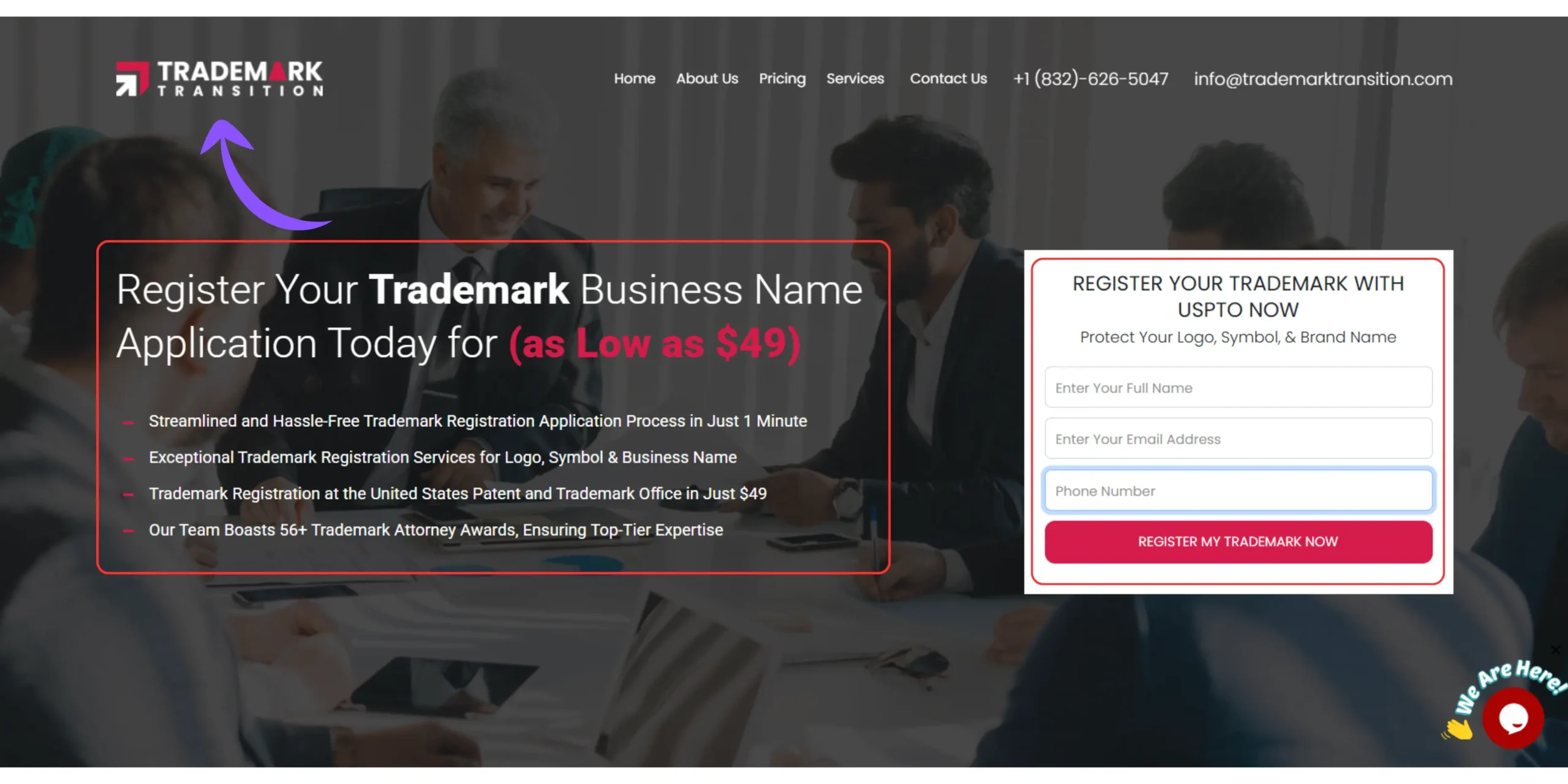
Step 02 – Run a basic trademark check Search the domain name (without the extension) at USPTO.gov’s trademark search or on Google with “trademark [your domain name].” This takes under three minutes and prevents building an entire blog on a name you’ll have to abandon later.
Step 03 – Check social media handles Search your domain name (without the extension) on Instagram, Pinterest, Twitter/X, and YouTube. If your exact name is available on all four, you have complete brand control. If it’s taken on any major platform, decide now whether to adjust the name or accept the inconsistency.
When you check .com domain availability for WordPress and find the name clear on all three steps, register immediately.
Available domains don’t stay available. Premium domains that are taken today may become available through domain auctions, but the cost jumps dramatically from the standard registration price.
After registration, your domain security becomes the next priority. How to speed up your WordPress website covers the performance foundation that makes your domain resolve quickly to a fast-loading site, and how to isolate WordPress sites on shared hosting explains the security layer that protects what you’ve built at the domain and hosting account level.
What most domain name guides get completely wrong – The brand vs keyword debate in 2026
Here is the information gap almost every domain name generator guide avoids and it’s the one that causes the most beginner blog rebrands 12-18 months into building.
Most guides still recommend keyword-rich domain names for SEO. The data in 2026 tells a different story.
Google’s Exact Match Domain (EMD) update in 2012 significantly reduced the ranking advantage of keyword-stuffed domains. Subsequent algorithm updates have continued in the same direction. A domain is just an address, your website is the house you build at that address. The SEO authority comes from the house, not the street name.
In practical terms: “BloggingTipsForBeginners.com” does not rank better than “MRD.blog” for blogging keywords. What ranks better is the site with stronger content, better internal linking, and more topical authority, regardless of what the domain says.
The more important consideration is what I call the Domain Regret Window, the 12-18 month period when most bloggers who chose narrow keyword domains realize they’ve outgrown the name. “AffiliateMarketingTips.com” feels limiting the moment you want to write about SEO, email marketing, or content strategy. A brandable domain like “LearnToLaunch.com” grows with you indefinitely.
The best domain name for a new WordPress blog in 2026 is short, brandable, easy to spell aloud, available as a .com, and flexible enough to cover where your blog might go in three years, not just what it covers today.
One of the most documented 15 common WordPress mistakes beginners make is choosing a domain name that feels perfect at launch and becomes a liability within a year. Running your chosen name through the 5-Filter Domain Selection Method and the Brand vs Keyword check before registering is the decision that prevents that specific mistake.
Related questions on best free domain name generators for WordPress website
Is a free domain name generator accurate for checking availability?
Yes – reputable generators like Hostinger, Lean Domain Search, and Namecheap check real-time availability directly against domain registry records.
Always confirm with a WHOIS lookup before purchasing. Generator results are accurate at the moment of search, but popular names can be registered within minutes by other users. If a name passes the availability check, register it immediately rather than returning to it later.
Should I choose a .com domain or another extension for my WordPress blog?
Choose .com if it’s available, it remains the most trusted and memorable extension, and visitors instinctively type .com when recalling a domain from memory.
Alternative extensions like .blog, .online, and .co are legitimate if your exact .com is taken. Avoid hyphens and numbers regardless of extension – they reduce memorability and signal low credibility to first-time visitors before they’ve read a single word.
Can I get a free domain name for my WordPress website?
Yes, most major hosting providers including Hostinger, Bluehost, and SiteGround include a free domain for the first year when you purchase an annual hosting plan.
After the first year, renewal costs typically range from $10-15 annually for a standard .com. Factor this into your budget planning from day one. The hosting plan itself usually costs more than the domain – the free domain is genuinely the lesser consideration.
How long should a WordPress domain name be?
Under 15 characters is the practical target – short enough to type without errors, long enough to be descriptive or brandable.
Domains over 15 characters see measurably lower direct-type traffic because people mistype or forget them. Single-word domains are almost entirely taken, so aim for two short words combined cleanly. Run any candidate through the spoken-aloud test, if you’d have to spell it out for someone, it’s too complex.
What happens if my preferred domain name is already taken?
Use the modifier method, add words like “the,” “get,” “my,” or a niche qualifier to your preferred name to surface available .com variations without completely abandoning the name you wanted.
If modifiers don’t produce a name you like, switch to an AI generator like Hostinger or Namelix. AI tools generate invented, brandable names that are available precisely because they don’t follow obvious keyword patterns that domain investors already registered years ago.
Your domain name is the first permanent decision your blog makes – Get it right before anything else
Knowing which best free domain name generators for WordPress websites to use is only half the answer. The other half is knowing what to do with the results they give you.
The 5-Filter Domain Selection Method – availability, length, spoken clarity, trademark clearance, and social handle availability — takes under ten minutes to run on any candidate name. Those ten minutes prevent the single most avoidable setback in beginner blogging: building a brand on a domain you’ll want to change.
Every hour you invest in your WordPress blog compounds behind whatever domain you choose today. Using the best free domain name generators for WordPress websites systematically , rather than hoping for a creative breakthrough – means you get to the right name faster and spend the rest of your time building something valuable behind it.
Run the tools. Apply the filters. Register with confidence.
What method did you use to choose your blog’s domain name and looking back, would you make the same choice today?